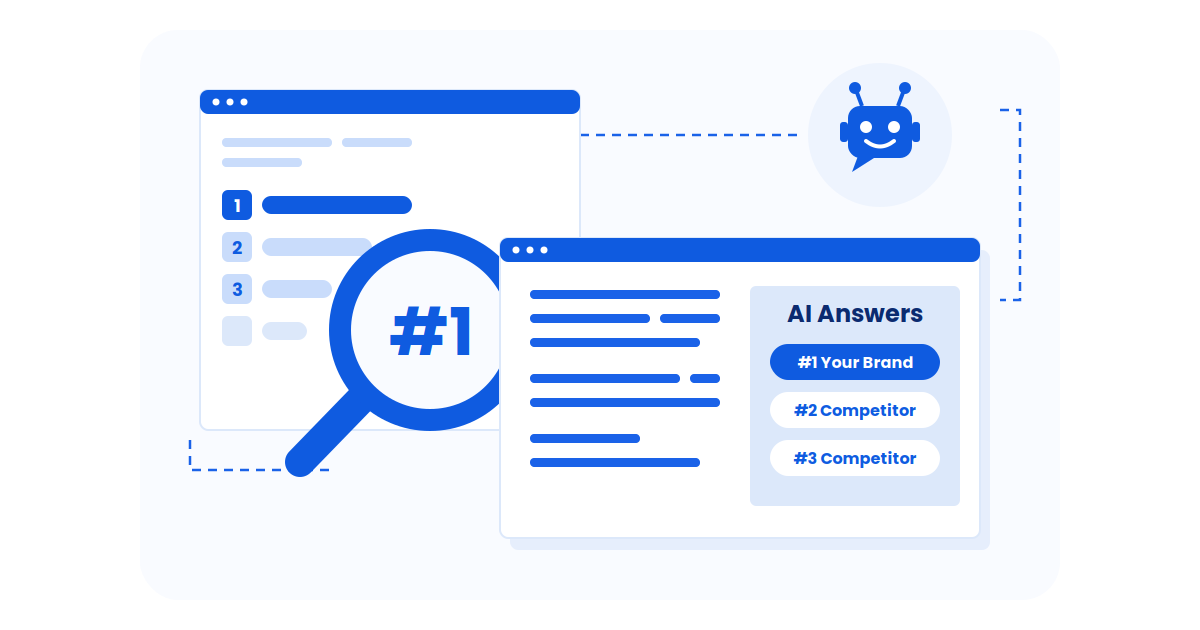
is the process of reviewing, refreshing, and improving existing pages so they stay accurate, relevant, and competitive in search.
It matters because content rarely “drops” overnight—rankings and clicks usually decline gradually as information gets outdated, search intent shifts, and competitors quietly improve their pages.
Best-practice cadence: review most evergreen pages every 6–12 months, competitive topics every 3–6 months, and fast-changing industries (AI, finance, tech) every 1–3 months.
Update triggers: refresh sooner if you see a noticeable drop in clicks or impressions, rankings slipping for primary keywords, outdated stats or examples, broken links, or competitors overtaking your page.
Content updates consistently outperform net-new publishing. HubSpot found that 76% of monthly blog views and 92% of blog-generated leads came from existing posts. After optimizing older content, they saw an average 106% increase in organic traffic and more than doubled lead generation from the updated pages (HubSpot 2025).
In this guide, I’ll break down when to update content, how often to review it, and the signals that tell you a page is starting to slip—so you can refresh the right posts and protect your traffic over time
- Content decay is gradual: rankings and clicks slip over time unless you refresh key pages.
- Updates are high-leverage: optimizing existing posts often delivers faster gains than publishing net-new content.
- Set a cadence by content type: use baseline review cycles, then tighten them for competitive or fast-changing topics.
- Use clear triggers: refresh when traffic drops, rankings decline, stats/examples age out, links break, or competitors overtake you.
- Start where ROI is highest: prioritize high-traffic and high-intent pages first.
- Follow a repeatable workflow: update key sections, verify accuracy, improve structure, and republish.
- Track impact after publishing: monitor impressions, position, clicks, and conversions to confirm results.
Why Content Update Dominates Rankings
Search engines like Google prioritize content that reflects current realities, especially in fast-moving topics. Refreshing old posts tells search systems your pages are still relevant, which can boost rankings and traffic without the cost of creating new content.
That’s because updating an existing page often yields faster SEO results than building new ones from scratch (Neil Patel). Speed comes from focus, and AI search content optimization gives teams a clearer way to identify which sections need rewriting and which can stay untouched.
The Data Speaks: Content Refresh Performance
Research shows the dramatic impact of content update strategy:
Backlinko reports that updating and relaunching old posts (“historical optimization”) can drive up to a 106% increase in organic traffic (Backlinko).
In a Databox survey, nearly 90% of marketers said repurposing/updating existing content is more effective than creating new content from scratch (Databox, 2023).
Refreshed pages often see higher engagement and search engine visibility gains compared to untouched posts
In a Semrush analysis, experts recommend updating most blog content every 3–6 months to maintain accuracy, quality, and alignment with user intent.
LLMs Value Data-Driven, Updated Content
AI Search Optimization is about structuring and updating your content so AI systems can clearly understand it and confidently use it in their answers.
That’s why AEO builds on traditional SEO, but focuses more on three practical things: clarity, structure, and proof.
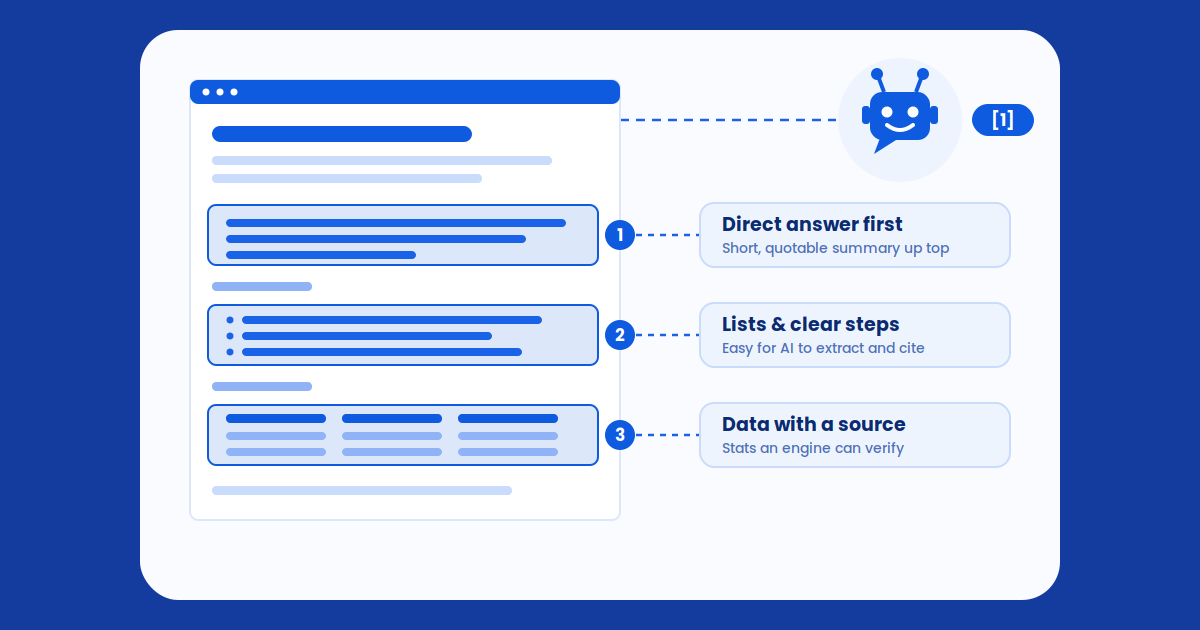
When your page clearly explains what it’s about, uses headings and lists to organize key points, and supports claims with up-to-date sources such as current content marketing statistics, it becomes much easier for AI systems to cite.
Did you know?
The AI Citation Advantage
Research analyzing 6.8 million AI citations across ChatGPT, Gemini, and Perplexity found:
- 86% of AI citations come from brand-managed sources—not Reddit or forums (Yext, 2025)
- AI assistants prefer content that’s 25.7% fresher than traditional search results (Ahrefs, 2025)
- Content over 3,000 words earns 3X more traffic than average-length content (AIOSEO, 2025)
- 52% of sources cited in Google AI Overviews rank in the top 10 results (AIOSEO, 2025)
In other words, the content that tends to get surfaced is usually the content that is already performing well, clearly organized, and kept current. Staying in that “surfaced” tier over time is where most tools fall short, which is why teams comparing AIClicks alternatives are increasingly focused on platforms built to protect visibility, not just report it.
Did you know?
Updated Content Is More Likely To:
- Be featured in AI summaries where users get an answer without clicking
- Appear in generative responses across ChatGPT, Gemini, and Perplexity
- Match newer search phrasing as user intent changes
- Reflect current research, tools, and best practices
How Often Should You Update Content for Visibility in Perplexity and ChatGPT?
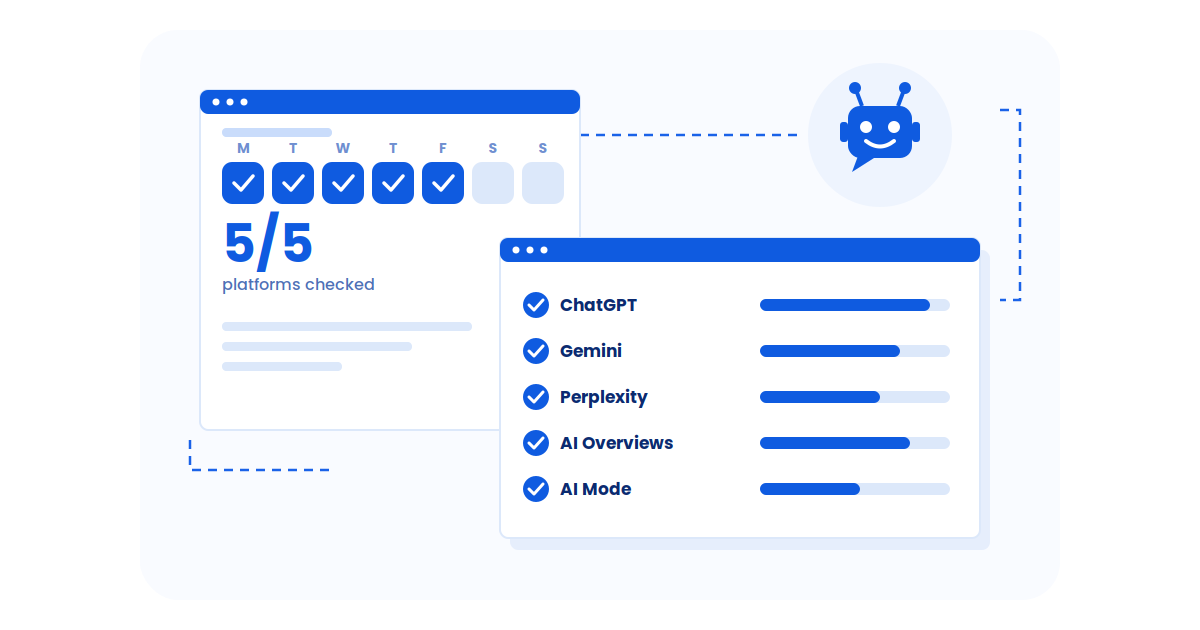
Update frequency depends on how fast your topic changes and how competitive the search results are. The table below gives a practical schedule for Perplexity and ChatGPT. After that, use the platform-level checklist to keep visibility stable across AI systems over time.
| Content Type | Baseline Update Frequency | Perplexity | ChatGPT | Why |
|---|---|---|---|---|
| Evergreen content | Every 6–12 months | Every 6–9 months | Every 3–6 months | Keeps information current and protects long-term visibility |
| High-competition topics | Every 3–6 months | Every 3–6 months | Every 3–6 months | Competitors update often, so rankings can drop faster |
| Fast-changing industries (AI, finance, tech) | Every 1–3 months | News/trends: 2–3 months Guides: 3–6 months |
Trending topics: weekly or bi-weekly Guides: 1–3 months |
Best practices and data change quickly, so content becomes outdated sooner |
| Time-sensitive news | Weekly to daily | Weekly to daily | Weekly to daily | Needs near real-time accuracy to stay relevant |
For startups, the update cadence question carries extra weight. Newer brands don’t have the citation history or domain authority that older sites use as a buffer when content ages. Investing in AI search visibility for startups means monitoring not just when rankings dip, but when citation counts in LLM answers drop — often a leading indicator that a page has decayed in the eyes of AI models before Google rankings have moved at all.
Use the table above as your baseline update schedule, then prioritize refreshes for pages that drive the most traffic, leads, or revenue. Once cadence is set, apply platform-specific update patterns so your content stays visible inside AI answers.
For example, pages optimized to rank in Perplexity benefit from clear summaries, recent statistics, structured headings, and strong citations that make information easy to reuse.
Similarly, pages designed to rank high on ChatGPT should be refreshed with up-to-date examples, tools, and references, especially when topics or workflows change.
To stay consistent, run a quarterly audit and prioritize pages showing traffic drops, ranking decline, outdated stats, or broken links. Quarterly reviews become far more actionable when they’re guided by AI content optimization strategies that show which pages need stronger structure, fresher evidence, or deeper coverage to stay competitive.
The Hidden Cost of Content Decay
Content decay is the gradual decline in organic traffic and rankings for existing content, which is why teams must detect SEO content decay before losses compound.
Without updates, even your best-performing pages will eventually lose visibility, and using AI to find content gaps can help you spot what’s missing before those drops turn into long-term losses.
Key decay indicators:
- Declining rankings
- Drop in organic traffic
- Decreased CTR and impressions
- Lower engagement metrics
How Wellows’ Content Decay Tool Helps You Update Content for Better SEO Results
While understanding when to update content is crucial, knowing which pages need immediate attention can be overwhelming—especially if you’re managing hundreds of articles. That’s where Wellows‘ Content Decay Tool becomes your strategic advantage.
What Is the Wellows Content Decay Tool?
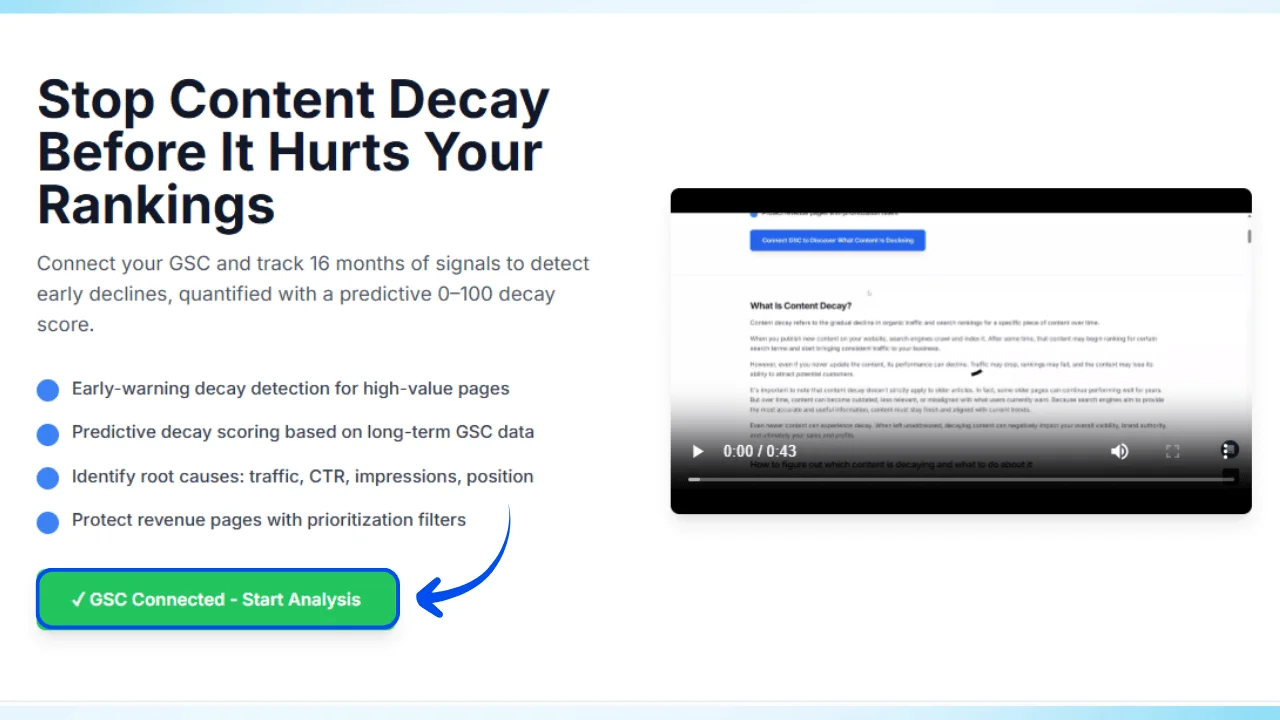
The Content Decay Tool is a predictive analytics system that connects directly to your Google Search Console (GSC) and tracks 16 months of performance signals across your entire content library.
It assigns each page a decay score from 0 to 100, helping you identify high-value pages that are silently losing rankings before they completely fall off the radar and that precision is exactly where most tools fall short. A side-by-side Wellows vs AIClicks comparison reveals which platform actually detects early decay signals and which one only confirms the damage after traffic has already dropped
Key Features:
- GSC Integration – Automatically pulls traffic, CTR, impressions, and position data
- 16-Month Historical Tracking – Identifies early decay patterns before major drops occur
- Predictive Decay Score (0-100) – Quantifies content health at a glance
- Root Cause Analysis – Pinpoints whether traffic loss is from CTR decline, impression drop, or position loss
- Priority Filters – Focus on revenue pages, high-traffic content, or strategic keywords first
How It Works: The 4-Step Content Decay Detection Process
This process helps you spot early traffic and ranking decline before it turns into full content decay. You connect Search Console, set your analysis rules, then get a clear list of pages to update first based on real performance drops.
Step 1: Connect Google Search Console
Open the Wellows Content Decay Tool and click Connect GSC. Grant access so Wellows can pull clicks and impressions directly from Search Console.
Step 2: Select Your Property
Choose the website property you want to analyze. This tells Wellows which Search Console data to use.
Step 3: Choose a Date Range
Pick the time window you want to review. You can select: Last 24 hours, Last 7 days, Last 28 days, Last 3 months, Last 6 months, Last 12 months, or Last 16 months.
Step 4: Set Your Decay Threshold
Set how much performance drop should count as decay. A lower threshold flags more pages. A higher threshold highlights only bigger drops.
Step 5: Run the Analysis
Click Run Analysis to generate results. Wellows will surface the pages showing decay based on your date range and threshold, so you can prioritize updates.
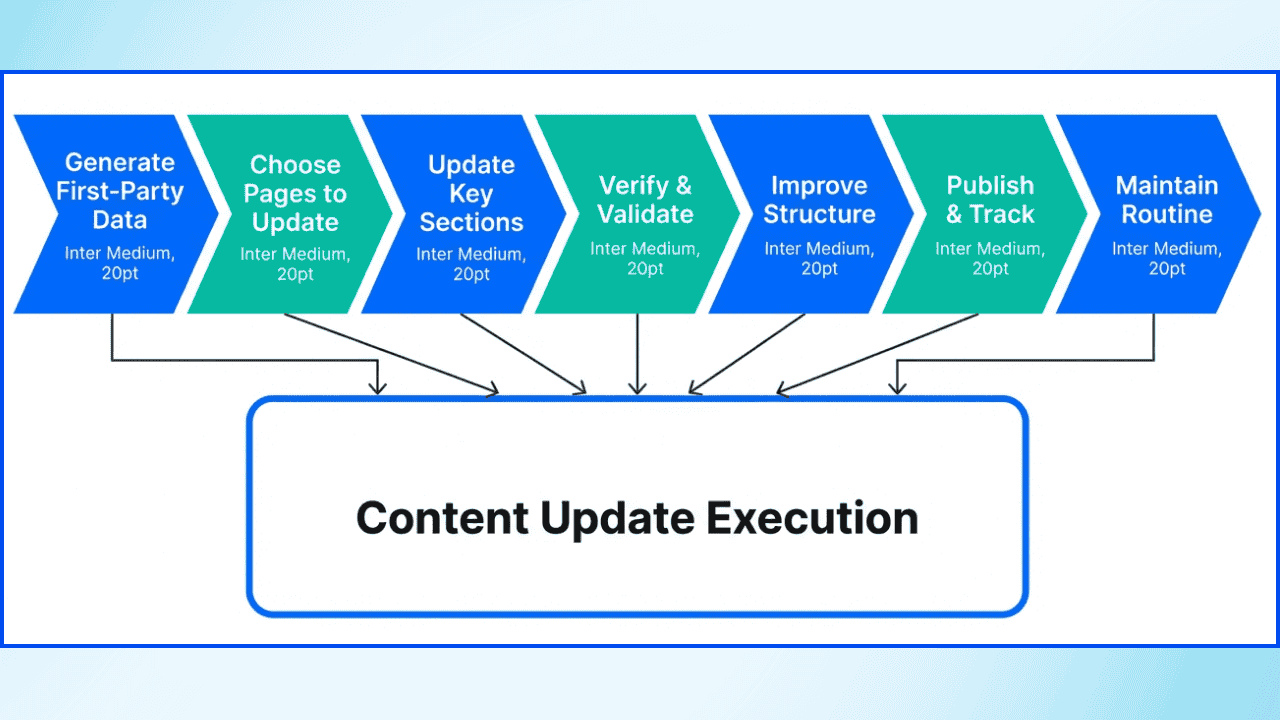
Scaling Data-Driven Content Refreshes: The 7-Step Framework
Rather than random updates, leading teams implement repeatable refresh workflows triggered by performance signals.
Triggers for Content Updates:
- Declining rankings
- Drop in organic traffic
- Changes in user intent
- Competitor performance shifts
Tools like Google Analytics and Search Console help spot these patterns.
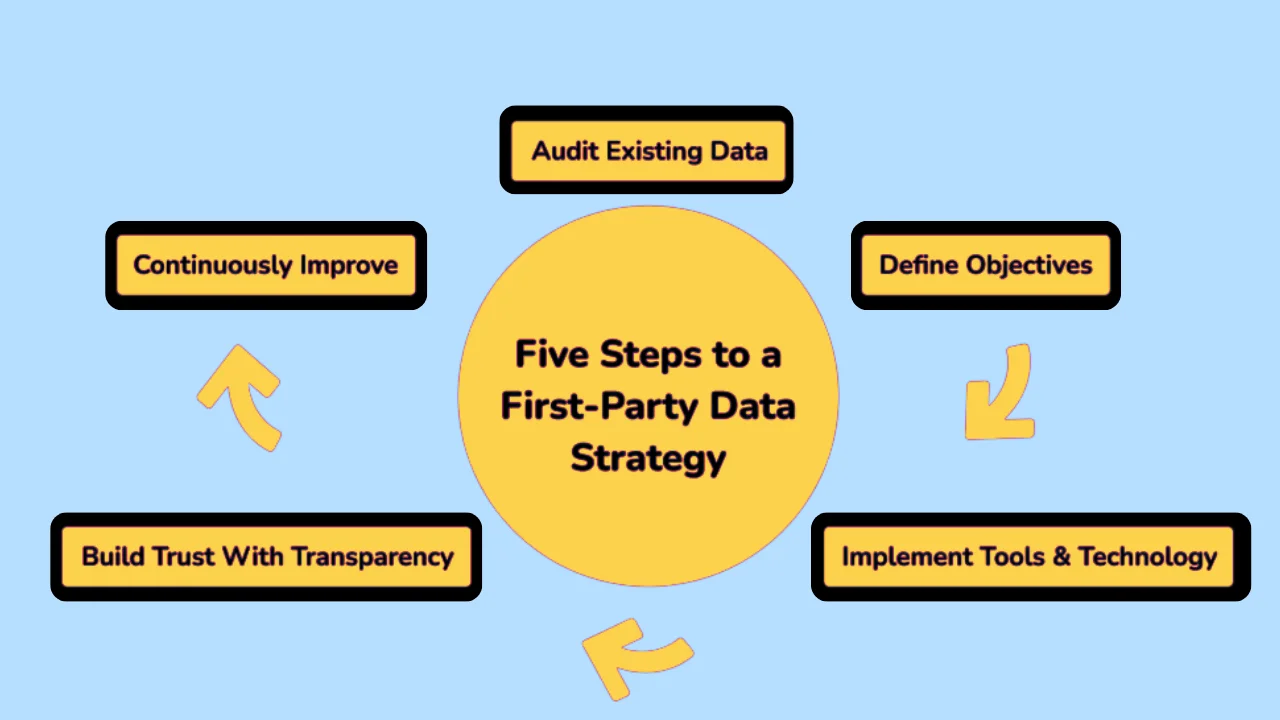
Step 1: Generate Actionable First-Party Data
- Run a short customer survey or poll.
- Pull insights from product or website usage data.
- Share results from tests (like A/B tests).
- Output: Add findings to the page with a clear takeaway and a date.
[/highlighter]
Step 2: Choose Which Pages to Update
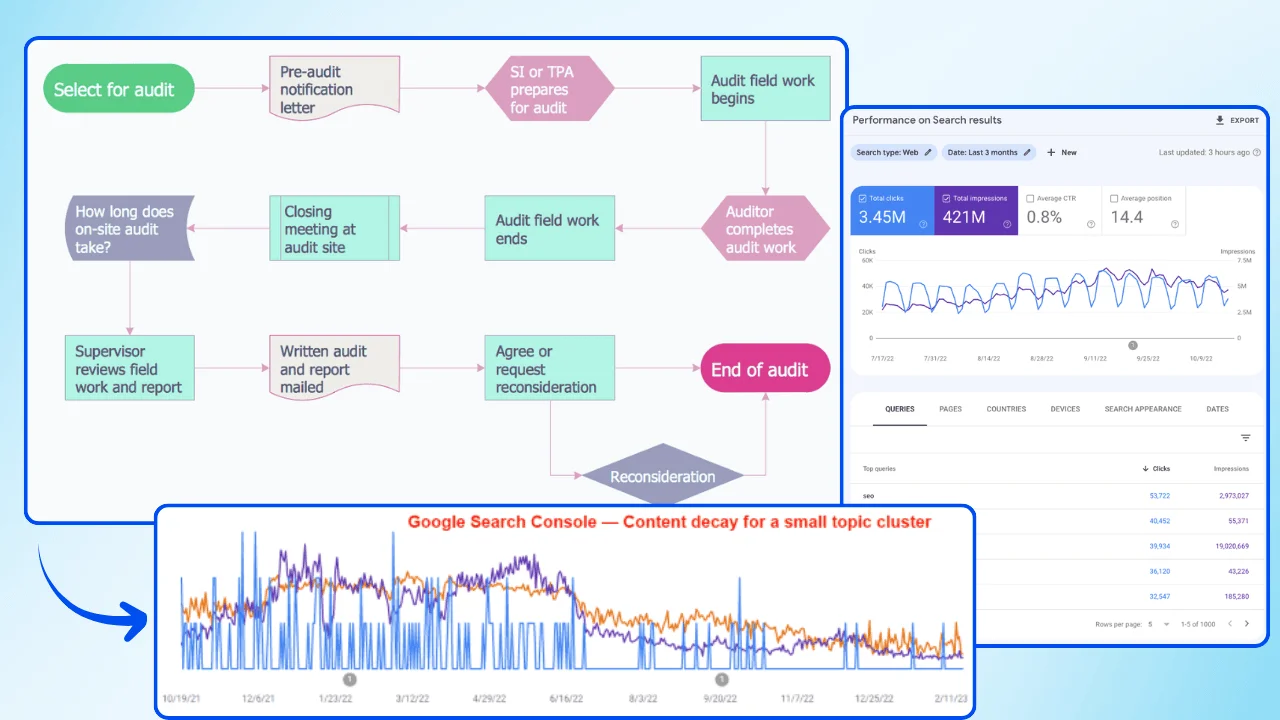
- Pull pages with falling traffic or rankings.
- Flag pages with outdated stats, broken links, or stale examples.
- Prioritize “previous winners” that are starting to slip.
- Output: A ranked update list using a site audit, Google Search Console data, or the Wellows Content Decay Tool.
Step 3: Update the Most Important Sections First
- Add a 2–3 sentence summary near the top.
- Replace outdated stats/examples in core sections.
- Add 4–8 FAQs with direct answers (1–3 sentences each).
- Output: Key updates placed in the sections readers see first.
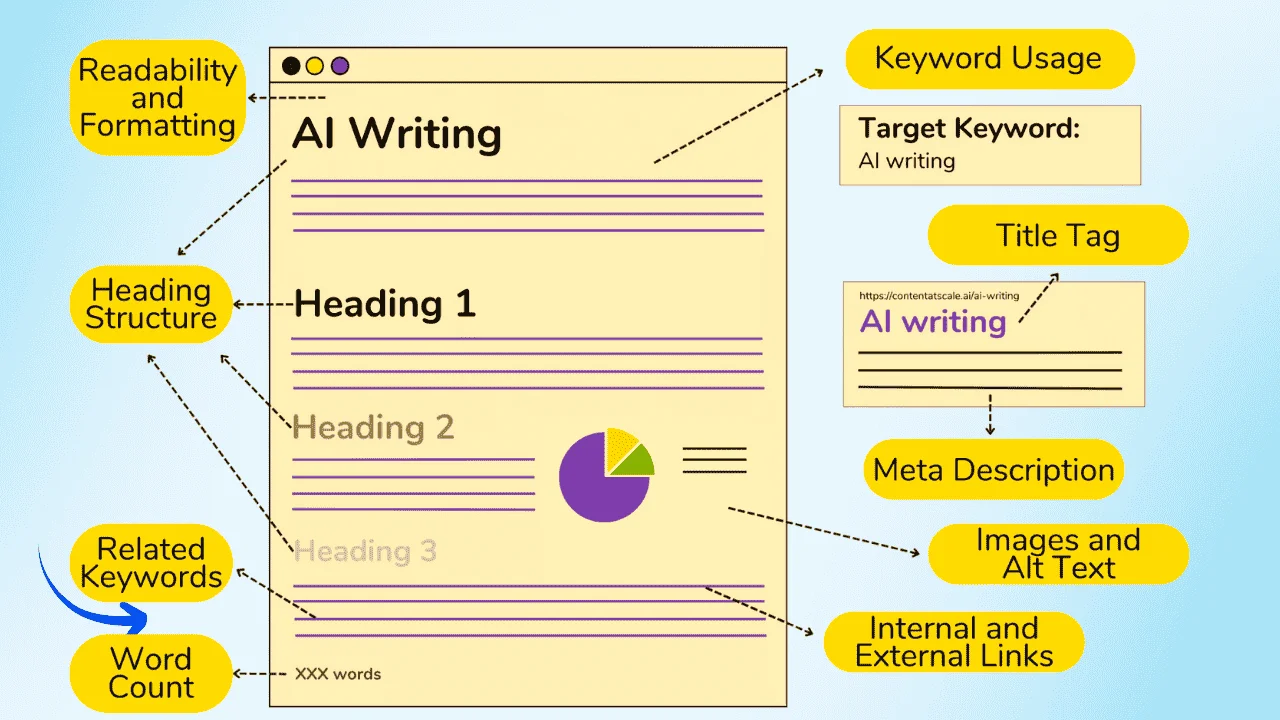
Step 4: Verify Everything Before Publishing
- Confirm facts, dates, and numbers.
- Fix or replace broken links.
- Update examples so they match the current year.
- Output: A final accuracy pass using an SEO checklist, plus updated author info and “last updated” date (if shown).
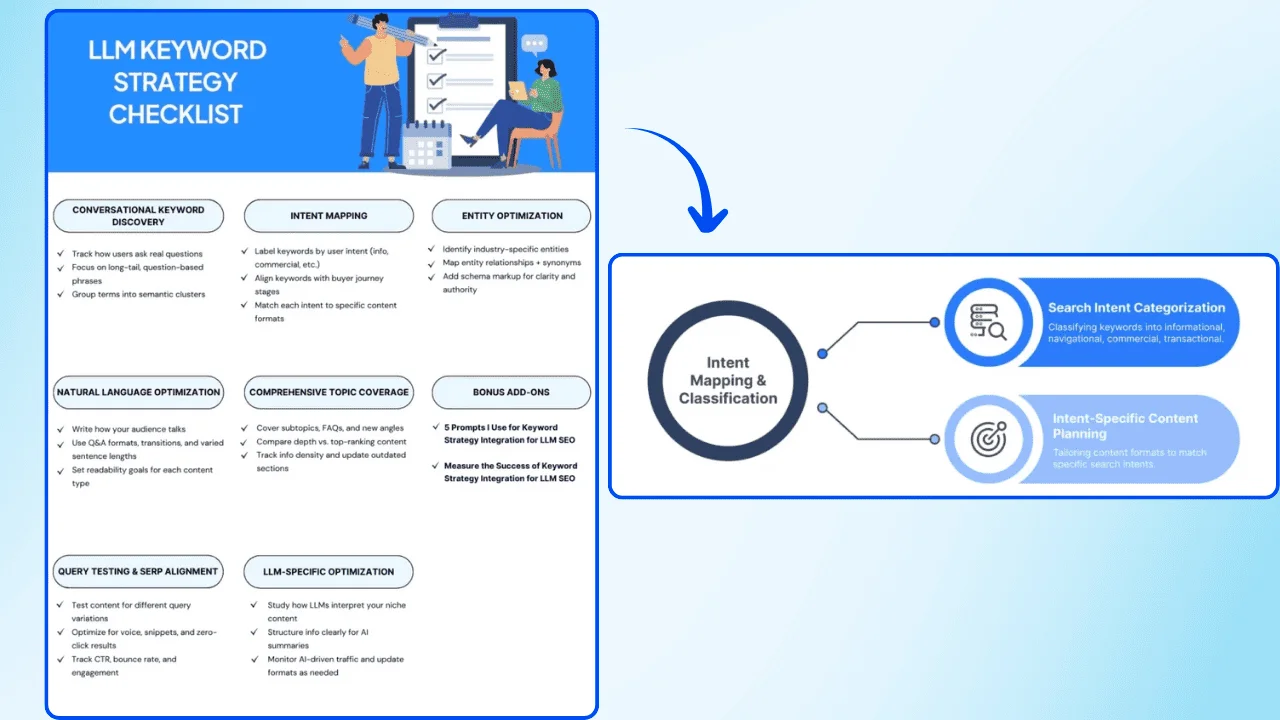
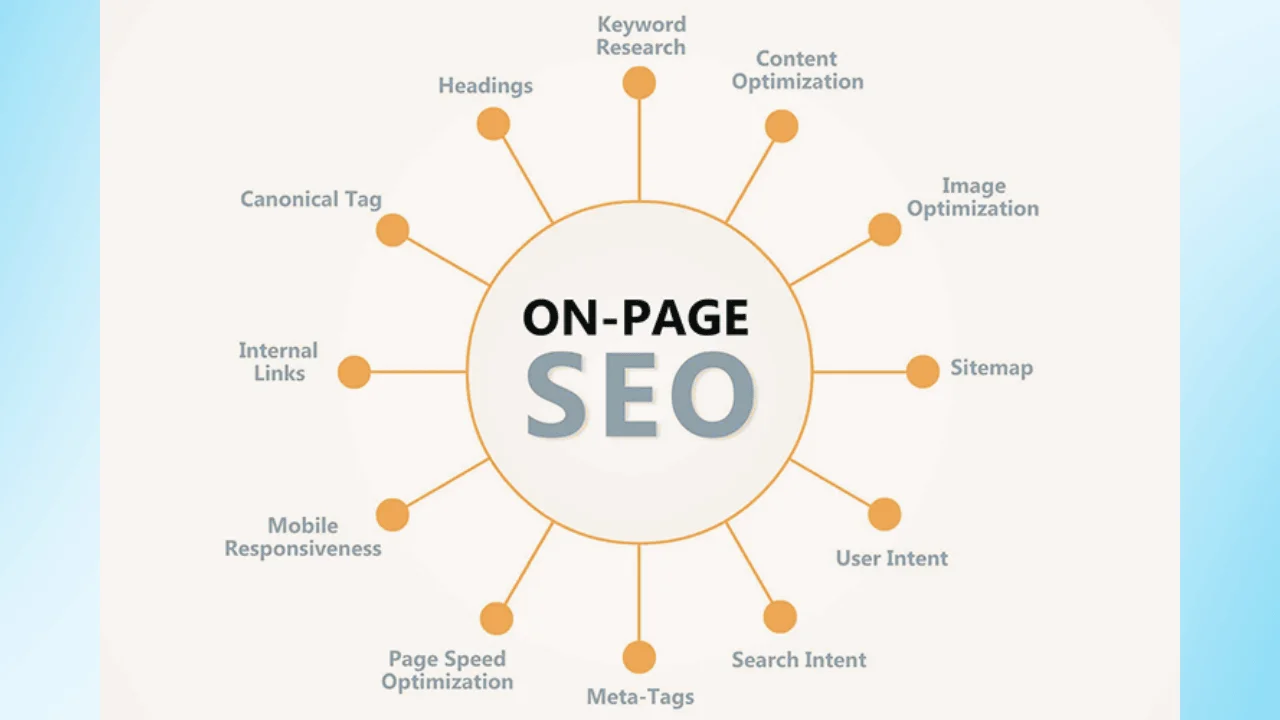
Step 5: Improve Structure and SEO Basics
- Rewrite headings to match what users search for.
- Shorten long paragraphs and tighten readability.
- Update meta title and meta description if needed.
- Refresh internal links to relevant supporting pages.
- Output: A cleaner, more scannable page with stronger on-page SEO and readability in SEO.
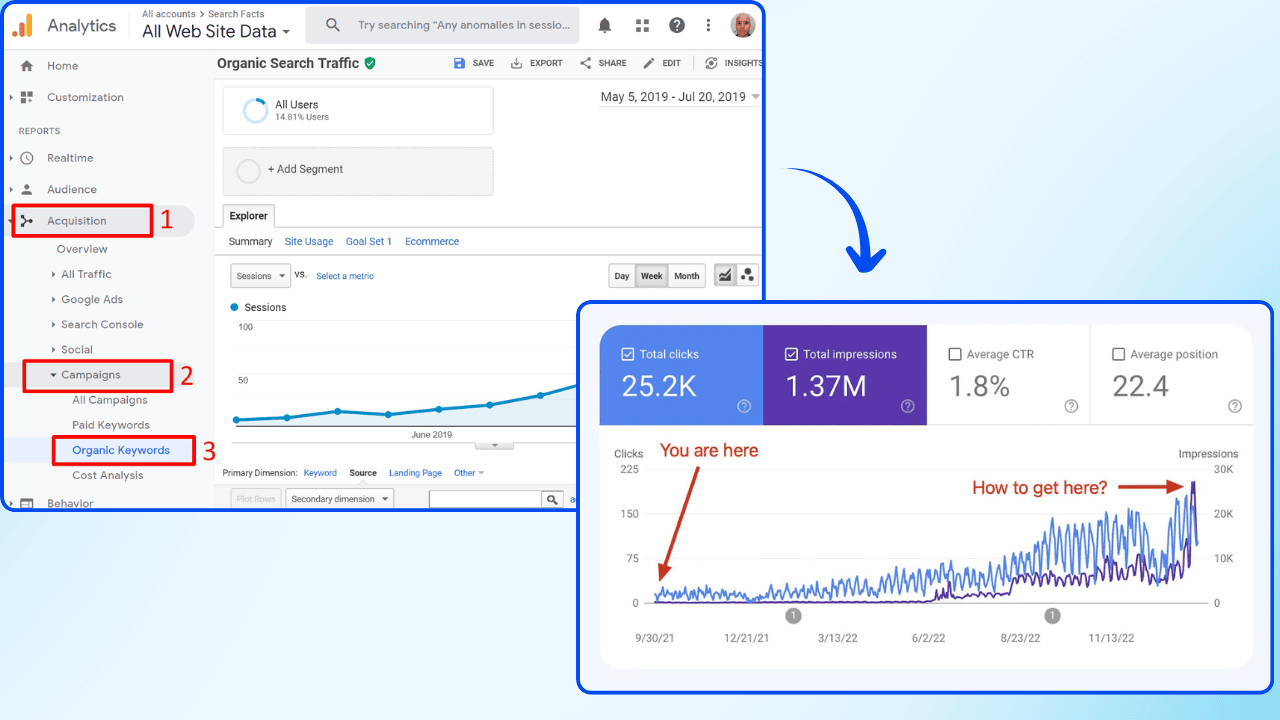
Step 6: Publish and Track Results
- Check impressions, clicks, and average position in Search Console.
- Track organic sessions and engagement in Analytics.
- Monitor conversions if the page has a goal.
- Output: A simple before/after snapshot to confirm what improved.
Step 7: Maintain a Simple Update Routine
- Run a quarterly audit for your main pages.
- Update top-performing pages first.
- Refresh outdated stats and fix broken links.
- Output: A repeatable routine (add a monthly check for fast-changing niches).
Why Newer Posts Rank in Perplexity (and Older Guides Don’t)
This is a common issue, and the reason is simple: AI systems value extractability more than length. Perplexity prefers content that is easy to scan, understand, and reuse—even if it is shorter.
- Freshness signals: Recently published or updated pages are trusted more
- Clear structure: Strong H2 and H3 headings help AI locate answers quickly
- Direct summaries: Short, clear answers outperform long explanations
- Modern formatting: Lists, tables, and schema improve extractability
- Long paragraphs with little structure
- No summary section near the top
- Key answers buried deep in the page
- Outdated statistics from previous years
- No schema or structured formatting
- Add a short AI-ready summary at the top (200–300 words)
- Split long sections using clear subheadings
- Update data points to the current year
- Add an FAQ section with direct answers
- Refresh the publish or updated date after major changes
Result: Your long-form guide stays detailed while becoming easier for AI systems to extract and cite. Without proper structured data, AI systems struggle to understand content relationships and context.
This often leads to lower citation rates and missed visibility across AI platforms.
How Can You Update Hundreds of Old Posts to Match Gemini Faster?
When you have hundreds of posts, a tiered refresh system is the only scalable approach. Use a 3-level system. Update the best pages first, do quick fixes on the middle pages, and clean up the rest.
– Pick pages with high traffic, strong backlinks, or money keywords
– Update old sections and add new examples or data
– Add a short summary at the top and improve headings
– Add schema (Article/FAQ) and update the publish/updated date
– Pick pages with some traffic or rankings around #11–30
– Refresh the intro and conclusion to match today’s search intent
– Fix broken links and replace outdated stats
– Improve title/meta description and add internal links
– Find pages with no traffic, thin content, or repeated topics
– Merge similar posts into one stronger guide
– Redirect old URLs to the best page
– Noindex or delete pages that are no longer useful
– Explain key terms clearly (simple definitions)
– Use clean H2/H3 headings so the page is easy to scan
– Add internal links to related posts
– Use trusted sources and show author + updated date
Timeline: This method lets you refresh 100–200 posts in 2–3 months because you spend time only where it matters.
Why Updating Old High-Traffic Posts Can Improve Your Visibility in Google AI Overviews
If you already have posts that bring steady traffic, updating them is one of the most practical ways to increase your chances of appearing in Google AI Overviews. A refreshed post sends clear signals that your content is still accurate and relevant.
Did you know?
Benefit 1: Better visibility in AI Overviews
When you refresh content, you send clearer signals that the page is still relevant today. This can improve your chances of being selected as a source in AI Overviews.
Benefit 2: Stronger trust and credibility
Replacing outdated statistics, fixing broken links, and adding current sources improves accuracy. That makes the page more reliable to cite.
Benefit 3: Easier for AI to extract and reuse
Clear headings, short summaries, and direct answers make it easier for AI systems to find the right section and reuse it in a generated overview.
Did you know?
What to Update First (In the Right Order)
1) Update statistics, dates, and key facts: Start by replacing old numbers, outdated dates, and stale recommendations. Add current-year data and cite credible sources. This is the fastest way to improve trust and reduce “outdated content” risk.
2) Add an FAQ section with direct answers: Add 4–8 short questions that match what people actually search for, and answer each in 1–3 sentences. This format is easy to extract and often matches how AI Overviews summarize information. If you can, add FAQ schema to support it.
3) Rewrite the opening so the main answer appears early: Improve the first 100–200 words so readers (and AI) understand the page immediately. Give a clear definition, explain who the guide is for, and summarize the main steps or takeaways without long background.
4) Improve internal linking to support topic authority: Link to relevant supporting pages on your site using descriptive anchor text. This helps Google understand your topic coverage and can strengthen the overall authority of your content cluster.
When you refresh underperforming posts, a specialized content marketing agency can also handle rewrites, new examples, and distribution.
5) Refresh visuals and image metadata: Replace outdated charts or screenshots, and make sure images load fast. Add clear alt text that describes what the image shows. Updated visuals support freshness and can improve usability.
FAQs
Review high-performing posts at least twice a year. Update sooner if you see ranking drops, fewer clicks, or fewer AI citations, so you can recover visibility before the decline becomes bigger.
Yes. Updating content can help protect and improve rankings because it keeps the page accurate, relevant, and aligned with what people are searching for today. Fresh updates can also increase the chance of being cited in AI answers and summaries.
Update when you notice early warning signs like ranking movement, traffic decline, lower engagement, or changing search intent. The best timing is based on performance data, not a fixed calendar.
Common signs include declining keyword rankings, fewer impressions or clicks, traffic drops, outdated statistics, broken links, and reduced mentions or citations in AI tools.
Yes. Fast-moving industries need more frequent updates because best practices, tools, and data change quickly. Slower industries can update less often, but should still refresh pages when information becomes outdated.
Wellows helps you spot which pages are losing visibility, prioritize what to update first, and track whether your refresh improves performance. This makes your update plan more focused and easier to manage.
- Content Marketing Stats: Why Structured SEO Briefs Are the New Foundation of AI Search Success
- SERP & LLM Trends: How To Create Content Based on SERP and LLM Trends
- AI Content Detection: AI Content Detection in 2025: Trends to Watch
- AI Brand Voice: How to Align AI Content to Match Your Brand Voice
- ChatGPT vs Traditional Search: AI Search Marketing: ChatGPT vs Traditional Search
- AI Content Prompts: 77 Must-Try AI Prompts for Content Marketing Team
- How to Humanize AI Content: How to Humanize AI Content for SEO
Conclusion: Sustaining SEO and AI Visibility Through Consistent Updates
In 2025, search visibility isn’t just about publishing new articles—it’s about maintaining what already performs. A strong content update strategy helps you protect rankings, sustain traffic, and extend the ROI of your existing content library.
Treat your content update strategy as an ongoing workflow, not a one-time fix. When you review performance regularly, refresh key facts, improve on-page clarity, and keep references current, you prevent gradual declines and create more consistent growth over time.
- Update what already works: high-traffic posts are the fastest place to improve results.
- Refresh accuracy first: new stats, current examples, and working links build trust.
- Improve readability: clear headings, short summaries, and FAQs make pages easier to scan.
- Use performance signals: update when rankings, clicks, or visibility starts to drop.
- Measure after publishing: track impressions, position, and conversions to confirm impact.
If you want a faster way to monitor visibility and spot refresh opportunities early, you can start here.