
Collaborate with Team for AI Visibility
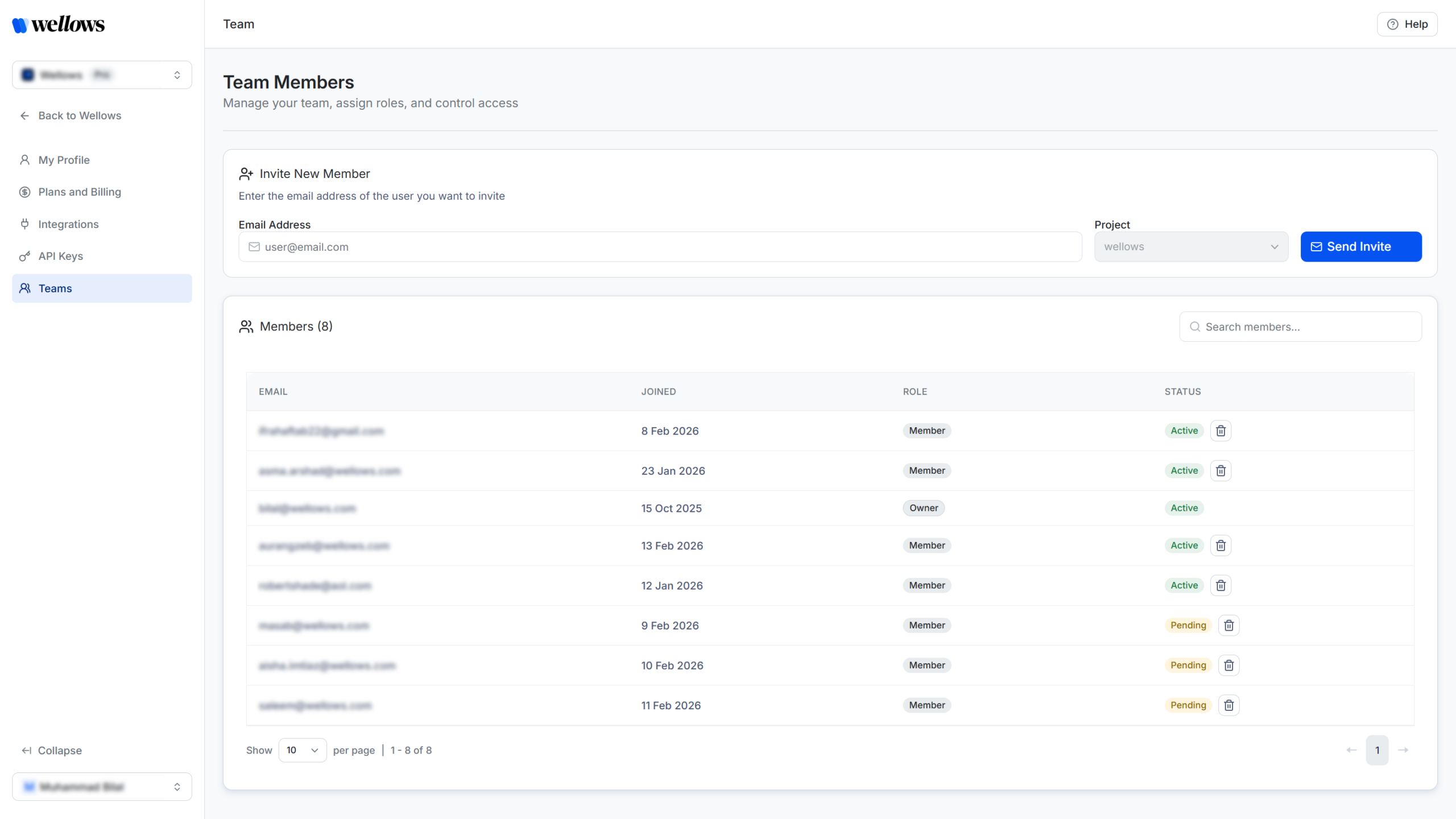
Team Invite lets agencies collaborate from shared visibility data. Everyone works from the same prompts, citations, rankings, outreach opportunities, and sentiment across clients.
Let's dive deeper and see what Wellows Team Invites has to offer!
Build for every AI Search Engine:







AI visibility work spans strategy, content, outreach, and reporting. Team Invite keeps everyone aligned by ensuring the entire team works from the same data, not disconnected exports or screenshots.
How Team Invite Works in Wellows
Add Team Members to Shared Projects
Agencies can invite team members to collaborate on the same projects using shared AI visibility data. Once invited, team members gain access to all project insights tied to that client.
Start Your 7-Day Free TrialCollaborate Using Shared Data and Insights
All team members work from the same prompts, citations, tracked queries, rankings, outreach opportunities, and sentiment signals. Changes and updates are reflected across the project for everyone.
Start Your 7-Day Free TrialControl Access and Permissions
Team members can view analytics, manage queries, update competitors and create and edit content. Administrative controls ensure project ownership stays protected.
Start Your 7-Day Free TrialWhat Agencies Get With Wellows Team Invites
One Shared Source of Truth
Ensure everyone works from the same AI visibility data across clients and campaigns.
Faster Collaboration Across Teams
Align strategists, writers, and outreach teams without manual handoffs.
Clear Role Boundaries
Team members can collaborate freely while project-level controls remain protected.
Consistent Client Delivery
Reduce errors and misalignment by keeping insights centralized and up to date.
Book Your Strategy Call
Schedule a 30-minute strategy call with our team to discuss how Wellows Outreach can help you earn AI citations.
Frequently Asked Questions
Team members can view project data, manage queries and competitors, create and edit content, access integrations, and collaborate across features.
No. Only project owners can invite additional members or delete projects.
Yes. Team members can be added to different client projects as needed.
Yes. All invited team members work from the same live project data, ensuring everyone sees the latest updates and insights.
Yes. Project owners can remove team members at any time to maintain access control and data security.