TL;DR
| What it is A free Wellows tool that compares how one AI engine describes your brand and up to three rivals. |
What you enter Your domain, up to three competitor domains, one engine and the country to ask from. |
| What you get Each brand scored against the same claims, the pages the engine cites, and a ranked list of fixes. |
How long Our Apple run with three competitors took about 11 minutes. |
| Cost Free, with no account. A work email unlocks the full report and the ranked moves. |
For agencies Run it on a prospect and its three closest rivals, then pitch the gap, claim by claim. |
Competitor Analysis on LLMs shows what an AI engine says about your brand next to what it says about up to three rivals. It scores every brand against the same list of claims, keeps the sentence behind each score, and ranks the gaps you should close first.
Asking ChatGPT about a brand once tells you very little, because two answers to the same question rarely match. This tool asks repeatedly, pools what the engine says about every brand, and turns it into a side-by-side comparison you can act on. Run a free comparison.
1How does Competitor Analysis on LLMs work?
A run takes four steps, from the domains you enter to the ranked list of moves.
1. Enter your brand and up to three rivals
Add your domain, then up to three competitor domains, pressing Enter or a comma after each. You need at least one competitor for the run to start. For an agency pitch, pick the three rivals the prospect loses deals to.
2. Choose one engine and one country
Pick the engine to ask: ChatGPT, Perplexity, Gemini, Google AI Mode or Google AI Overviews. Then pick where the question is asked from: the United States, United Kingdom, United Arab Emirates, Pakistan, Germany, India, Australia or Canada.
Why one engine per run
Engines draw on different sources and phrase things differently, so mixing them would blur the result. To compare engines, run the tool once per engine with the same brands and country.
3. The tool asks the same question, many times
It asks one fixed branded question about each brand, worded the same way for every brand, many times within one window. Each answer comes from a fresh session with no memory or custom instructions. The answers and the pages they cite are saved with timestamps, and any answer from outside the window is rejected.
4. It scores every brand against one claim list
The claims come from the answers themselves. Everything the engine said about every brand is pooled into one deduplicated list, and each answer is scored against it. That is what makes the comparison fair: your brand and your rivals are measured against exactly the same claims.
2How do I read the report?
The verdict and section 01 are free. A work email unlocks the other ten sections. Every figure is the share of that brand’s own answers that carried the claim, and every score keeps the sentence it came from.
| Section | What it tells you |
|---|---|
| Verdict | A one-sentence finding and six headline figures, each against the strongest rival |
| 01 · Identity | How the engine introduces each brand, with the sentence it uses and the claims it attaches |
| 02 · Claims | Every claim scored for every brand: where you lead, where you’re level and where you’re absent |
| 03 · Sources | Which pages the engine reads, which it actually shows, and how much comes from your own site |
| 04 · Gaps to fix | Gaps split into claims your site makes that the engine misses, and claims a rival gets that your site doesn’t make |
| 05 · Notables | Third-party pages that describe your products, read often but never credited |
| 06 · Rewrite | Today’s answer next to the answer your own pages could support |
| 07 · Behaviour | Whether the engine hedges the name, suggests another company or questions legitimacy |
| 08 · Fixes | Ranked moves, P0 to P2, each tied to the figure it should move |
| 09 · Re-measure | The target figures to check when you rerun |
| 10 · Limits | What the run can’t tell you, stated for that report |
3A real run: Apple vs Samsung, Google and Microsoft
We ran apple.com against samsung.com, google.com and microsoft.com on ChatGPT, asking from the United States, on 10 November 2026. The full report took about 11 minutes.
The verdict
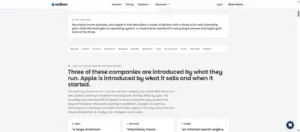
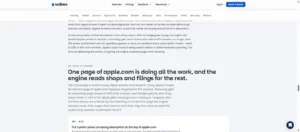
ChatGPT describes Microsoft as software you run your work on, and Apple as devices you buy, plus a share price and a founding year.
| Claim in the answer | Apple | Strongest rival |
|---|---|---|
| A branded AI assistant | 0% | Microsoft 100%, Google 60% |
| A desktop operating system | 0% | Microsoft 100% |
| Software subscriptions and licensing | 0% | Microsoft 80% |
| A named current CEO | 14% | Microsoft 46% |
| A stock ticker symbol | 74% | Microsoft 24% |
| Named founders and founding year | 98% | Microsoft 100% |
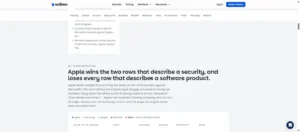
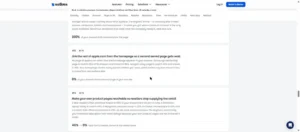
The sources section explains why. Apple’s homepage is read and shown in every answer, but no second Apple page ever reaches the reader. The rest of the picture comes from a Library of Congress record, shown in 50% of answers, and financial filings. A Mac reseller’s iPad page is read in 46% of answers and never shown. Samsung, by contrast, gets its own leadership page shown in 66% of its answers.
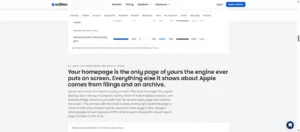
There are also notes on when something should be zero. Apple getting a 0% for home appliance or search engine would be accurate and not a fix. The top actions would be around retrieval. They suggest putting a basic description of the company on the homepage, linking to another owned page that can be shown by the engine and putting a leadership page up with the name of the current CEO.
How to read a gap
A gap names a claim, the brand that owns it and by how much. If the engine credits a rival with a strength your client also has, that claim is the first thing to fix, because the engine is already telling buyers the story about someone else.
The email is asked for only after you’ve seen a real finding, and the report lives at a private link.
What it can’t tell you
The tool measures what an engine knows and repeats about each brand. It does not measure whether the engine recommends a brand when buyers ask about a category. Answers also vary from run to run, so treat each report as a dated snapshot.
4What should I do with the results?
- Pitch the gap. For a prospect, the ranked gaps are a first draft of a scope of work: here is what the engine says about your rivals that it doesn’t say about you.
- Fix the biggest claim first. Pick the rival’s claim your client should own, and strengthen the pages and third-party sources that make it.
- Rerun with the same engine, country and rivals after the changes, so the before-and-after compares like with like.
Where the full Wellows platform goes further
This free tool provides a single snapshot of one engine and country. The Wellows platform monitors on a daily basis how your brand and competitors are being described and cited in AI engines against the prompts your buyers are asking. Then Content Optimization will tell you which page to win for every prompt that your brand is not being cited for by the AI engine and what edits to do.
Agencies run it across every client from one account. See Wellows for agencies.
FAQ
Is Competitor Analysis on LLMs free?
Yes. The verdict and the first section are free and need no account. A work email unlocks the other ten sections, including the ranked fixes.
Which AI engines can it compare brands on?
ChatGPT, Perplexity, Gemini, Google AI Mode and Google AI Overviews. Each run uses one engine and one country, so results stay comparable.
Why does it ask the engine more than once?
Two answers to the same question rarely match. Asking many times separates the claims an engine keeps repeating from the ones it mentioned once.
Will my competitors know I ran a comparison?
No. Competitors aren’t notified, nothing is emailed to anyone, and each report lives at a private link that search engines are told not to index.
Conclusion
A single question to ChatGPT tells you what one answer said. Competitor Analysis on LLMs tells you what an engine keeps saying about your brand and your three closest rivals, which claims each one owns, and which gap to close first. Run it on your own brand or a prospect today, then rerun after the fixes.
Watch the launch webinar or support the launch on Product Hunt.