An SEO audit serves as your website’s health check, revealing both strengths and areas needing improvement in your online presence.
By systematically analyzing every aspect that impacts your site’s visibility in search engines, this audit template provides a roadmap for enhancement.
Whether you’re managing a small business website or a large enterprise portal, regular SEO audits help maintain optimal performance, improve user experience, and ultimately drive more organic traffic.
This template walks you through each critical phase, from conducting a structured technical SEO audit to refining content quality, making the complex process manageable and effective.
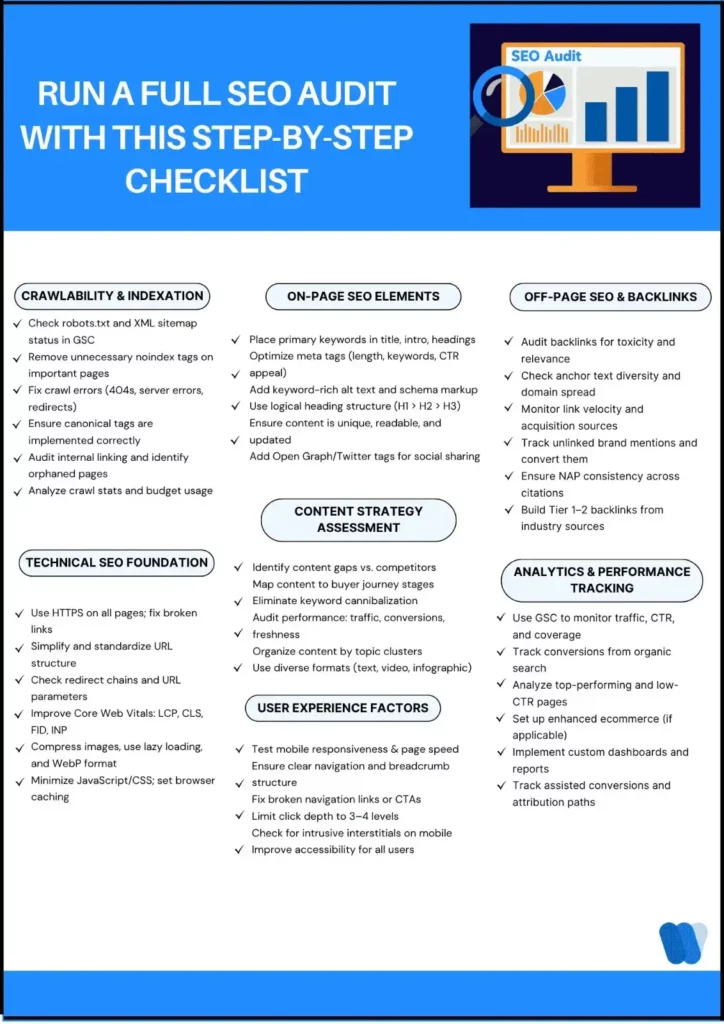
What should an SEO audit checklist include?
The Wellows SEO audit checklist covers crawlability, indexation, technical health, on-page content, user experience, backlinks and measurement. Start with errors that prevent important pages from being discovered or indexed, then prioritize improvements by the pages affected and their business value. Record an owner and a verification step for each fix.
SEO site audit checklist: crawl, index, on-page, performance
- Crawl: check response codes, robots controls, internal links and sitemap URLs.
- Index: review canonicals, noindex directives, duplicates and index coverage for priority pages.
- On-page: check the title, main heading, intent, factual support and contextual links.
- Performance: review mobile usability and field Core Web Vitals, then diagnose the templates behind recurring issues.
Website SEO audit checklist template (download)
Open the free Wellows SEO audit checklist template. Print it or save it as a PDF from your browser. The template includes space for a finding, owner and evidence, so the audit ends with an actionable work list.
Tools for SEO audit performance analysis in 2026
Use Google Search Console for indexation and search performance, PageSpeed Insights for field data and diagnostic performance checks, and a site crawler for response codes, canonicals and internal links. Wellows adds prompt-level AI mention and citation measurement alongside that SEO baseline. Use the technical SEO audit walkthrough for the deeper inspection steps.
What is an SEO Audit?
An SEO audit is a thorough examination of your website to evaluate how well it follows search engine optimization best practices.
It identifies factors that may be hindering your website’s ability to rank well in search results while highlighting opportunities for improvement.
The process involves analyzing everything from site structure and technical elements to content quality and backlink profiles.
A proper SEO audit doesn’t just pinpoint problems—it provides clear, actionable recommendations to boost your site’s search engine performance, enhance user experience, and increase conversion rates through organic search traffic.
SEO Audit Checklist
Before diving into specific checks, remember that an effective SEO audit follows a methodical approach that covers all aspects influencing your website’s search visibility.
Each phase builds upon the previous one to create a solid foundation for organic growth.
Phase 1: Crawlability & Indexation
In my years of experience, I’ve found that crawlability forms the foundation of all SEO efforts.
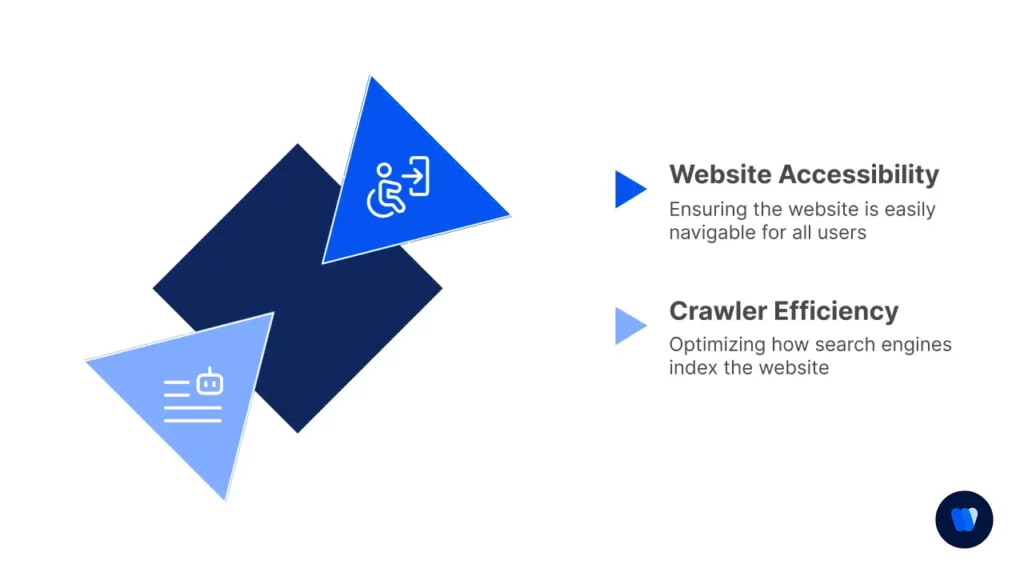
If search engines can’t properly access your site, nothing else matters. Let’s ensure your site is fully accessible to search crawlers.
Website Accessibility
- Verify robots.txt file is properly configured and doesn’t block important content or resources
- Check XML sitemap exists, is up-to-date, free of errors, and properly submitted to Google Search Console
- Ensure no accidental “noindex” tags on important pages that should be driving organic traffic
- Confirm HTTP status codes are appropriate across the site (200 for normal pages, proper 301 redirects)
- Test website load time on mobile and desktop using tools like PageSpeed Insights and GTmetrix
- Review the canonical tag implementation to ensure proper handling of duplicate or similar content
- Check for crawl errors or coverage issues in Google Search Console that might prevent indexation
Crawler Efficiency
- Review crawl budget allocation by search engines in server logs to identify inefficiencies
- Identify and fix crawl errors in Search Console like 404s, server errors, and redirect issues
- Check internal linking structure for orphaned pages that may be difficult for crawlers to discover
- Ensure proper handling of pagination through rel=”next/prev” or other appropriate methods
- Monitor crawl stats in Google Search Console for unusual patterns that might indicate problems
- Review site architecture to ensure important pages are not buried too deep in the site structure
- Analyze URL parameters to prevent crawl traps that could waste crawl budget unnecessarily
If you’re seeing crawl inefficiencies or slow discovery on important pages, use this Crawl Budget SEO guide to reduce crawl waste and speed up indexing.
PRO TIP: I’ve prepared a quick reference guide to help you check your site’s indexation:
| Action | How To Do It | Why It Matters |
|---|---|---|
| Check indexed pages | Type “site:yourdomain.com” in Google | Quickly see which pages are currently indexed |
| Compare with sitemap | Review sitemap vs. indexed pages | Identify missing or extra pages |
| Review robots.txt | Access yourdomain.com/robots.txt | Ensure you’re not blocking important content |
| Fix crawl errors | Use Google Search Console | Improves crawler efficiency |
| Monitor index coverage | Check Index Coverage report in GSC regularly | Track indexing changes over time |
Remember💡
A clean robots.txt should only block what’s absolutely necessary.
I always recommend checking after major site updates to ensure critical pages remain accessible.
And don’t forget to remove staging environments or test pages from search engine access.
Phase 2: Technical SEO Foundation
I’ve seen many websites with excellent content fail to rank due to unresolved Technical SEO Issues.
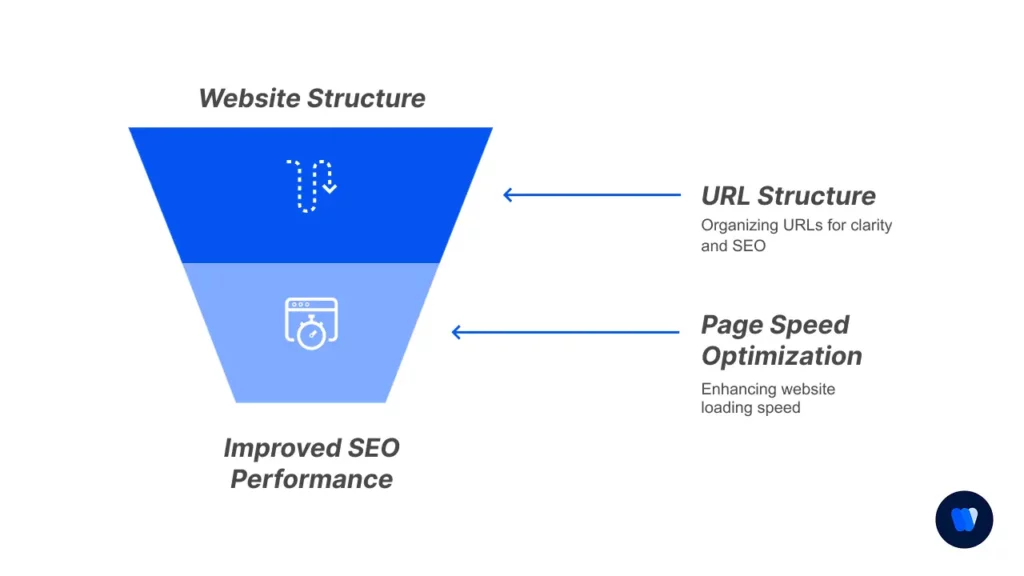
Your technical foundation must be solid before other optimization efforts can succeed.
URL Structure & Architecture
- Review URL structure for clarity, readability, and proper keyword inclusion when relevant
- Check for proper use of HTTPS across all pages and resources (no mixed content warnings)
- Identify and fix broken internal and external links that create a poor user experience
- Ensure proper redirection handling (301 for permanent, 302 for temporary) with no redirect chains
- Check for URL parameter issues that could create duplicate content or waste crawl budget
- Analyze URL length and complexity (shorter, descriptive URLs typically perform better)
- Verify consistent URL formatting across the site (with or without trailing slashes)
Page Speed Optimization
- Analyze Core Web Vitals metrics across mobile and desktop for all important page templates
- Check image optimization and compression, including proper sizing and next-gen formats
- Verify proper browser caching implementation with appropriate cache durations set
- Evaluate server response time (Time to First Byte) and consider server upgrades if needed
- Minimize render-blocking resources by deferring non-critical JavaScript and CSS
- Implement resource prioritization for critical assets needed for initial page rendering
- Review third-party script impact on page loading performance and remove unnecessary ones
QUICK GUIDE: I’ve found these page speed optimizations deliver the best results:
- Core Web Vitals Priority List:
- LCP (Largest Contentful Paint): Optimize main content loading (under 2.5s)
- CLS (Cumulative Layout Shift): Fix elements that move during loading (under 0.1)
- FID (First Input Delay): Reduce JavaScript execution time (under 100ms)
- INP (Interaction to Next Paint): Ensure responsive user interactions (under 200ms)
- Image Optimization Checklist:
- Compress all images (aim for <100KB for most inline images)
- Implement lazy loading for below-the-fold images to improve initial load time
- Use next-gen formats like WebP with proper fallbacks for older browsers
- Properly size images for their display dimensions rather than relying on CSS scaling
- Include proper width and height attributes to prevent layout shifts during loading
I recommend implementing a Content Delivery Network (CDN) for global audiences to dramatically improve loading speeds across geographic regions.
Also, consider using critical CSS techniques to ensure above-the-fold content renders instantly.
Technical SEO is complex, which is why many brands turn to reputable technical SEO agencies when crawl, indexing, rendering, and site architecture problems require deeper diagnosis and implementation.
Phase 3: On-Page SEO Elements
On-page elements are where I focus most of my optimization efforts when implementing on-page SEO improvements across important pages.
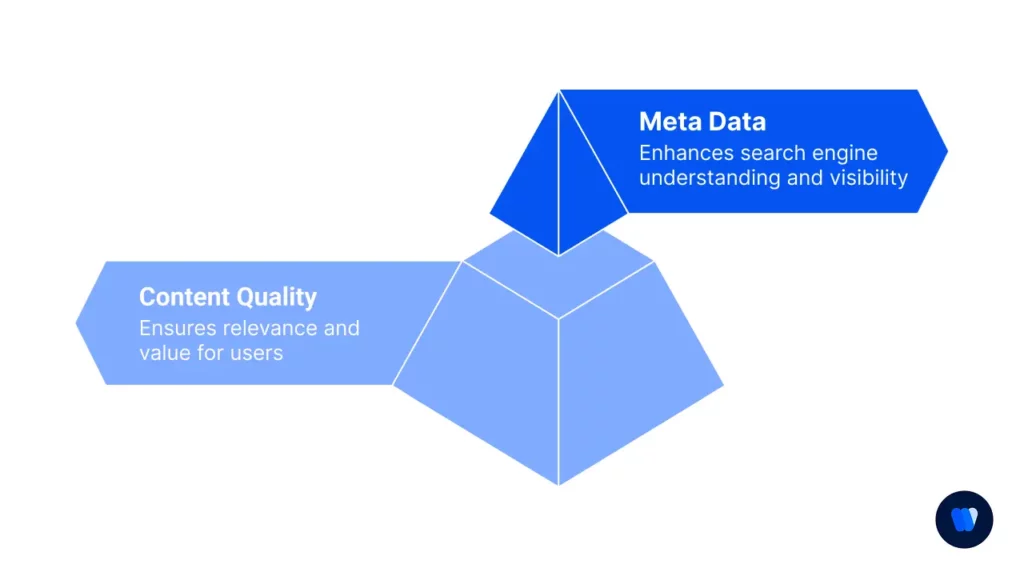
They’re directly within our control and often yield the quickest improvements in rankings. Keep on page SEO factors
open while completing Phase 3 to audit page-level elements consistently.
Content Quality Analysis
- Audit keyword usage and relevance in content (primary keyword in first paragraph, proper density)
- Check content depth compared to top-ranking pages for the same keywords and topics
- Review content uniqueness and originality using plagiarism checking tools like Copyscape
- Assess readability and formatting with appropriate heading structure, short paragraphs and bullet points
- Evaluate E-E-A-T signals (Experience, Expertise, Authoritativeness, Trustworthiness) in content
- Analyze content freshness and update frequency, especially for time-sensitive topics
- Check for proper semantic relevance with related terms and concepts beyond primary keywords
Meta Data Optimization
- Audit title tags for length (50-60 characters), keywords presence, and compelling click appeal
- Check meta descriptions for relevance, call-to-action elements, and proper length (150-160 characters)
- Verify proper heading structure (H1, H2, H3) with keyword-rich headings in hierarchical order
- Review image alt text for accessibility, descriptiveness and proper keyword inclusion when relevant
- Check schema markup implementation for appropriate content types (articles, products, FAQs, etc.)
- Ensure Open Graph and Twitter Card meta tags are present for social media sharing
- Verify proper language declaration and hreflang tags if site serves multiple languages/regions
HELPFUL HINT: In my optimization work, I’ve developed these metadata best practices:
Title Tag Formula:
Primary Keyword | Secondary Keyword | Brand Name (50-60 characters)
Meta Description Structure:
- First 1-2 words: Action verb or question to grab attention
- Middle: Key benefit + primary keyword with natural phrasing
- End: Clear call-to-action that encourages clicks
- Length: 150-160 characters for optimal display in search results
- Include numbers and specific details when possible (e.g., “5 proven methods” vs. “methods”)
Schema Markup Priority (by impact):
- Organization schema (for homepage and about pages)
- Article/BlogPosting (for blog content with dates, authors)
- Product/Service schemas (with prices, ratings, availability)
- FAQ schema (frequently boosts visibility with rich results)
- Local Business schema (critical for location-based businesses)
I’ve found that focusing on click-appeal rather than perfect keyword density yields better results, as Google often rewrites meta descriptions anyway.
Test different title formulations in Google Ads to see which phrases generate higher CTR before implementing across your organic listings.
Phase 4: Content Strategy Assessment
Content strategy has become increasingly important in my SEO work.
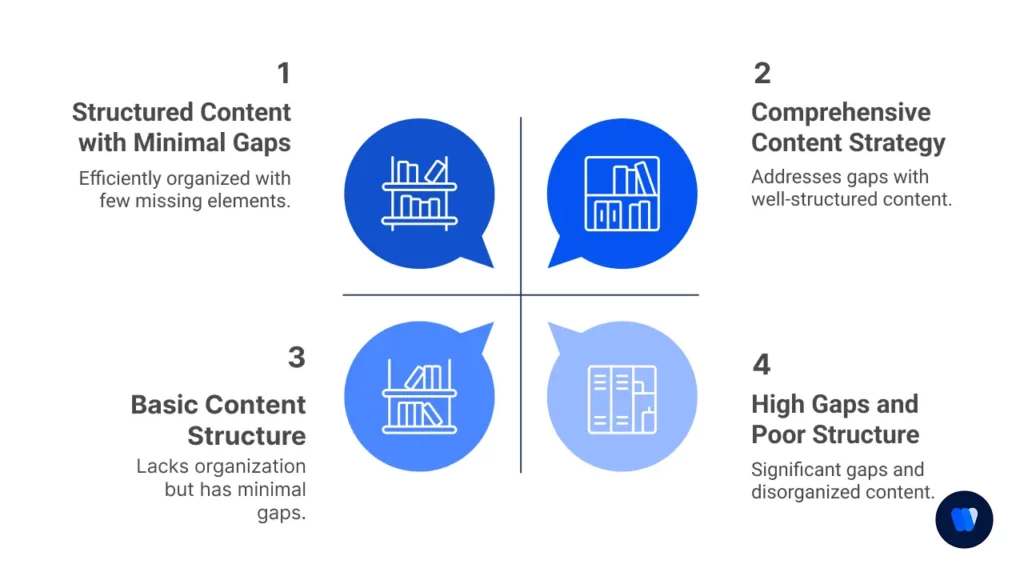
I always tell clients that strategic content creation is what separates average sites from true authorities.
Content Gap Analysis
- Identify topics missing from your site that competitors cover and receive traffic for
- Check keyword coverage across buyer journey stages (awareness, consideration, decision)
- Assess content freshness and update frequency compared to industry standards
- Review content performance metrics like traffic, engagement, and conversion rates
- Analyze content-market fit by comparing offerings with audience search intent patterns
- Identify cannibalization issues where multiple pages compete for the same keywords
- Map content to different audience segments and personas to ensure comprehensive coverage
Content Structure & Format
- Evaluate content organization and site taxonomy for logical information architecture
- Check use of various content formats (text, video, images, infographics) for diverse learning styles
- Assess internal linking between related content to create topical authority clusters
- Review content accessibility features including proper heading structure and alt text
- Check mobile optimization of content with appropriate formatting for smaller screens
- Analyze content readability scores for target audience comprehension levels
- Review multimedia embedding practices for optimal loading and engagement
CONTENT CHEATSHEET: I’ve created this content inventory template that makes tracking and optimizing much easier:
Content Inventory Tracker:
| Column | What to Track | Why It Matters |
|---|---|---|
| URL | Full page path | Unique identifier for each content piece |
| Page Title | Current title tag | Primary SEO relevance indicator |
| Target Keywords | Primary/secondary terms | Strategic focus for optimization |
| Word Count | Total content length | Depth assessment vs. competitors |
| Last Updated | Date of last revision | Freshness indicator for search engines |
| Organic Traffic | Monthly visits from search | Performance measurement baseline |
| Avg. Position | Average SERP ranking | Visibility indicator for target terms |
| Conversion Rate | Goal completion percentage | Business value assessment |
| Content Type | Blog/Product/Service/etc. | Content categorization for analysis |
| Next Action | Update/Merge/Delete/Expand | Prioritized content improvement plan |
I personally focus on creating comprehensive resource pages for main topics that serve as “content hubs” with links to more specific articles.
This cluster approach has consistently improved rankings for my clients and creates a logical content hierarchy that both users and search engines appreciate.
Phase 5: User Experience Factors
I’ve learned that user experience and SEO are inseparable today.
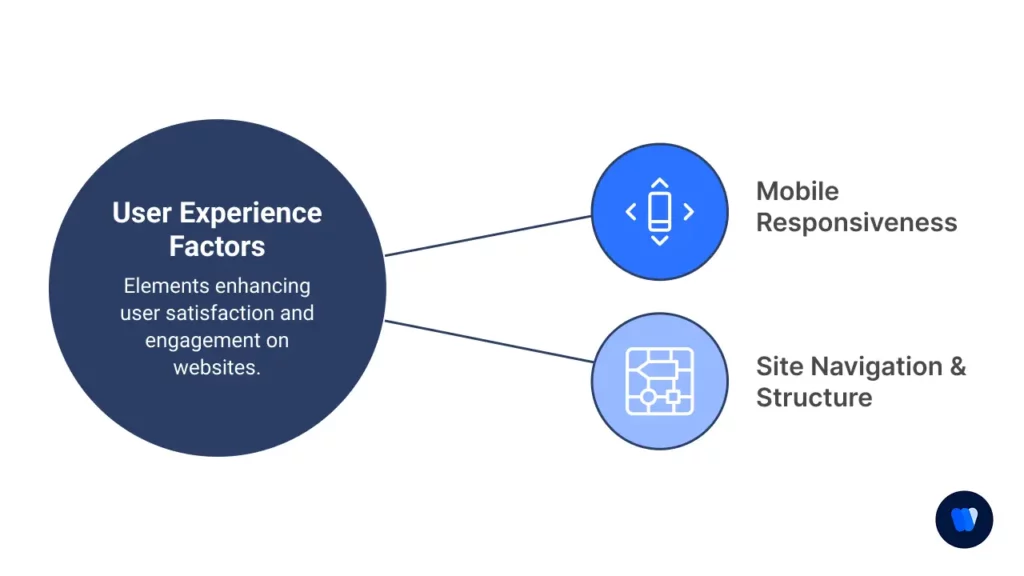
Google increasingly rewards sites that visitors enjoy using, so I make UX a priority in every audit.
Mobile Responsiveness
- Test website on various devices and screen sizes using both emulators and real devices
- Check for mobile-friendly design elements with proper tap target sizes (minimum 48px)
- Verify touch element sizing and spacing to prevent accidental interactions
- Assess mobile page speed specifically as it often differs significantly from desktop
- Review mobile navigation usability and menu accessibility on smaller screens
- Test form functionality and keyboard behavior on mobile devices
- Check for intrusive interstitials or popups that might trigger Google penalties
Site Navigation & Structure
- Analyze menu structure and accessibility for both desktop and mobile users
- Check breadcrumb implementation for user orientation within the site hierarchy
- Review site search functionality and result relevance for common user queries
- Assess click depth to important pages (ideally no more than 3-4 clicks from homepage)
- Evaluate internal linking patterns for logical content discovery paths
- Test navigation for accessibility compliance (keyboard navigation, screen readers)
- Check for broken navigation elements or links that lead to dead ends
UX POINTER: From my experience, these user signals have the strongest correlation with SEO performance:
Top UX Metrics to Monitor:
- Bounce rate by landing page (segmented by source)
- Average time on page compared to content length
- Pages per session for organic search visitors
- Exit rate on key conversion pages in the funnel
- Mobile vs desktop performance gaps in engagement
- Return visitor percentage as loyalty indicator
- Scroll depth on long-form content pages
User Journey Mapping Template:
| Stage | User Need | Content Type | Success Metrics | Friction Points |
|---|---|---|---|---|
| Awareness | Information | Blog/Guide | Time on page | Bounce rate |
| Consideration | Comparison | Product pages | Page depth | Exit pages |
| Decision | Validation | Reviews/Case studies | Conversion rate | Form abandonment |
| Retention | Support | Help center | Return rate | Support tickets |
I strongly recommend conducting at least one user testing session per quarter with 3-5 real users. You’ll identify friction points that analytics alone might miss. I’ve often found that small UX improvements lead to measurable ranking gains.
Phase 6: Off-Page SEO & Backlink Profile
In my consulting work, I find that off-page factors often separate good sites from great ones.
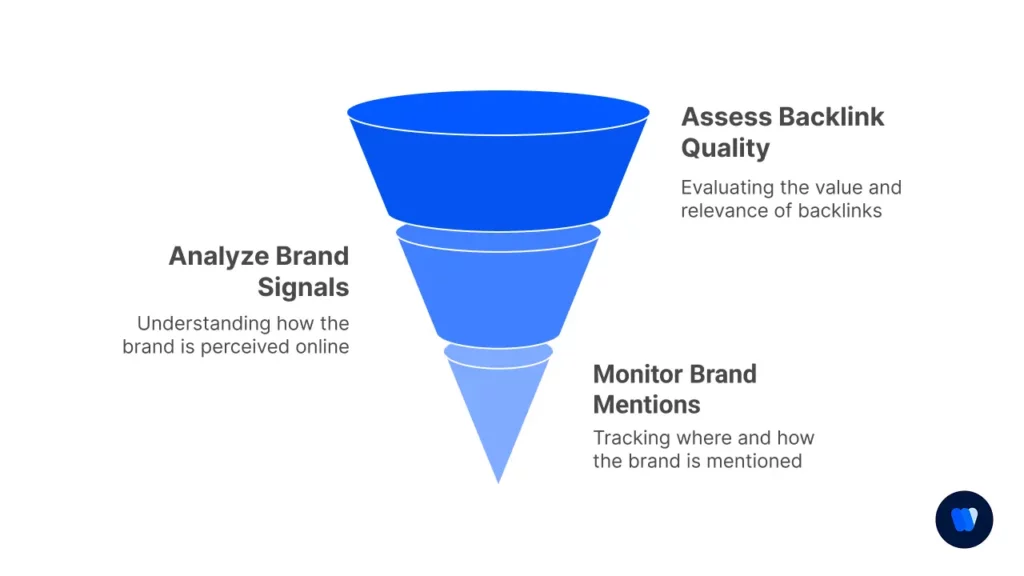
A strategic approach to backlink acquisition can dramatically improve authority.
Backlink Quality Assessment
- Audit backlink profile for toxic or spammy links that might trigger penalties
- Analyze referring domains to avoid overreliance on a few sources
- Check anchor text distribution for natural patterns vs. over-optimization
- Review backlink relevance to your industry and topical authority areas
- Compare the backlink profile to competitors for gap analysis and opportunities
- Assess link placement on referring pages (in-content links vs. footers)
- Monitor link acquisition rate for unnatural patterns that might raise flags
Brand Signals & Mentions
- Monitor unlinked brand mentions that could be converted to actual links
- Check NAP consistency (Name, Address, Phone) across web properties
- Review online reputation across platforms, including ratings and reviews
- Assess social media presence and engagement metrics across platforms
- Evaluate industry citations and directories for completeness and accuracy
- Track the co-occurrence of the brand with industry terms in search results
- Monitor brand search volume trends as an indicator of brand strength
LINK BUILDING NOTE: After analyzing hundreds of backlink profiles, I’ve developed this prioritization framework:
Backlink Quality Hierarchy:
- Tier 1: Gold Standard
- Industry authority sites with high topical relevance
- Educational institutions (.edu domains) in related fields
- Relevant news publications with editorial standards
- Original research citations from credible sources
- Government resources (.gov) related to your industry
- Tier 2: High Value
- Industry-specific directories with manual review processes
- Partner/client websites with genuine business relationships
- Relevant business associations and membership organizations
- Quality guest posts on topic-relevant sites with editorial oversight
- Industry influencer mentions and recommendations
- Tier 3: Supplementary Support
- General business directories with proper categorization
- Niche social platforms where your audience engages
- Forum participation with genuine value-add (not just links)
- Resource pages from related businesses or organizations
- Local community websites for geographically targeted businesses
I’ve found that five Tier 1 links often outperform fifty lower-quality links.
Focus on creating genuinely linkable assets like original research, comprehensive guides, or useful tools.
The era of quantity-based link building is long gone.
Phase 7: Analytics & Performance Measurement
Throughout my career, I’ve seen that proper measurement is what transforms SEO from guesswork into a strategic advantage. Setting up the right tracking is essential.
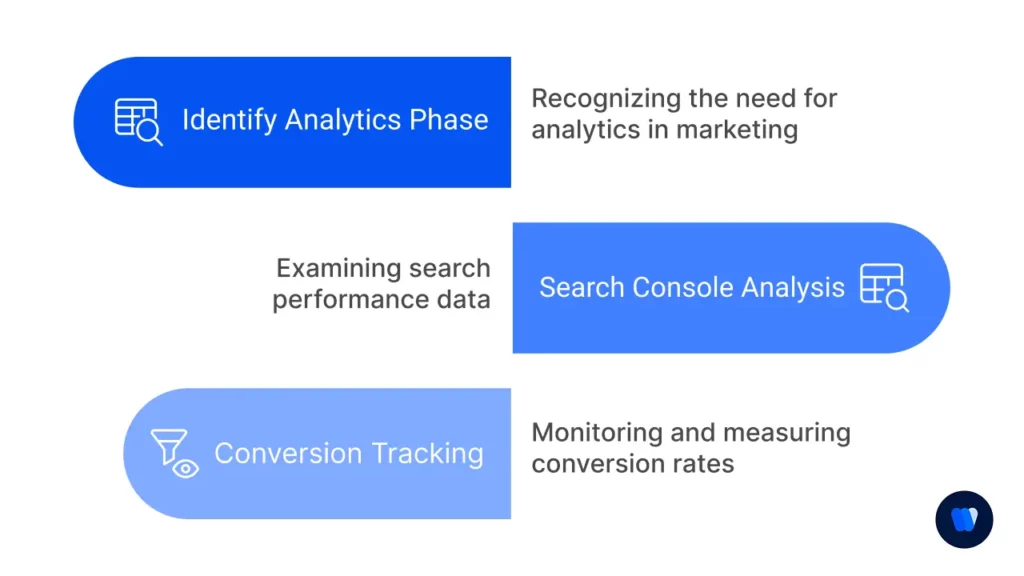
Search Console Analysis
- Review performance reports for clicks and impressions trends over meaningful time periods
- Check for manual actions or security issues that might impact site performance
- Analyze search queries driving traffic to identify emerging opportunities and threats
- Identify pages with high impressions but low CTR that need title/meta description improvements
- Monitor mobile usability issues that might impact rankings on mobile search
- Track index coverage changes and address any new exclusion patterns
- Compare search performance across different regions for international sites
Conversion Tracking
- Verify proper goal setup in analytics with appropriate goal values assigned
- Track organic search conversion rates compared to other acquisition channels
- Analyze landing page performance with segment-specific conversion funnels
- Assess user flow from organic traffic to identify drop-off points in the journey
- Monitor key performance indicators (KPIs) tied to business objectives
- Set up enhanced ecommerce tracking for product-based businesses
- Implement attribution modeling beyond last-click to understand the full customer journey
ANALYTICS TIP: Here’s my personal analytics setup process that helps track SEO impact more effectively:
Custom Dashboard Components:
- Organic traffic trend with year-over-year comparison by page type
- Top landing pages from organic search with engagement metrics
- Organic conversion rate by landing page and device type
- Mobile vs. desktop performance split with conversion disparities
- Search query report with position tracking and CTR analysis
- Content grouping performance by topic clusters
- Assisted conversion paths showing SEO’s role in multi-touch journeys
Tracking Implementation Checklist:
- Configure proper UTM parameter tracking for all marketing channels
- Set up cross-domain tracking if using multiple domains in the conversion path
- Enable demographic and interest reports for audience insights
- Create custom segments for different user behaviors and traffic sources
- Implement event tracking for important user interactions
I always recommend implementing enhanced ecommerce tracking for sites with products or services.
It allows you to attribute revenue to specific organic landing pages and keywords directly, making ROI calculation much more accurate and helping justify further SEO investments.
SEO audit checklist FAQs
Run a full audit at least quarterly for an actively managed site and after a migration, redesign, major template change, or sustained traffic shift. Monitor critical crawl, indexation, and performance issues more frequently.
A technical audit focuses on crawling, indexation, rendering, performance, structured data, and site architecture. A full audit also covers on-page elements, content quality, internal links, backlinks, and measurement.
A practical stack usually includes Google Search Console, analytics, a site crawler, PageSpeed Insights or field performance data, backlink research, and a manual review of templates and priority pages.
Yes. Use the same phases, then scale the crawl depth and sample size to the site. Small sites still need crawlability, indexation, content, page experience, links, and measurement checks.