On-page SEO remains one of the most powerful elements in my digital marketing toolkit, and this On Page SEO Checklist gives me full control over how search engines perceive and rank content.
Throughout my years of experience in SEO, I’ve seen algorithms continuously evolve, yet the fundamental principles of on-page optimization continue to deliver measurable results when implemented correctly.
My research consistently shows that the first organic result in Google captures 39.8% of all clicks, making proper optimization absolutely critical for any serious digital marketing strategy.
On-Page SEO checklist 2026
Use this as a quick scan before you start editing:
-
Identify target keywords
-
Optimize the title tag
-
Use one H1 tag for your headline
-
Write a meta description that boosts clicks
-
Check the URL slug for SEO-friendliness
-
Add target keywords to your body content
-
Review your content quality
-
Structure your page with a clear heading hierarchy
-
Improve navigation with contextual internal links
-
Add engaging visual content
-
Apply structured data markup (schema)
-
Bonus: confirm crawl access, improve speed, and fix mobile UX issues
What is On Page SEO Checklist?
An on-page SEO optimization checklist is a structured list of technical, content, and UX optimizations applied directly to a webpage to improve search visibility, rankings, and user engagement.
Unlike off-page factors like backlinks or social signals, on-page elements are entirely within my control.
I have done a thorough analysis and I’ve found that on-page factors continue to show a strong correlation with higher rankings, particularly with:
- Content comprehensiveness and depth
- Strategic keyword placement
- User experience signals
- Technical page elements
If you want the ‘why’ behind this checklist, start with the 13 on page SEO factors and then work through each phase.
Modern on-page SEO has evolved far beyond simple keyword density.
In my practice, I focus on semantic relevance, user intent matching, and experience metrics.
Google’s BERT and more recent AI models now process content more like humans do, understanding context, relationships between topics, and the overall quality of information. Backlinko
On Page SEO Checklist – In-Depth Discussion
Based on my extensive experience optimizing websites across various industries, I’ve developed a comprehensive on-page SEO approach broken down into a set of critical phases..
Each phase builds upon the previous one to create a holistic optimization strategy.
1) Identify target keywords
This step isn’t about “finding a keyword with volume.” It’s about assigning your page a job and making sure that job matches what the query is really asking for. Start with one sentence: “After reading this page, the visitor should be able to ___.” For a checklist, the job is usually simple: help someone optimize a page for better visibility and better usability, without confusion. If you can’t describe the job in one sentence, the page will drift and the writing will start collecting random tips. A second sentence keeps you honest: “After reading this page, the visitor should not need another article to complete the basics.” That second line pushes you to include details people usually learn only after something breaks—like canonical mistakes, heading jumps, or slow images. Quick pattern scan (5 minutes, not an hour) Open the query and look for patterns in the first results page: This isn’t about copying anyone. It’s about matching the format the query expects, then being clearer and more complete. When you’re deciding what to include, anchor your choices to real Search Behavior Patterns: people skim, click, and bounce fast when they don’t see quick proof the page will help them. Keep keyword research practical Pick one primary term, then build a small supporting set that shares the same intent. For this topic, supporting terms usually include titles, headings, URL consistency, internal navigation, images, schema, crawl access, speed, and mobile usability. If you already have a research SOP, link it once as Keyword Research Checklist so your team follows the same process. If your site organizes topics into clusters, connect this step to Keyword Clustering so the checklist doesn’t turn into one overloaded page. If you maintain an intent guide for writers, link Keyword Intent here and use it as a “stop sign” when someone tries to force the wrong page type onto a query. Done means this You’re done with step one when: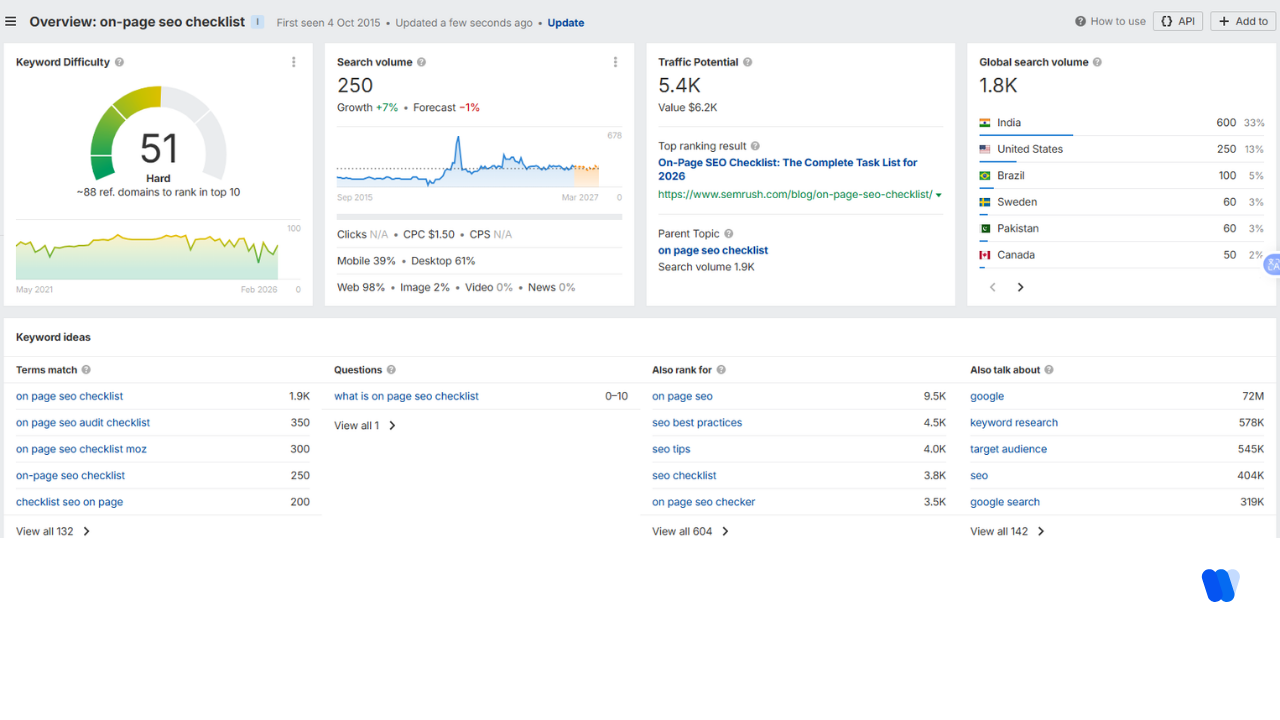
2) Optimize the title tag
Your title tag is your billboard inside the results page. If it’s vague, bloated, or mismatched, you’ll pay for it in clicks even when you rank. A strong title tag answers two questions instantly: For this keyword, a simple pattern usually wins because intent is straightforward: topic + outcome + freshness or scope Examples (style, not templates): Length guidance that stays sane There’s no magic number that guarantees a perfect display. Still, compact titles tend to survive truncation better. Front-load the main topic and keep the promise short. What triggers weaker titles in real life Titles usually underperform when they become: If your team keeps metadata rules in one place, link Meta Tags here and keep it consistent across the site.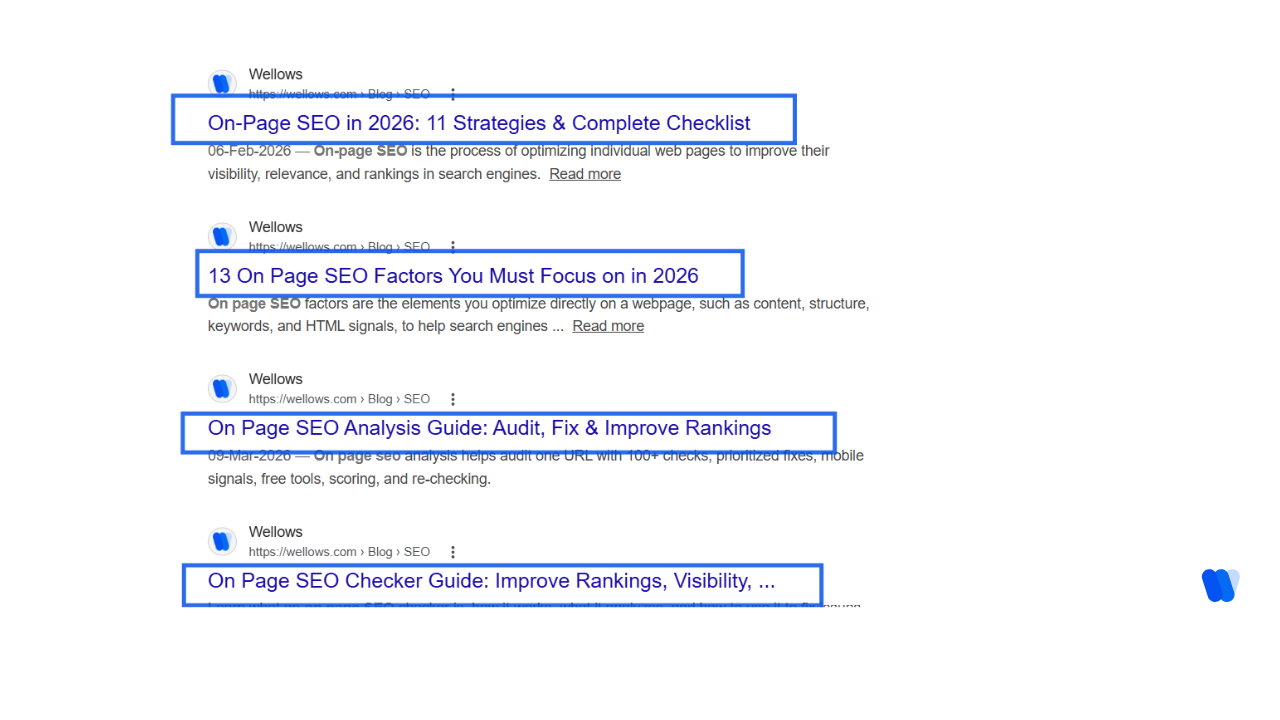
3) Use an H1 tag for your headline
Your H1 is the confirmation line. It tells the visitor they landed in the right place. Rules that keep you out of trouble: A simple test: if you removed every other element on the page, would the H1 still explain what the visitor gets?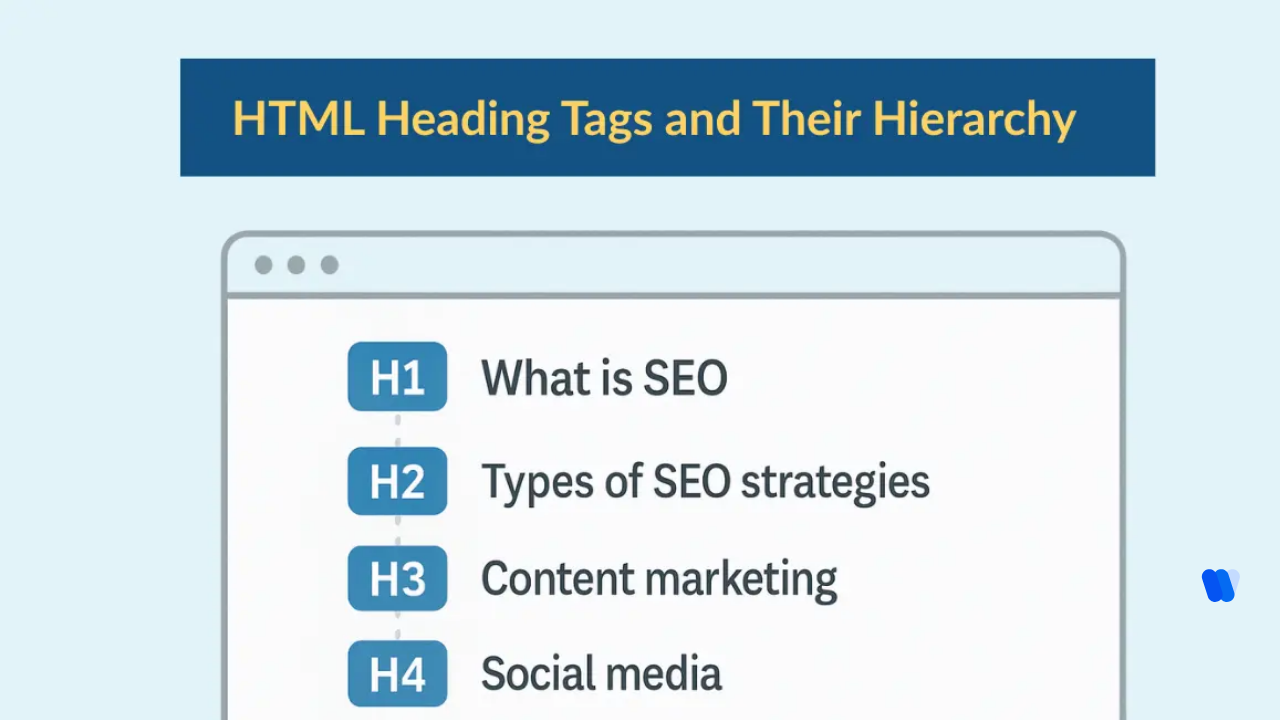
4) Write a meta description that boosts clicks
Meta descriptions don’t directly determine ranking, but they can influence clicks when they appear as the snippet. Even when the snippet changes, writing a good description forces you to clarify your promise. A meta description structure that still sounds human Example style: “Use this on-page checklist to improve rankings and UX. Covers titles, headings, internal links, schema, and technical checks.” Make the first screen “snippet-ready” The first visible section should do real work: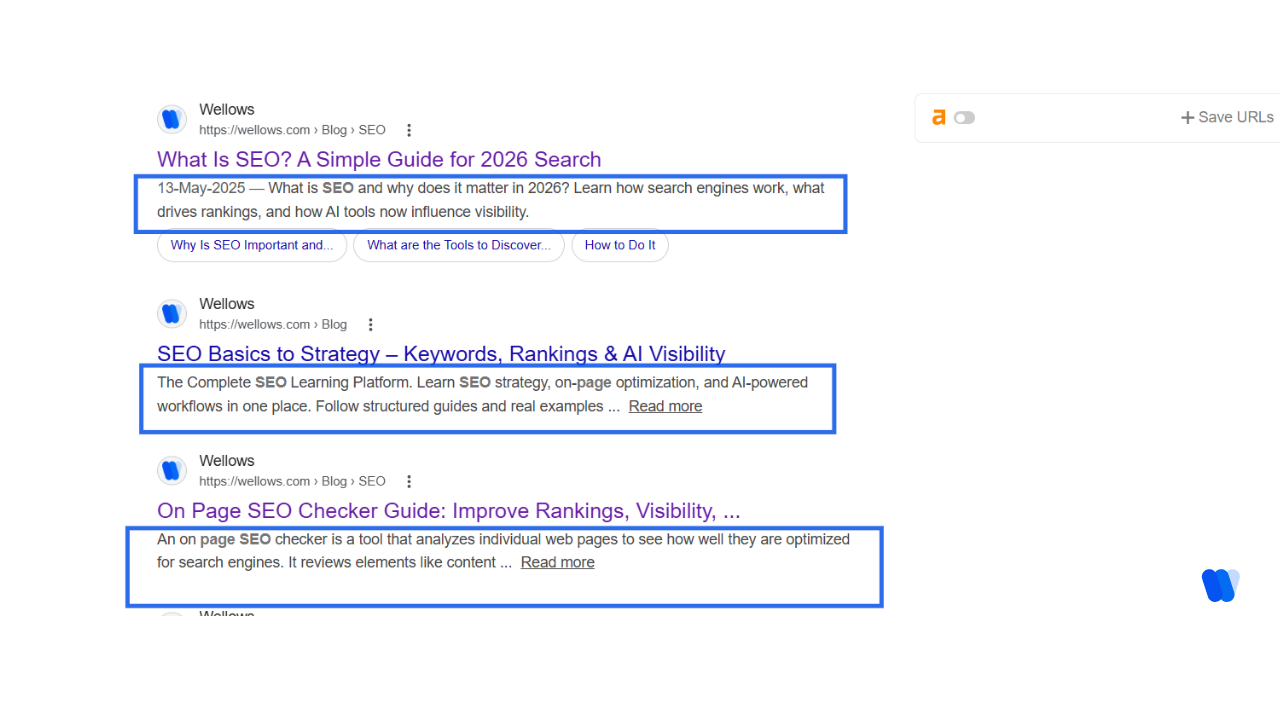
5) Check the URL slug for SEO-friendliness
Your slug should help both humans and crawlers understand what the page is about. If it’s messy, you invite duplication problems and tracking confusion. A clean slug is: Example Bad (too long, unclear):
/blog/how-to-do-the-best-on-page-seo-checklist-for-2026-and-beyond/ Better (clear, stable):
/on-page-seo-checklist/ Duplicate URLs happen for boring reasons: tracking parameters, protocol variations, trailing slashes, CMS paths, pagination, and filters. A single rule prevents most of this confusion: pick one preferred version and enforce it. If you maintain a short internal guide for canonical rules, link Canonical Tag once here and keep your team aligned.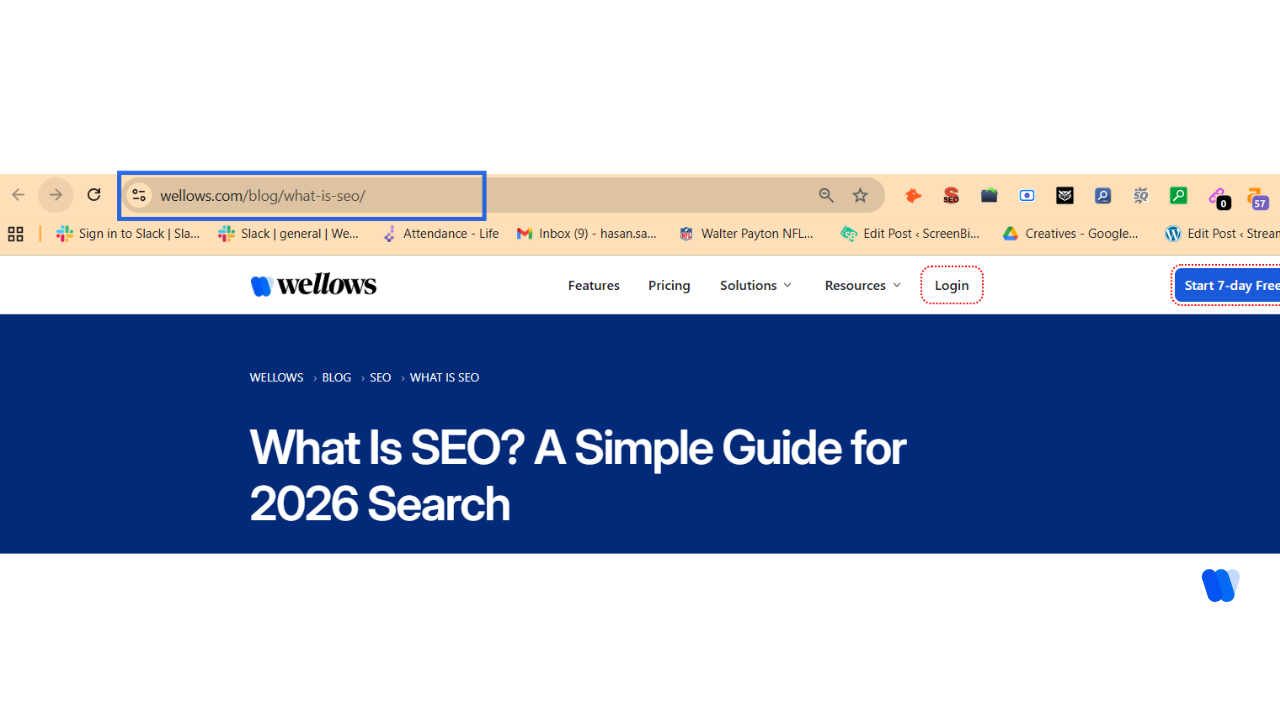
6) Add target keywords to your body content
This is where many checklist pages get sloppy. They either repeat the main keyword until the page becomes unreadable, or they avoid clear topic language and end up vague. A simple placement rule that holds up: If your writers still confuse “related terms” with stuffing, keep one internal explainer for LSI Keywords and link it here. Coverage beats repetition Coverage means you answer real implementation questions people hit mid-task: A writing pattern that stays clear: When this page connects to a broader content system, it should support Topical Authority by linking outward to deeper pages instead of trying to solve everything inside one checklist.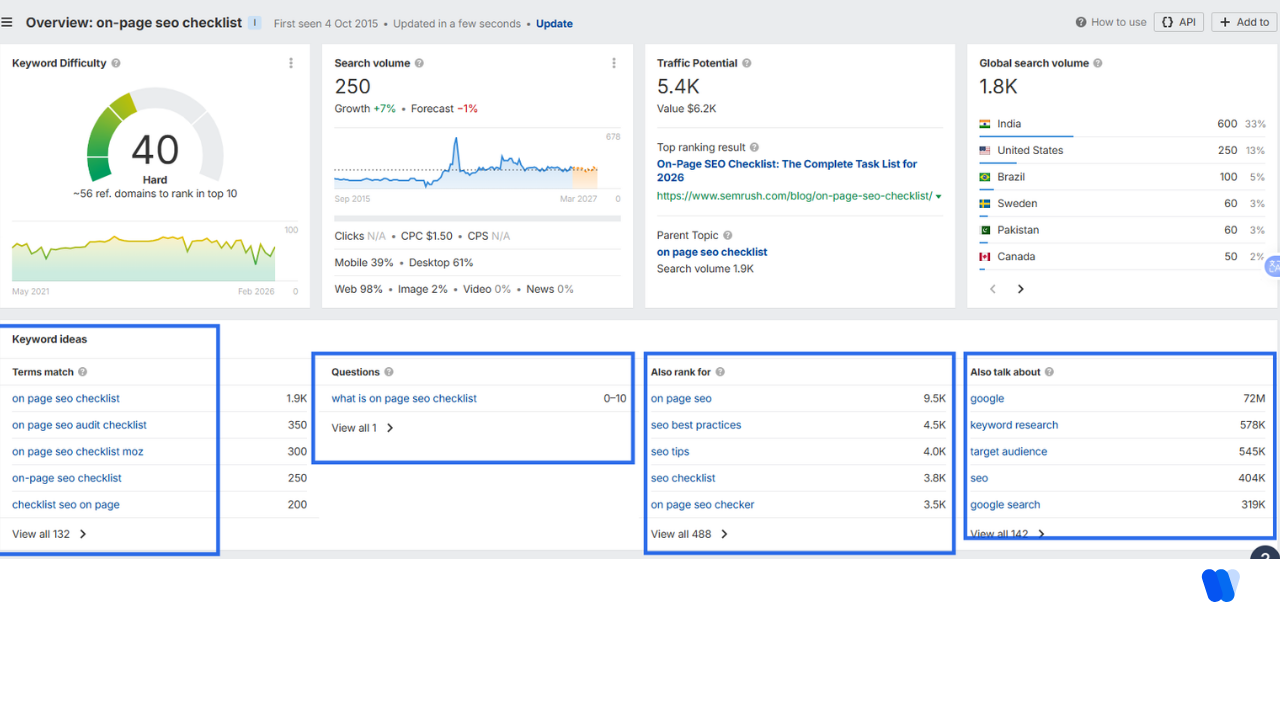
7) Review your content quality
This step is where strong pages separate themselves from copycat checklists. A 10-minute quality test Accuracy matters more when users click less. In the same Pew analysis, visits were more likely to end without any click when an AI summary appeared (26% vs 16% when no AI summary appeared). That raises the standard: when someone does click, your page needs to feel credible fast. If your site has one consistent framework for trust and sourcing, link E-E-A-T SEO here so every writer applies the same rules. If you keep a single reference page for what tends to matter most, link Search Engine Ranking Factors here and update it as you learn.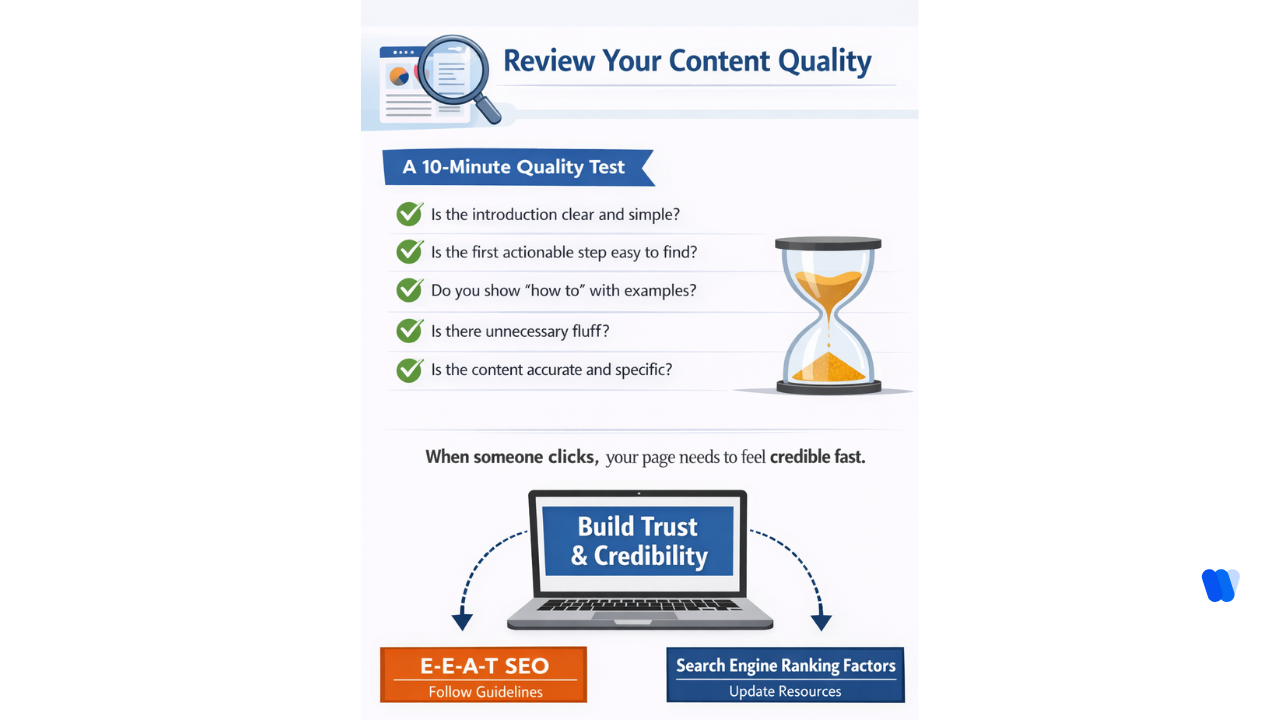
8) Structure your page with a clear heading hierarchy
People don’t read a checklist like a novel. They skim, jump, and return later. Structure should support that behavior. A clean hierarchy means: A useful rule of thumb: if a section can’t be summarized in one sentence, it’s probably two sections. If you maintain heading standards across your site, link Header Tags here once and keep formatting consistent.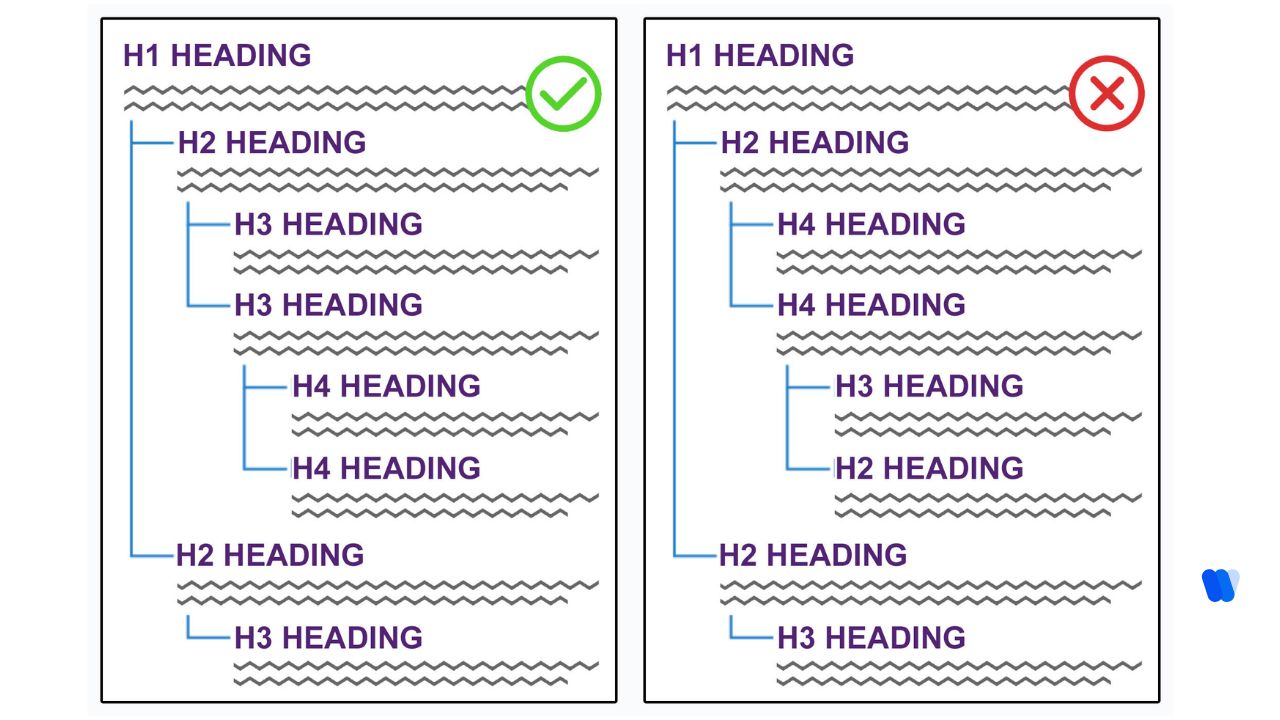
9) Improve navigation with contextual internal links
Internal links do two jobs at once: Checklist pages benefit from links that match the reader’s next step: For agencies working across multiple client sites, on-page checks don’t stop at internal links and schema. As AI-generated answers become a meaningful traffic source, teams that track client AI visibility alongside traditional on-page metrics have a clearer picture of whether optimized pages are actually being cited in ChatGPT, Gemini, and Perplexity — not just ranking in Google. If you maintain a dedicated guide for this, link Internal Linking here and keep anchor text descriptive.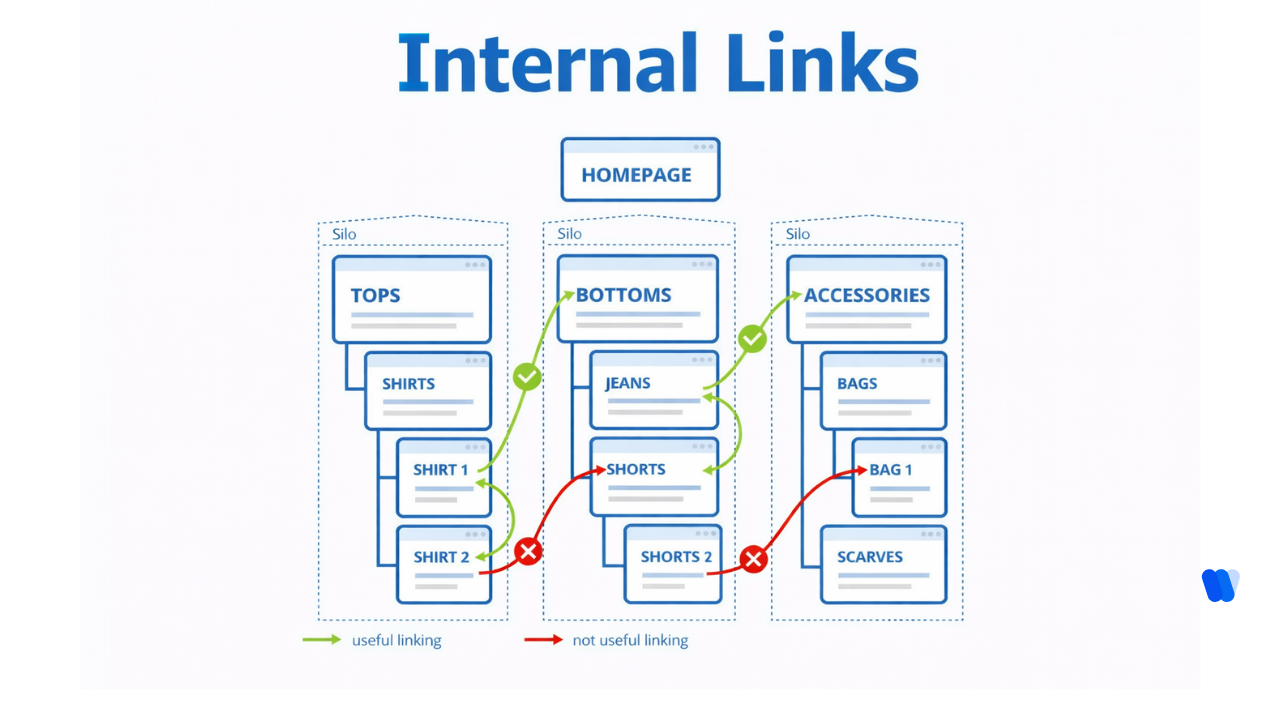
10) Add engaging visual content
Visuals aren’t decoration on a checklist page; they’re clarity. A good diagram or annotated screenshot can save someone five minutes of confusion. Rules that keep visuals from hurting performance: If you maintain image standards, link Image SEO here and treat it like a publishing requirement, not a nice-to-have.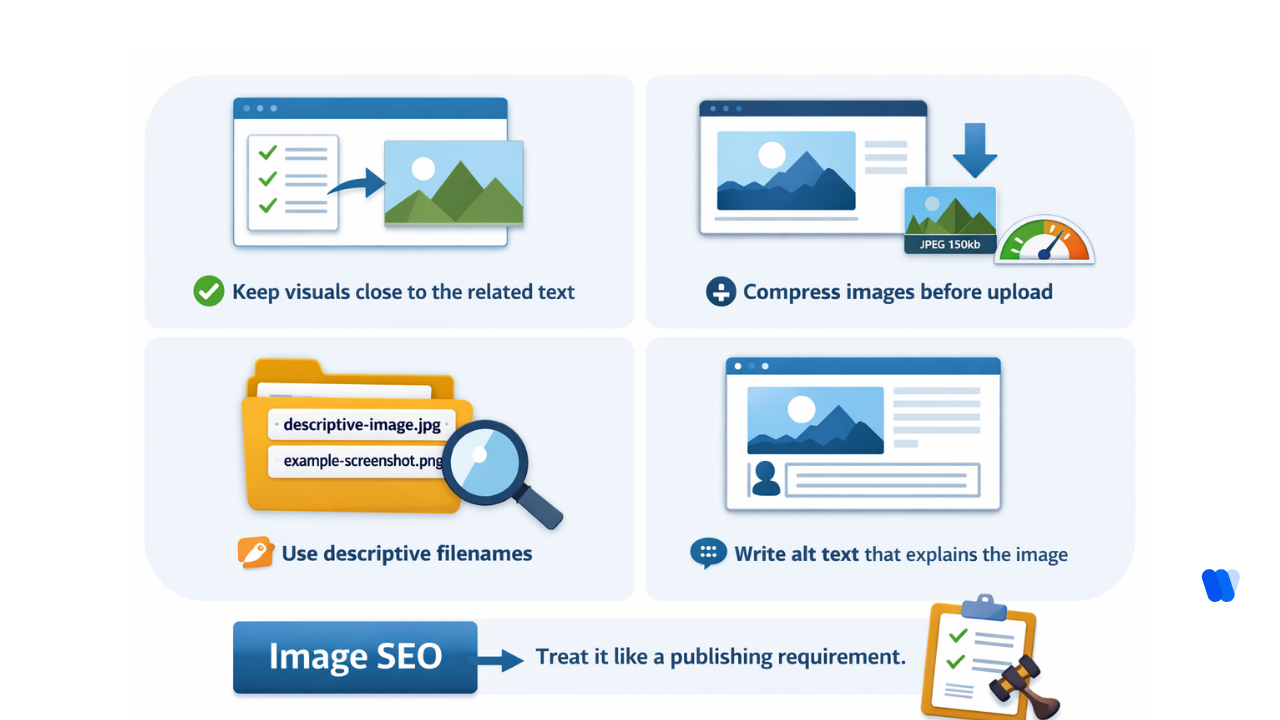
11) Apply structured data markup (schema)
Schema is structured data you add to a page so search engines can interpret what the content is and potentially show enhanced results. Google’s structured data documentation explains how markup helps systems understand page content and eligibility for certain result features. Schema types that often fit a checklist article: The rule that prevents schema headaches: markup should match what the user sees. If your site has a schema implementation guide, link Schema Markup SEO here and keep validation part of your publish process.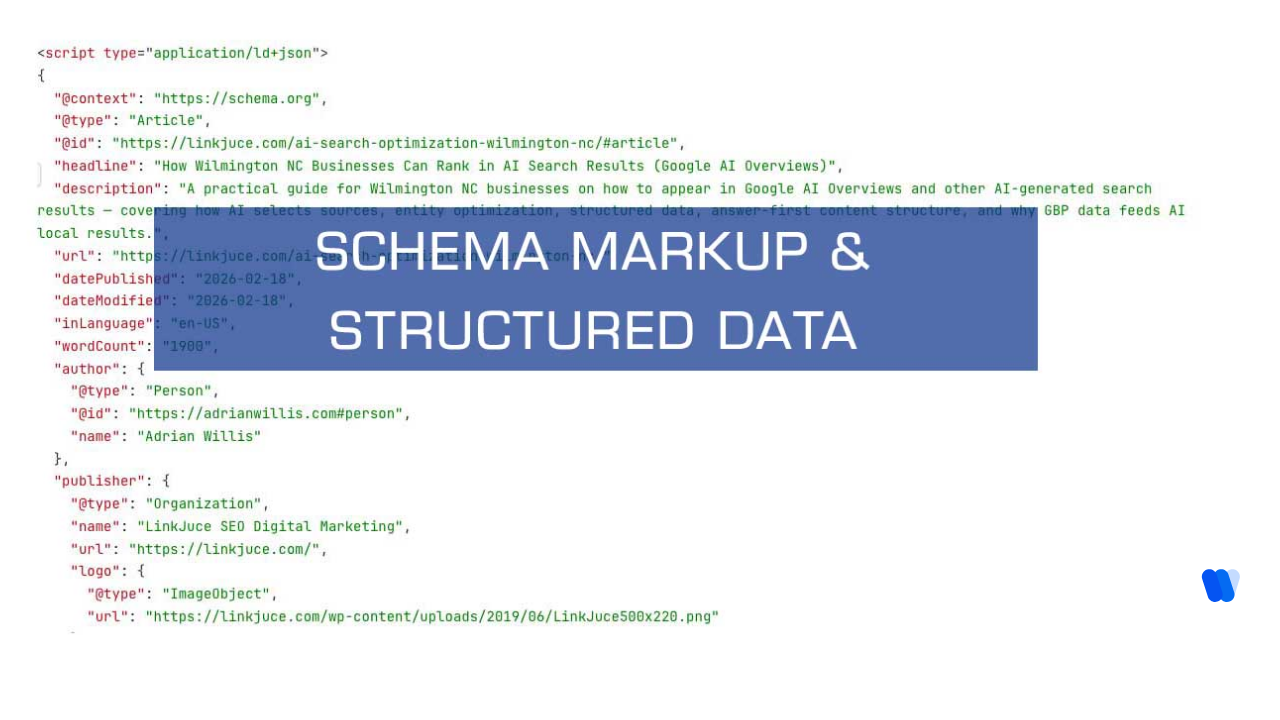
Bonus: Start on your technical checks
A page can be well written and still underperform if crawlers can’t access it, if it loads slowly, or if mobile UX breaks. These checks protect everything you did above.
If you keep one baseline technical standard for launches and updates, link Technical SEO Checklist here and make it a release gate.
12) Confirm crawlers can access the page
Robots rules are a small file with a big blast radius. Practical checks: If you have a deeper guide for this, link Robots.txt File SEO here and keep it updated when tooling changes. If you also care about Microsoft search ecosystems, keep one page for SEO for Bing and document what you allow, what you block, and why.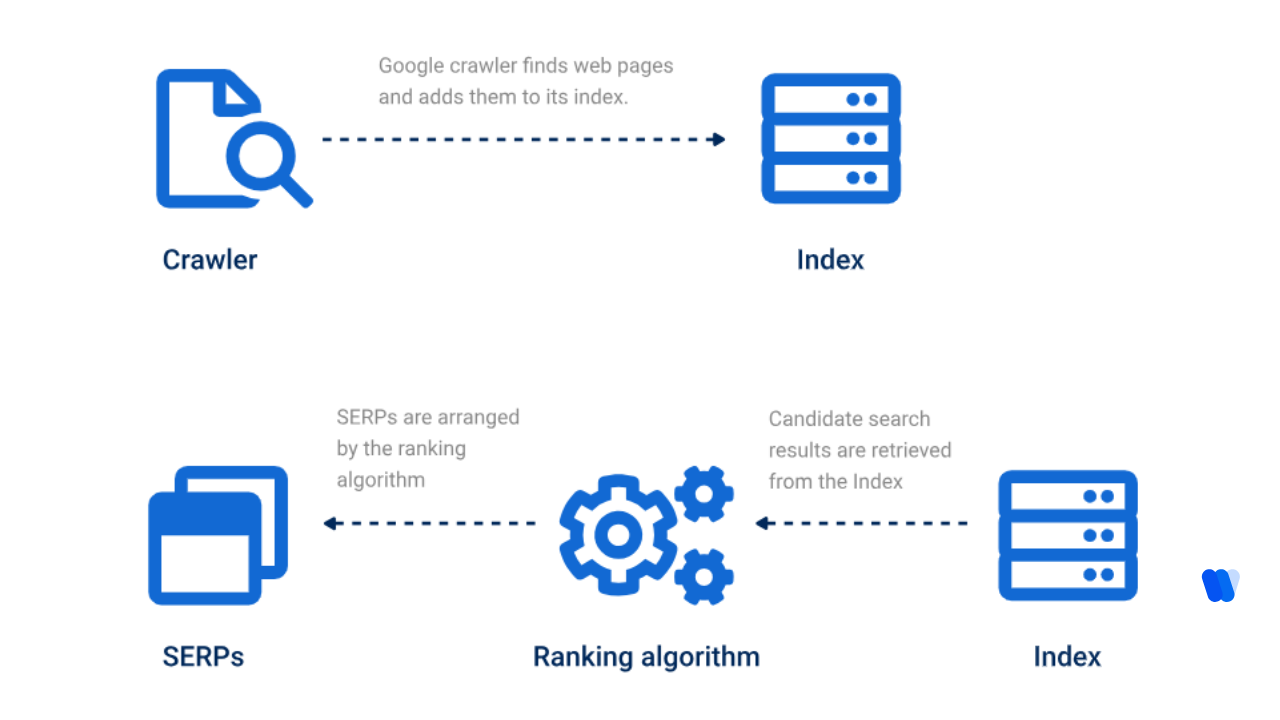
13) Increase page speed
Speed is not just technical hygiene; it’s a user experience lever. Slow pages bleed attention, and attention is the currency you’re competing for. A realistic fix order that works on most sites: If you monitor performance frequently instead of “once in a while,” link your workflow as Real-Time SEO Data and treat it as part of maintenance, not a one-time fix.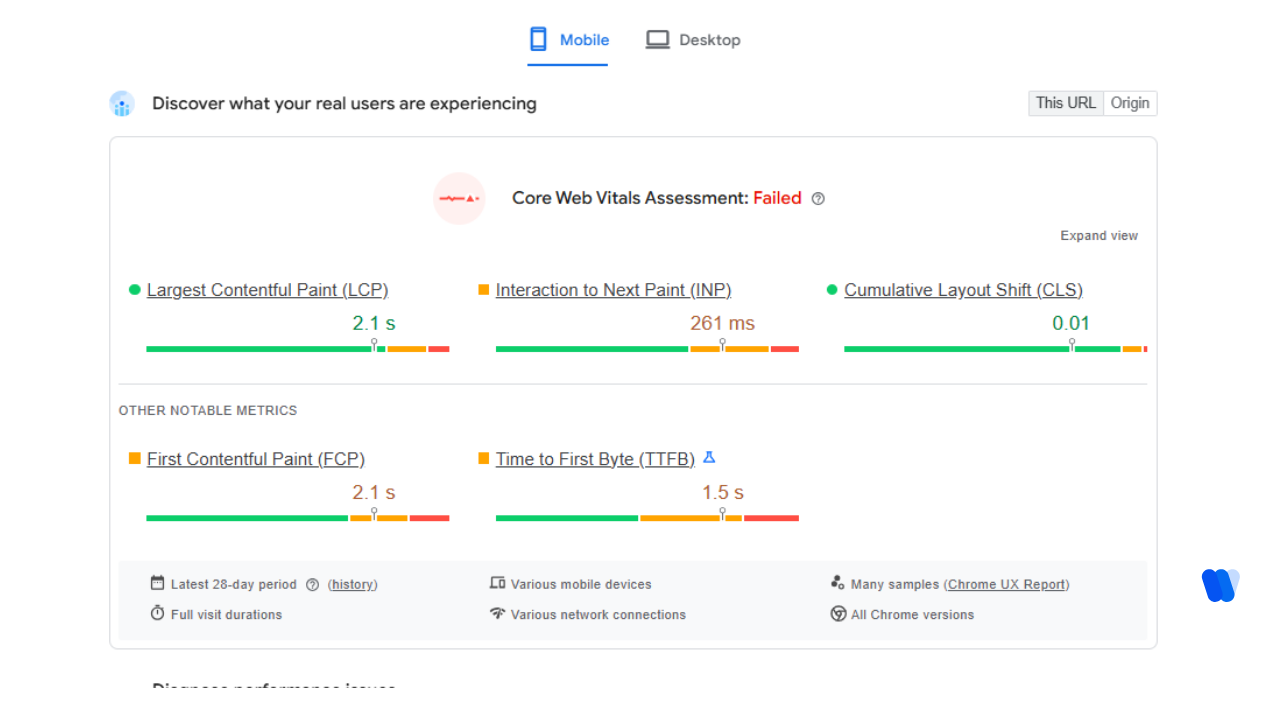
14) Make sure your pages are mobile-friendly
Mobile isn’t “a version.” It’s the default experience. Mobile checks that catch most problems: If you maintain a troubleshooting hub for underperforming pages, link SEO Visibility Issues here and document what you check first. Measuring results (so you don’t guess) A checklist is only valuable if it leads to measurable improvement. Track outcomes for 30 days after updates, especially on pages that already have impressions. Start with basics: If you keep KPI definitions in one place, link SEO Metrics here and keep everyone using the same language. Results pages change layout often. If you want a structured way to analyze what’s showing up and why, link SERP Visibility Analysis here and treat it like part of research—not a last-minute check. When you talk about the results page in your documentation, use SERPs once and then stick to plain terms like “results page” for readability. If you’re training new team members on why some queries produce fewer clicks, include Zero-Click Searches as a concept and explain what it means for content structure and trust. If your team does regular audits, connect your process to SEO Site Audit and log what changed, when, and why. Optional: AI discovery files in 2026 Some teams publish an additional file intended to help LLM-style systems understand key site pages more easily. If you publish one, document how you write it, how you keep it current, and what you include versus exclude. If you maintain an explainer page for your team, link What Are LLM.txt once and keep it specific to your implementation rules.
5 Effective Prompts for On-Page SEO
When working with content teams or AI writing assistants, I’ve developed specific prompts that help create SEO-optimized content.
These prompts have consistently helped me produce content that ranks well and serves user needs:
| Prompt Type | Template | Use Case |
|---|---|---|
| Content Gap Analysis | “Analyze the top 5 ranking pages for [target keyword] and identify: topics they cover, unique angles each provides, questions answered, content formats used, and missing elements that would add value.” | When planning new content that needs to compete with established pages |
| Title Tag Optimization | “Create 5 optimized title options for my page about [topic] targeting [keyword] that include the keyword near beginning, stay under 60 characters, use emotional triggers, and differentiate from competitors.” | When finalizing metadata for important landing pages |
| Content Structure | “Create a detailed H1-H3 heading structure for an article about [topic] targeting [keyword] that follows logical progression, includes critical subtopics, addresses common questions, and incorporates keyword variations.” | When outlining comprehensive content pieces |
| Schema Implementation | “Based on my page about [topic/type], recommend schema.org structured data types to implement, including required properties, nesting approach, implementation priorities, and validation methods.” | When enhancing pages for rich results |
| Core Web Vitals | “Analyze common causes of poor Core Web Vitals for [site type] and provide solutions for LCP, CLS, and FID issues, with prioritized optimizations and recommended testing tools.” | When technical performance is hurting rankings |
How to Measure On-Page SEO Success
According to Moz and Google Search Central, strategic on-page SEO can lead to measurable gains in organic visibility, user engagement, and business conversions when implemented systematically.
Use the following benchmarks to evaluate performance:
Visibility Gains
Target pages improve their keyword rankings by 20–40% within 3 to 4 months of on-page optimization.
Organic Engagement
Click-through rates (CTR) increase by 10–25% due to improved metadata, content structure, and SERP presence.
User Interaction Improvements
Optimized pages achieve 30% higher average time-on-page and reduced bounce rates, indicating stronger content relevance.
Core Web Vitals Compliance
At least 90% of optimized pages meet or exceed Google’s Core Web Vitals thresholds (LCP, FID, CLS).
SERP Feature Inclusion
Pages appear in rich results such as featured snippets, FAQs, and image or video packs within 6 weeks of schema implementation.
Crawl and Index Efficiency
Technical improvements lead to faster indexing, reduced crawl errors, and higher crawl frequency (tracked in GSC).
Conversion Readiness
Over 40% of optimized content supports conversion goals with improved structure, clarity, and calls-to-action.
Optimization ROI:
Updated or re-optimized pages outperform prior versions by 35–50% in keyword visibility, traffic, or conversions.
I always remind my clients that on-page SEO is not a one-time task but an ongoing commitment to excellence.
The most successful websites continuously monitor their performance, adapt to algorithm changes, and refine their approach based on user behavior and industry trends.
By systematically implementing the strategies I’ve outlined in this guide, you’ll create a solid foundation for search visibility that drives sustainable organic traffic growth in 2025 and beyond.
FAQs:
Expand your SEO knowledge with these detailed step-by-step guides:
- Keyword Research Checklist – Learn how to discover, analyze, and prioritize keywords for maximum traffic impact.
- SEO Framework Checklist – Follow a structured framework that connects technical SEO, content, and authority building.
- SEO Marketing Strategy Checklist – Align SEO with business objectives and create a strategy that delivers measurable growth.
- SEO Audit Checklist – Run a complete website audit to uncover technical issues and opportunities for quick wins.
- Content Marketing Plan Checklist – Build and execute a structured content marketing plan that drives traffic, engagement, and conversions.