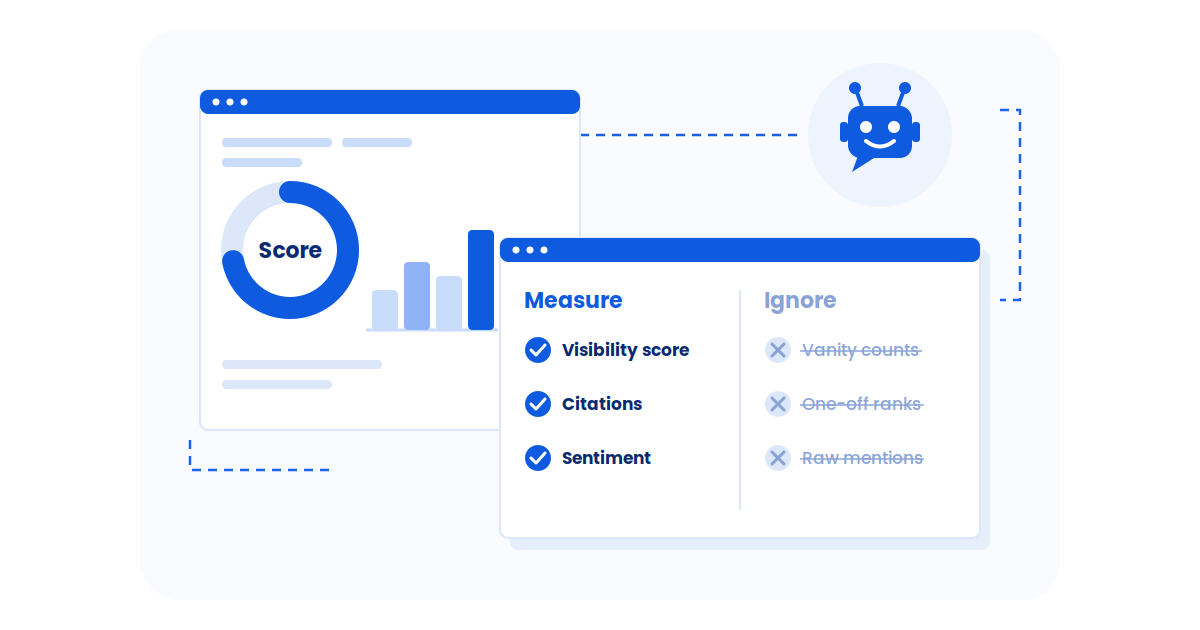
On page SEO is no longer just about placing keywords on a page and hoping for rankings. Search engines now evaluate hundreds of page-level signals, from content relevance and structure to internal links and performance.
Did you know?
An on page SEO checkist helps identify these gaps before they hurt visibility. By analyzing content quality, structure, and technical elements, it highlights issues that often go unnoticed during manual reviews. With Google using page-level signals as core ranking inputs, a reliable on page SEO checker becomes essential for improving rankings, discoverability, and long-term search performance.
What is an On Page SEO Checker?
An on page SEO checker is a tool that analyzes individual web pages to see how well they are optimized for search engines. It reviews elements like content quality, keyword usage, headings, meta tags, internal links, and basic technical signals to spot issues that may affect rankings including content cannibalization across similar pages.
Instead of guessing what to fix, the checker highlights specific on-page problems and suggests improvements you can act on right away. It helps content creators, SEO teams, and site owners improve visibility, usability, and search performance without running a full site audit.
Did you know?
Why On Page SEO is Important for Rankings and AI Visibility?
On page SEO helps search engines and AI systems clearly understand what a page is about. When core page elements are optimized, content becomes easier to index, rank, and surface in modern search experiences.
Strong on-page SEO improves how a page performs once it appears in search results. Even small optimizations can lead to measurable gains in visibility and traffic.
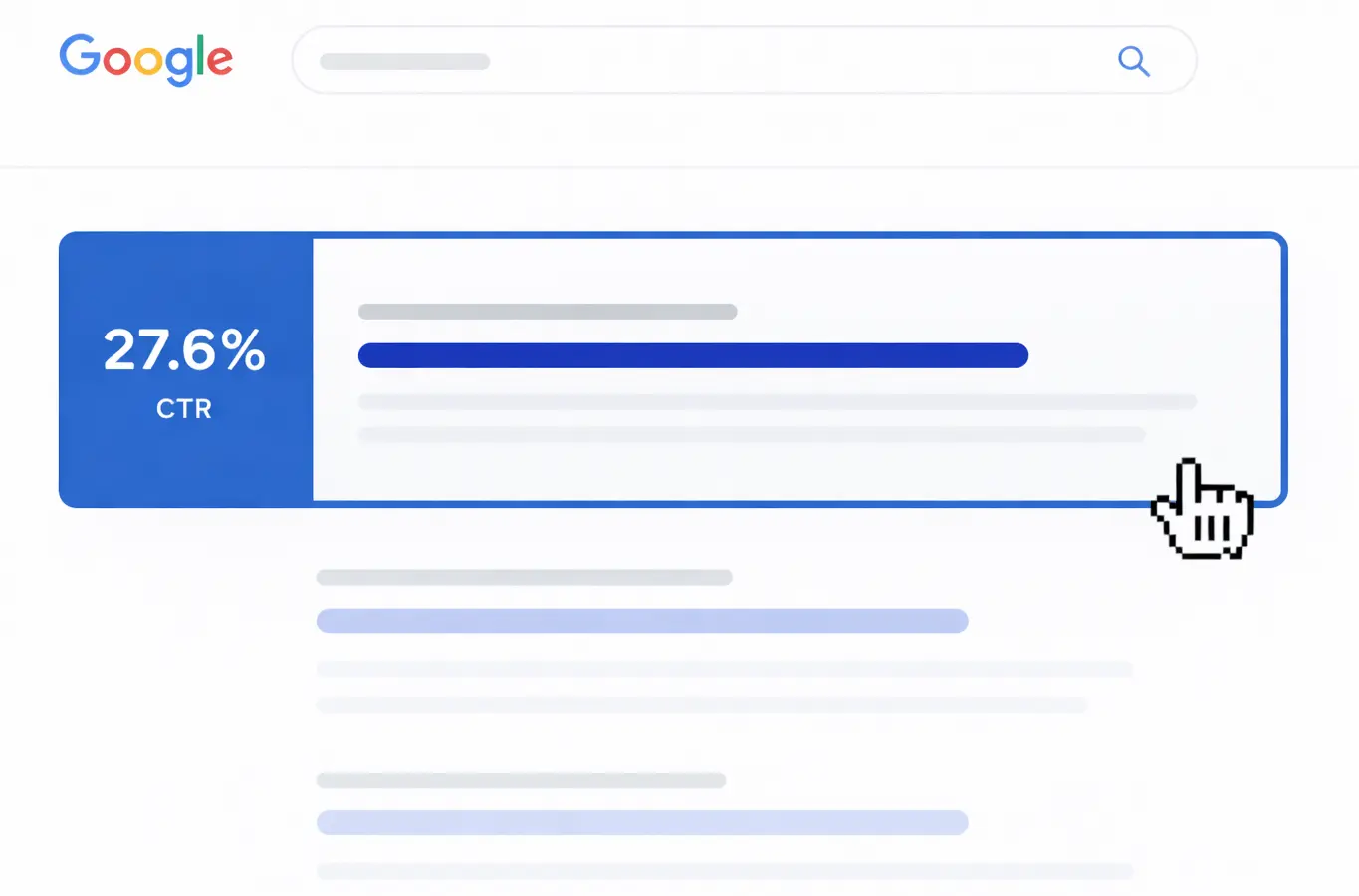
- The top organic result receives around 27.6% of total clicks, making position improvements highly valuable

- Moving up one ranking position increases click-through rate by nearly 3% on average
- Optimized titles, headings, and internal links help search engines rank pages for the right queries
AI-driven search features rely on structured, well-organized content that can be easily extracted and summarized.
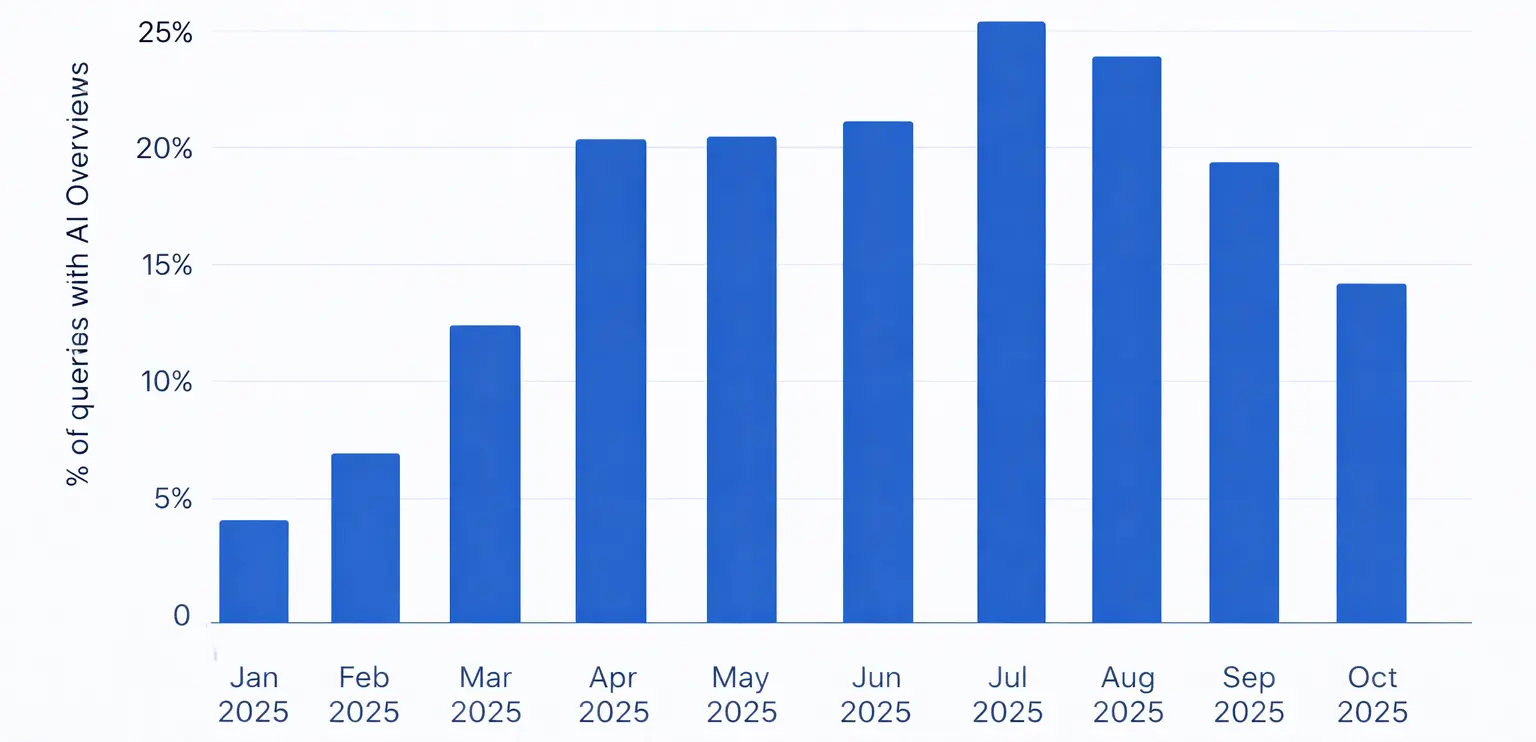
- AI Overviews now appear in about 15–16% of search queries and are no longer limited to informational searches. Navigational AI Overviews have grown sharply, increasing from 0.74% in January to 10.33% by October 2025, showing how quickly AI-driven results are expanding across different query types.
- Pages with clear headings and focused topical coverage are easier for AI systems to interpret, and LLM citation tracking helps you verify whether those improvements lead to more AI citations
- Well-optimized on-page elements increase the chances of being cited or summarized by AI tools
How an On Page SEO Checker Works?
An on page SEO checker works by scanning individual web pages to evaluate how well they align with search engine and AI visibility best practices. It reviews both content and technical SEO issues to identify gaps that may impact rankings, crawlability, and clarity.
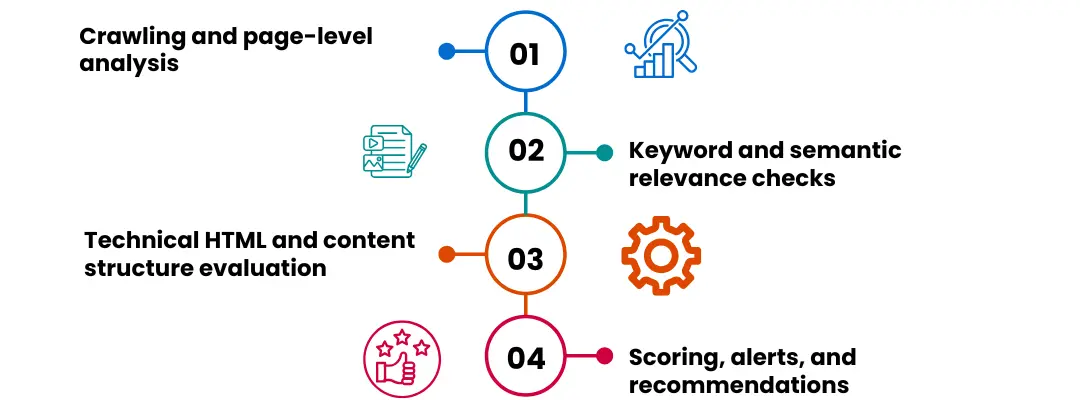
- Crawling and page-level analysis: The tool crawls the page the same way search engines do, reviewing URLs, headings, internal links, and indexability to understand how the page is structured and discovered.
- Keyword and semantic relevance checks: It analyzes primary and supporting keywords, topical coverage, and semantic relevance to ensure the content matches search intent without over-optimization.
- Technical HTML and content structure evaluation: The checker reviews HTML elements such as title tags, meta descriptions, header hierarchy, canonical tags, and schema signals to detect technical issues.
- Scoring, alerts, and recommendations: Finally, the tool assigns an optimization score, flags critical issues, and provides clear recommendations so fixes can be prioritized based on impact.
What are the Key Factors an On Page SEO Checker Analyzes?
An on page SEO checker evaluates multiple page-level elements to determine how well a page is optimized for search engines and AI-driven discovery. These factors help identify gaps that affect rankings, crawlability, and content clarity.
- Content optimization: Checks keyword placement, topical relevance, content depth, readability, and duplicate or thin content issues.
- Meta tags and SERP elements: Reviews title tags, meta descriptions, H1 usage, and heading structure to ensure pages are optimized for visibility and click-through rates.
- URL and page structure: Analyzes URL length, keyword usage, canonical tags, and duplication risks that can dilute rankings.
- Internal linking and navigation: Evaluates internal link distribution, orphan pages, and anchor text relevance to improve crawl flow and topical connections.
- Search intent alignment: Evaluates whether the content actually satisfies the intent behind the query, such as informational, navigational, or transactional, not just keyword usage. Wellows helps you understand search intent for your blogs so you can create content accordingly.
- E-E-A-T indicators: Checks for author information, trust signals, outbound references, and content credibility elements that support expertise and reliability. E-E-A-T signals also helps you build your topical authority.
- Content freshness and update signals: Flags outdated content, missing recent references, or pages that have not been updated despite changing search behavior.
- Image and media optimization: Analyzes image alt text, file names, compression, lazy loading, and media placement for both accessibility and performance.
- Technical on-page signals: Assesses indexability, mobile friendliness, page speed indicators, Core Web Vitals signals, and structured data where applicable.
How do I Use a Free On page SEO Checker for My Website?
Using a free on page SEO checker is an effective way to understand how well your pages are optimized and where improvements are needed. While free tools have limitations, they still provide valuable insights when used correctly.
- Start with your most important pages: Begin by analyzing pages that already receive impressions or rank on page two of search results. These pages often need only small on-page adjustments, such as better headings or clearer keyword targeting, to see noticeable ranking and traffic improvements.
- Review critical errors before minor warnings: On-page SEO checkers usually highlight issues by severity. Prioritize problems that directly affect indexing and relevance, such as missing title tags, incorrect H1 usage, thin content, or broken internal links. Minor suggestions can be addressed later once core issues are fixed.
- Check keyword and search intent alignment: Look beyond keyword counts and focus on whether the page actually answers the user’s query. If the intent is informational, the content should explain and guide. If it is transactional, the page should clearly support conversion-related actions.
- Apply changes manually and with context: Use the tool’s recommendations as guidance rather than absolute rules. Avoid stuffing keywords or forcing changes that reduce content quality. Every edit should improve clarity, usefulness, and readability for real users.
- Re-run the checker and monitor performance: After making updates, scan the page again to confirm that issues are resolved. Then track changes in impressions, clicks, and rankings using tools like Google Search Console to understand what actually worked.
When used thoughtfully, a free on page SEO checker helps uncover quick wins and recurring issues, making it a practical starting point for improving on-page performance.
What does a Low On page SEO Checker Score Mean for Rankings?
A low on page SEO checker score usually signals that a page has multiple issues limiting its ability to rank well and be understood by search engines and AI systems. While the score itself is not a direct ranking factor, it reflects weaknesses that often correlate with poor search performance.
- Reduced relevance for target keywords: Low scores often indicate weak content structure, poor keyword usage, or missing semantic signals, making it harder for search engines to match the page to relevant queries.
- Indexing and crawlability risks: Issues like missing meta tags, incorrect headings, broken links, or canonical errors can prevent search engines from properly crawling or prioritizing the page.
- Lower click-through potential: Poorly optimized titles and meta descriptions can hurt CTR, even if the page appears in search results, limiting traffic growth.
- Weaker AI visibility: Pages with unclear structure, thin explanations, or scattered topics are harder for AI Overviews and LLMs to extract and summarize, reducing chances of being surfaced in AI-generated answers and hurting you Generative Engine Optimization (GEO) efforts.
- Slower improvement compared to competitors: When competitors have cleaner on-page optimization, even strong backlinks may not be enough to close the gap.
A low on page SEO checker score should be treated as a diagnostic signal, not a verdict. Fixing the underlying issues often leads to measurable improvements in rankings, visibility, and overall search performance.
How to Fix Issues Found by an On Page SEO Checker?
Fixing issues found by an on page SEO checker is about prioritizing impact and improving clarity, not applying every suggestion blindly. A structured approach helps you make changes that actually improve rankings and AI visibility.
- Group issues by priority and impact: Start with problems that affect indexing, relevance, and usability, such as missing title tags, broken internal links, noindex errors, or thin content. Low-impact warnings can be handled later.
- Fix one page at a time: Focus on fully optimizing a single page before moving to the next. This makes it easier to measure results and prevents inconsistent changes across the site.
- Improve content depth and intent match: Expand sections that lack clarity, add missing subtopics, and ensure the page fully answers the search intent. Avoid adding keywords unless they improve meaning and flow.
- Correct structural and HTML issues: Fix heading hierarchy, update title tags and meta descriptions, clean up URLs, and ensure canonical tags point to the correct version of the page.
- Strengthen internal linking: Add relevant internal links from related pages using descriptive anchor text to improve crawl flow and topical connections.
- Optimize images and media: Compress large images, add descriptive alt text, and remove unnecessary media that slows down page load times.
- Re-test and validate changes: Run the on page SEO checker again to confirm issues are resolved, then monitor performance in Search Console or analytics to assess real-world impact.
Addressing issues this way ensures improvements are meaningful, sustainable, and aligned with both search engine requirements and user experience.
On Page SEO Checker vs Manual SEO Audits: Which One Should You Use?
Both approaches to checking on-page SEO aim to improve your site performance, but they serve different purposes. Understanding when to use an automated checker versus a manual audit helps you optimize faster and more accurately.
| Aspect | On Page SEO Checker | Manual SEO Audit |
|---|---|---|
| Speed | Scans pages quickly and delivers instant results | Time-consuming and requires detailed review |
| Scalability | Ideal for auditing multiple pages at once | Better suited for individual or high-value pages |
| Accuracy | Great for detecting common and technical issues | Strong at identifying intent gaps and context issues |
| Depth of analysis | Focuses on predefined SEO factors | Allows deeper content, UX, and strategy evaluation |
| Human judgment | Limited to tool logic and rules | Uses experience, intuition, and niche knowledge |
| Best use case | Ongoing monitoring and quick optimizations | In-depth audits, major updates, and complex pages |
What to Look for in a Good On Page SEO Checker?
A good on page SEO checker should help you make better decisions, not overwhelm you with generic warnings. The focus should be on accuracy, clarity, and recommendations that actually improve rankings and AI visibility.
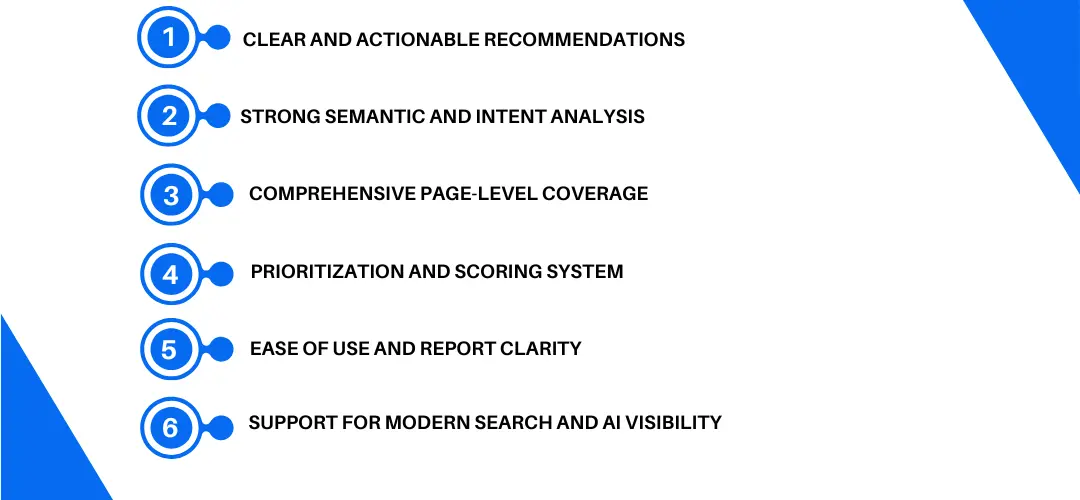
- Clear and actionable recommendations: The tool should explain what the issue is, why it matters, and how to fix it. Vague suggestions without context rarely lead to meaningful improvements.
- Strong semantic and intent analysis: Look for a checker that goes beyond exact keywords and evaluates topical coverage, supporting terms, and whether the page matches search intent.
- Comprehensive page-level coverage: A reliable checker analyzes content quality, headings, meta tags, internal links, indexability, mobile usability, and performance signals in one report.
- Prioritization and scoring system: Issues should be grouped by severity so you can focus on fixes that have the biggest impact instead of chasing minor warnings.
- Ease of use and report clarity: Reports should be easy to understand and usable by both SEO professionals and non-technical users without excessive jargon.
- Support for modern search and AI visibility: The checker should consider structure, clarity, and extractability, helping content perform in both traditional search results and AI-driven search experiences.
Choosing a tool with these qualities ensures your on-page SEO efforts are focused, efficient, and aligned with how search works today.
How is an On Page SEO Checker Used Across Different Use Cases?
An on page SEO checker supports different workflows depending on website type and goals. It helps teams identify and fix page-level issues efficiently while scaling optimization efforts for search engine visibility.
For startups, on-page optimization often runs alongside a broader question of whether the brand is building credibility in AI answers, not just search rankings. Teams that track AI citations as a startup often find that the same content quality improvements that lift on-page scores — clear structure, specific claims, authoritative sourcing — also improve how often LLMs choose to reference them in generative answers. When it comes time to pick a platform for that tracking, our roundup of the tryprofound alternatives compares nine AI visibility trackers on citation depth and cross-engine coverage.
| Use Case | How an On Page SEO Checker Helps |
|---|---|
| Bloggers and Content Creators | Optimizes articles for keyword relevance, structure, and content quality before and after publishing |
| Niche and Affiliate Websites | Identifies thin content, internal linking gaps, and optimization opportunities across money pages |
| E-commerce Websites | Improves product pages by checking titles, descriptions, schema, duplication, and crawl efficiency |
| Large Content Websites | Enables scalable audits and prioritization of fixes across hundreds or thousands of URLs |
| Agencies and SEO Teams | Supports client audits, reporting, and consistent on-page optimization workflows |
FAQs
Final Thoughts
An on page SEO checker is not a shortcut to rankings, but it is one of the most practical tools for identifying issues that quietly hold pages back. By highlighting content, structure, and technical gaps, it helps ensure your pages are clear, relevant, and easy for search engines and AI systems to understand.
When used alongside quality content, intent alignment, and ongoing optimization, an on page SEO checker becomes a reliable part of a long-term SEO workflow. It keeps pages healthy, competitive, and better positioned to perform across both traditional search results and AI-driven discovery.