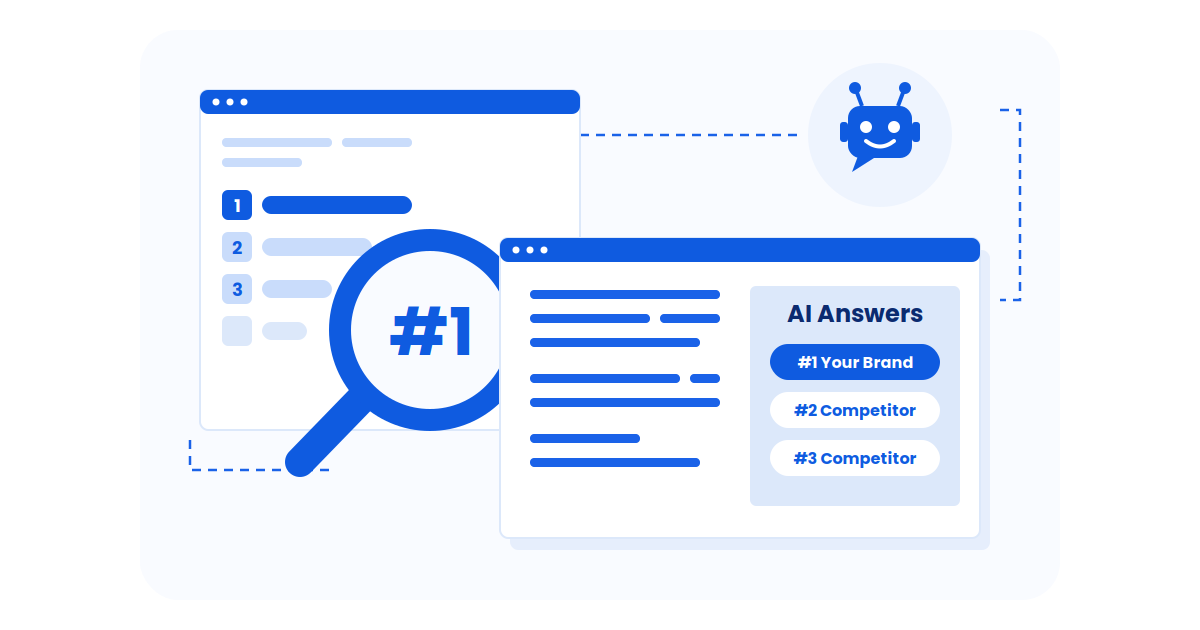
AI search is changing how people find information, and the best AI search engines now go far beyond showing blue links. These tools use generative AI to summarize, explain, and compare information, helping users get answers faster with fewer clicks.
Did you know?
In this guide, I break down the best AI search engines, how they compare, and which ones work best for research, students, shopping, news, and everyday search needs.
What are the Best AI Search Engines in 2026?
Here are the 10 best AI search engines in 2026:
What is an AI Search Engine?
An AI search engine uses artificial intelligence to understand a user’s question, retrieve relevant information, and generate a direct answer instead of showing only a list of links.
It combines search technology with language models to summarize, compare, and explain information in a more conversational way.
Unlike traditional search engines, AI search engines focus on intent and context, which means page-level quality signals identified by an On Page SEO Checker directly influence how content is retrieved, summarized, and presented.. They often pull data from multiple sources, highlight key points, and allow follow-up questions, which means underlying site quality and Technical SEO Issues can directly affect how accurately content is retrieved, summarized, and presented—making these tools especially useful for research, learning, and quick decision-making.
Did you know?
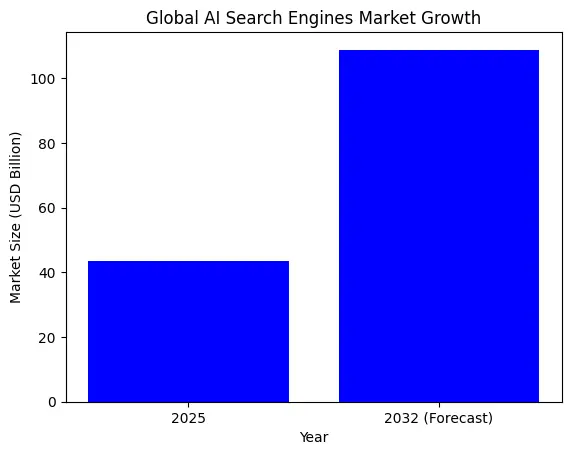
What are the Best AI Search Engines in 2026? [Detailed Overview]
The best AI search engines in 2026 combine real-time information, clear citations, and conversational search to deliver faster, more useful answers than traditional search alone.
Below, are the 10 leading AI search engines, along with their ideal users and pros and cons:
1. Google AI Overviews
- Live Web Search: Yes, generated from real-time Google Search results
- Clickable Sources: Yes, links shown, but visibility varies by query
- Privacy-Focused: Covered under Google Search’s standard privacy policies
- Retrieval-Augmented Generation (RAG): Yes, retrieves indexed pages before generating summaries
- Context Retention Depth: Low, mostly single-query with limited follow-up memory
- Knowledge Construction Method: Synthesizes information from multiple indexed web sources into a single summary
- Pricing: Free
Google AI Overviews is an AI-powered summary feature built directly into Google Search.
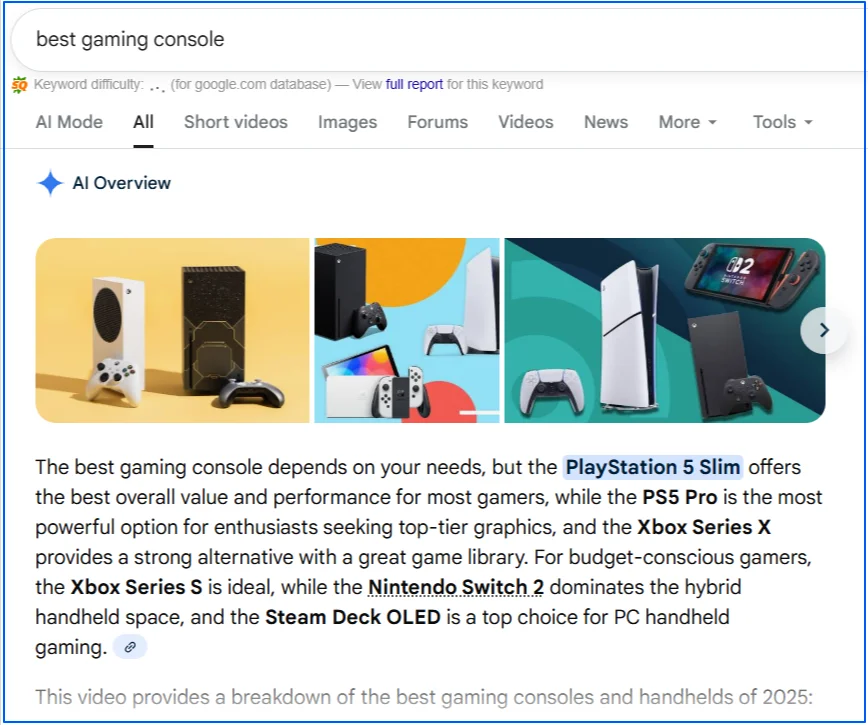
Instead of showing only traditional blue links, Google now often presents a synthesized answer at the top of the results page, followed by standard search listings users can explore further.The goal is to help users understand a topic faster without replacing search entirely.
Links and source pages still play a key role, but the AI-generated summary increasingly acts as the first point of interaction. In fact, Google now displays a search generative element for 86.83% of all search queries, making AI-driven search behavior the default rather than the exception.
That’s why marketers now focus on how to optimize for Google AI Overviews—not just ranking, but earning citations inside the summary where attention starts.
Ideal users:
- Everyday users looking for quick explanations or definitions
- Early-stage researchers who want a high-level understanding before diving deeper
- Users who prefer familiar Google search results with added AI context
- It works best as a starting layer, with users relying on linked sources for deeper validation and detail.
Pros
- Extremely convenient for quick understanding
- Directly integrated into the world’s most-used search engine
- Still provides links to explore original sources
Cons
- Source visibility can be limited compared to AI-first search tools
- Limited conversational follow-ups compared to chat-based search
- Not always triggered, which can feel inconsistent to users
2. Bing AI (Copilot Search in Bing)
- Live Web Search: Yes, grounded in Bing’s real-time search index
- Clickable Sources: Yes, includes citations and direct links to source pages
- Privacy-Focused: Governed by Microsoft’s search and privacy policies
- Retrieval-Augmented Generation (RAG): Yes, retrieves web results before generating answers
- Context Retention Depth: Low to medium, supports short follow-up queries within a session
- Knowledge Construction Method: Aggregates information from multiple Bing-indexed sources into a single response
- Pricing: Free
Bing AI, commonly referred to as Copilot Search in Bing, enhances traditional search by adding AI-generated summaries alongside standard search results.
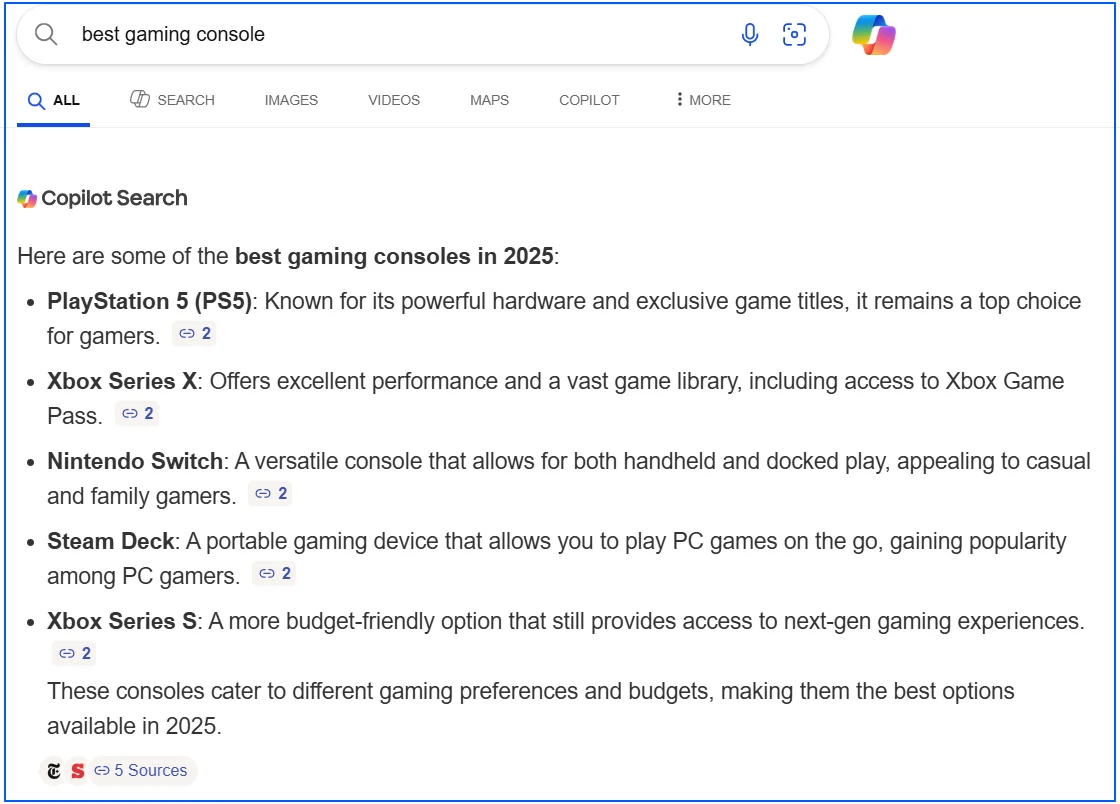
Instead of only displaying links, it synthesizes information from multiple web pages to provide a concise answer at the top of the page.
Bing is the second most widely used search engine after Google, accounting for roughly 3% of global search traffic.
The experience is designed to complement classic search rather than replace it. Users can read the AI summary, review the cited sources, and continue exploring the topic using familiar search result layouts without switching tools.
Ideal users:
- Users who want AI summaries alongside traditional search results
- Researchers who prefer visible citations and source links while browsing
- Professionals comparing products, tools, or services across multiple websites
Pros
- Integrated directly into Bing’s standard search experience
- Provides citations and clickable links for verification
- Combines AI summaries with traditional search results
Cons
- Source selection depends on the query and may vary in quality
- Limited conversational memory compared to AI-first search tools
- Not always triggered for every type of search query
3. Brave Search
- Live Web Search: Yes, powered by Brave’s independent search index
- Clickable Sources: Yes, summaries are based on visible search results
- Privacy-Focused: Strong, no user profiling, tracking, or search history storage by default
- Retrieval-Augmented Generation (RAG): Yes, summarizes content retrieved from Brave Search results
- Context Retention Depth: Low, operates on a per-query basis without conversational memory
- Knowledge Construction Method: Condenses information from top-ranked Brave-indexed pages into a brief summary
- Pricing: Free (AI features may have usage limits)
Brave Search is a privacy-first search engine with an optional AI-powered summarizer built directly into its results page. It serves 50+ million queries per day and 1.6+ billion queries per month.
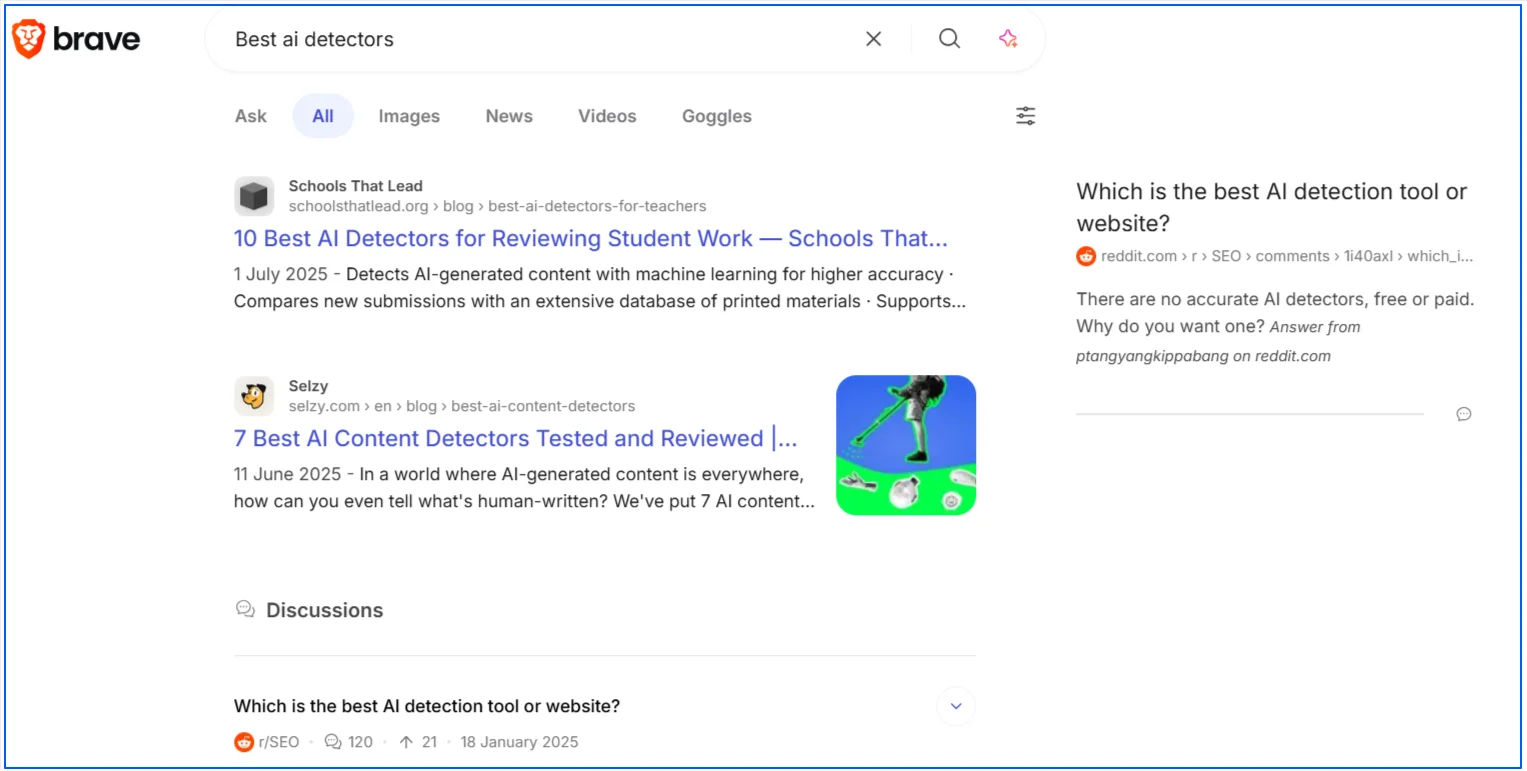
Instead of relying on Google or Bing, Brave uses its own independent search index to generate both traditional results and AI summaries. It’s independent indexing makes it the best privacy focused search engines in 2026.
The AI summarizer is designed to provide quick context at the top of the page, while still encouraging users to scroll and explore the underlying sources. It functions as a lightweight enhancement rather than a full conversational search experience.
Ideal users:
- Privacy-conscious users who want AI assistance without data tracking
- Users looking for quick summaries alongside traditional search results
- Those who prefer an alternative to Google- and Bing-powered search engines
Pros
- Uses an independent search index rather than relying on Big Tech platforms
- Strong privacy protections with minimal data collection
- AI summaries complement, rather than replace, standard search results
Cons
- AI summaries are shorter and less detailed than AI-first search engines
- No conversational follow-up or memory between queries
- Search coverage may be less comprehensive for niche or local topics
4. Perplexity AI
- Live Web Search: Yes, designed for real-time web answers
- Clickable Sources: Yes, responses typically include citations you can open
- Privacy-Focused: Enterprise docs state customer data is not used to train models
- Retrieval-Augmented Generation (RAG): Yes, retrieves web sources before generating the response
- Context Retention Depth: Medium, good for follow-ups within the same research thread
- Knowledge Construction Method: Synthesizes information from multiple sources into one cited answer
- Pricing: Free tier available, with paid Pro and Enterprise plans
Perplexity AI is an AI-powered “answer engine” built for search-style research.
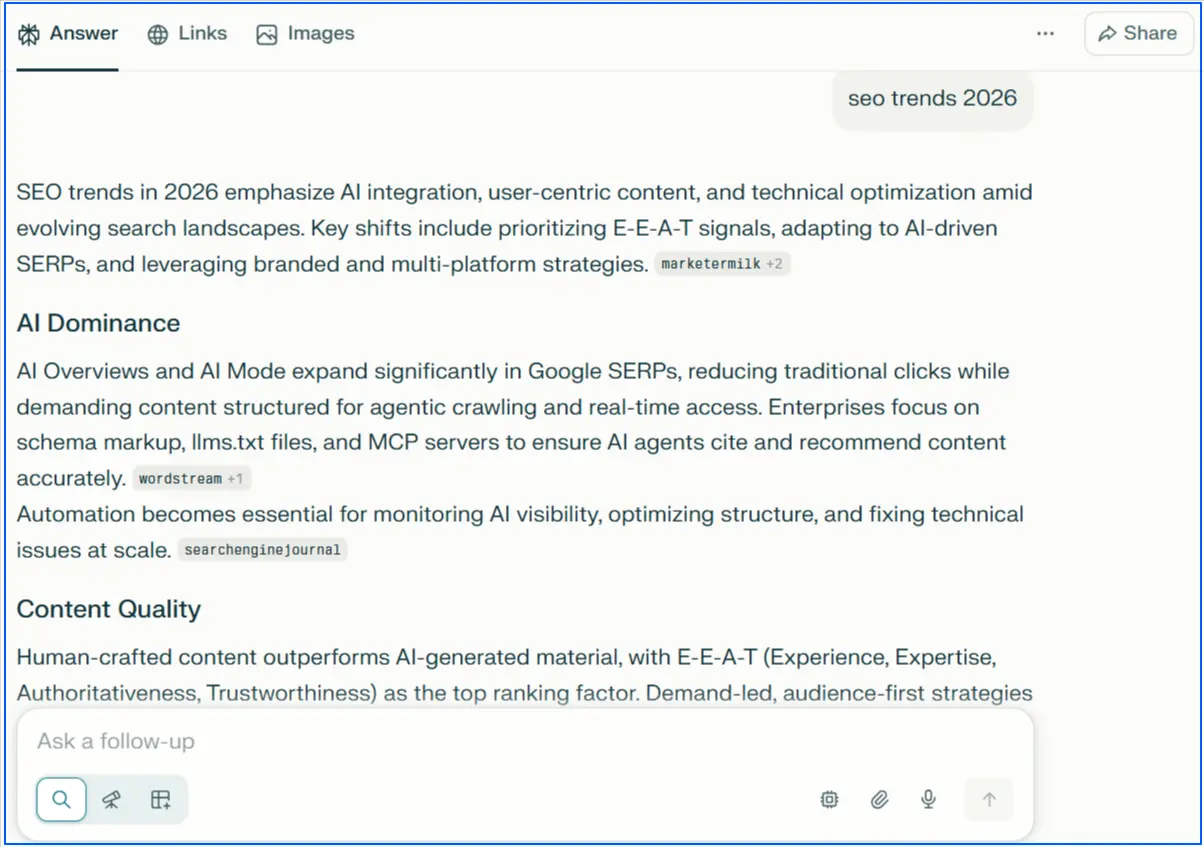
It aims to produce a direct response while showing supporting sources so readers can verify and explore further.
This top generative AI search engine in 2026 works best when you want a fast overview plus a clear path to the original material. The core experience is question-first, then source-backed synthesis, which makes it a strong option for research, writing, and fact-checking workflows.
On average, users spend over 23 minutes per visit on Perplexity AI, highlighting strong engagement and deeper research-oriented usage.
Ideal users:
- Writers and marketers who need quick summaries with sources for validation
- Students and researchers compiling references across multiple pages
- Professionals comparing tools, products, or concepts with citations
Pros
- Source citations make it easy to verify and continue deeper research
- Strong follow-up flow for refining questions without starting over
- Good balance of speed, readability, and link discovery
Cons
- Citation quality depends on what sources are retrieved for that query
- Not a replacement for primary-source review on high-stakes topics
- Some advanced capabilities are tied to paid plans
5. ChatGPT Search
- Live Web Search: Yes, can search the web for timely answers when needed
- Clickable Sources: Yes, includes links to relevant web sources
- Privacy-Focused: Covered under OpenAI’s privacy and data controls for ChatGPT
- Retrieval-Augmented Generation (RAG): Yes, retrieves web sources before generating responses
- Context Retention Depth: Medium, handles follow-ups well within a single conversation
- Knowledge Construction Method: Combines retrieved web sources with model reasoning into one answer
- Pricing: Free (some advanced capabilities may vary by plan/region)
ChatGPT Search is OpenAI’s search experience inside ChatGPT that combines a conversational interface with web results.
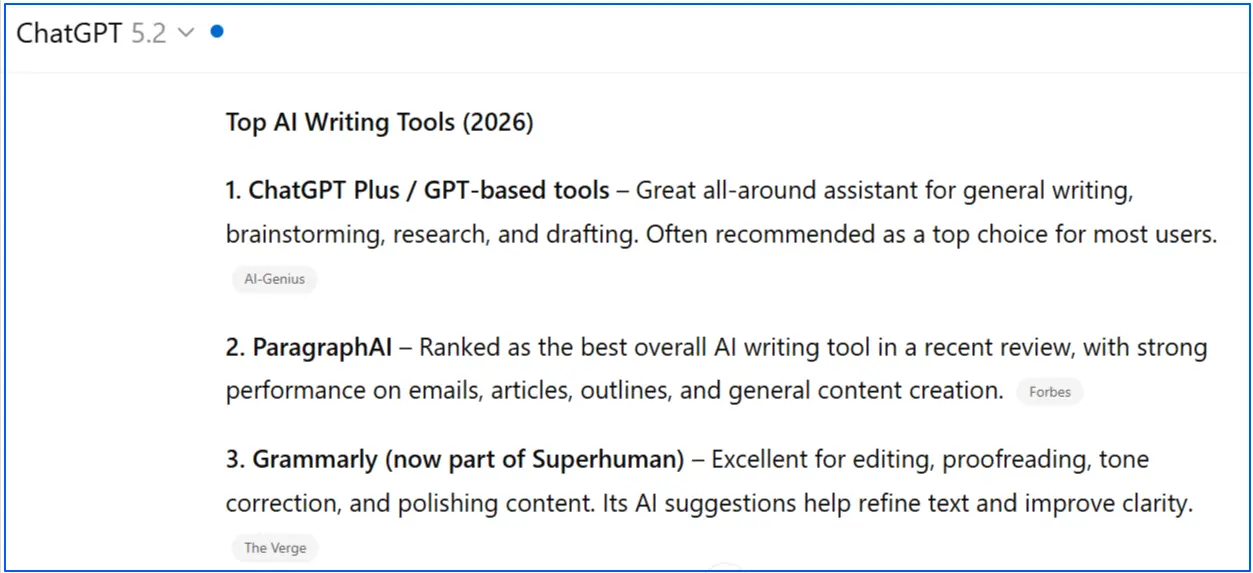
Instead of returning a list of links only, it aims to give a direct answer while still pointing readers to relevant sources they can open and verify.
It’s designed for people who want to search in natural language, ask follow-up questions, and keep the research thread going without restarting from scratch. The web links matter because they let users validate claims and dig deeper when they need more detail.
Ideal users:
- Users who want quick answers with supporting links, without jumping between tabs
- People doing topic research who need follow-up questions to refine the result
- Writers and professionals who want a fast summary, then verification via sources
Pros
- Natural-language search with strong follow-up flow in the same thread
- Provides links to sources, making it easier to verify and continue research
- Useful for summarising a topic, then drilling down with targeted questions
Cons
- Source visibility and depth can vary depending on the query
- Search behavior and feature availability can differ by plan, region, or rollout stage
- Not a replacement for primary-source review on high-stakes decisions
6. Komo
- Live Web Search: Yes, designed for real-time web research
- Clickable Sources: Yes, provides citations and links for verification
- Privacy-Focused: Not primarily positioned as privacy-first
- Retrieval-Augmented Generation (RAG): Yes, retrieves web sources before generating answers
- Context Retention Depth: Medium, supports follow-up questions in the same research flow
- Knowledge Construction Method: Synthesizes information from multiple web sources into a single cited response
- Pricing: Free (may include usage limits depending on rollout)
Komo is an AI-powered search experience built around research-first answers.
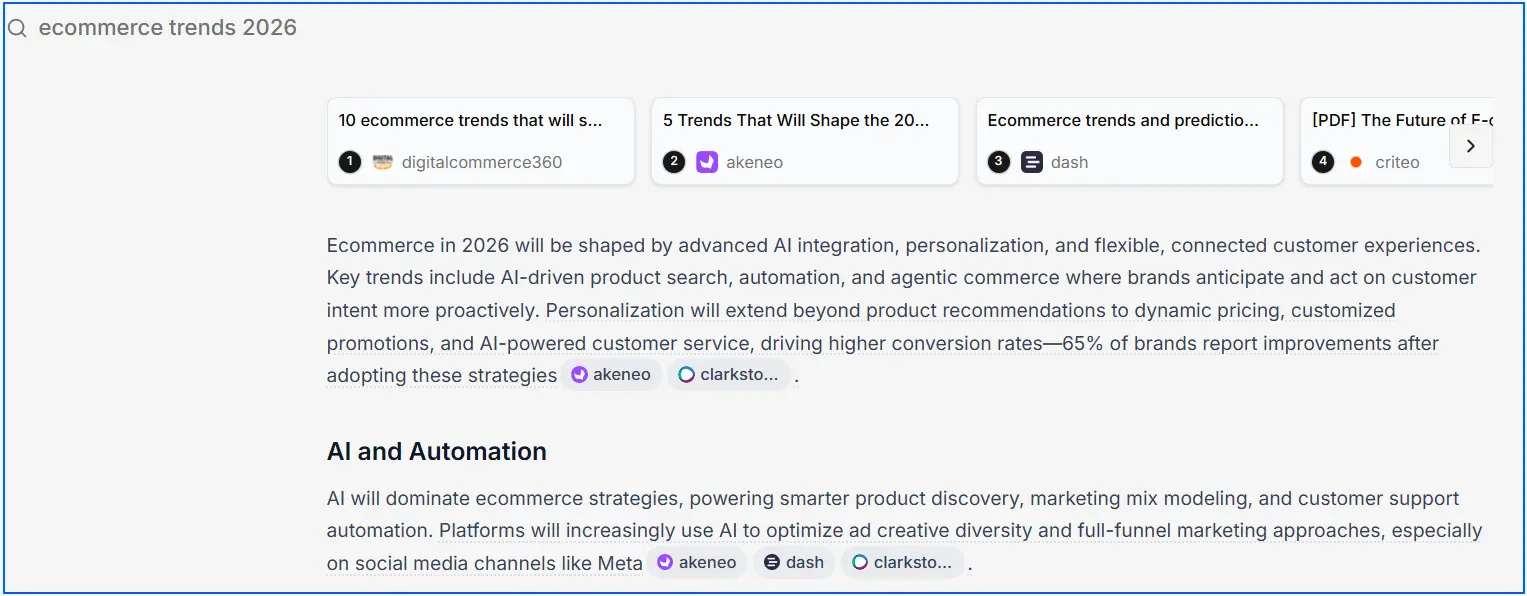
Instead of showing only a list of links, it generates a summary response and backs it with clickable sources so users can validate what they’re reading and keep digging.
Its value is speed and structure. You can start with an overview, then refine your query through follow-ups and source exploration without losing the thread, which makes it useful for writing, studying, and quick due diligence.
Ideal users:
- Users who want fast web research with citations they can open
- Writers compiling sources and looking for quick summaries
- People who prefer a guided, chat-style search flow over traditional SERPs
Pros
- Citation-first answers make it easier to verify and continue research
- Good follow-up flow for refining questions in one session
- Helps reduce tab overload by summarising and linking in one place
Cons
- Source quality can vary depending on what the system retrieves
- Not as universally recognised as Google/Bing, so some readers may be unfamiliar
- Feature availability and limits can change as the product evolves
7. Consensus
- Live Web Search: No, searches a large database of peer-reviewed research papers, not the open web
- Clickable Sources: Yes, answers link back to the research papers used
- Privacy-Focused: Not positioned primarily as privacy-first
- Retrieval-Augmented Generation (RAG): Yes, retrieves relevant papers first, then generates a summary from them
- Context Retention Depth: Low to medium, supports follow-ups in the same session
- Knowledge Construction Method: Pulls top-matching studies, then synthesizes findings into an evidence-based answer with citations
- Pricing: Free tier available, paid plans include Pro ($15/month) and Deep ($65/month)
Consensus is an AI-powered academic search engine focused on peer-reviewed research.
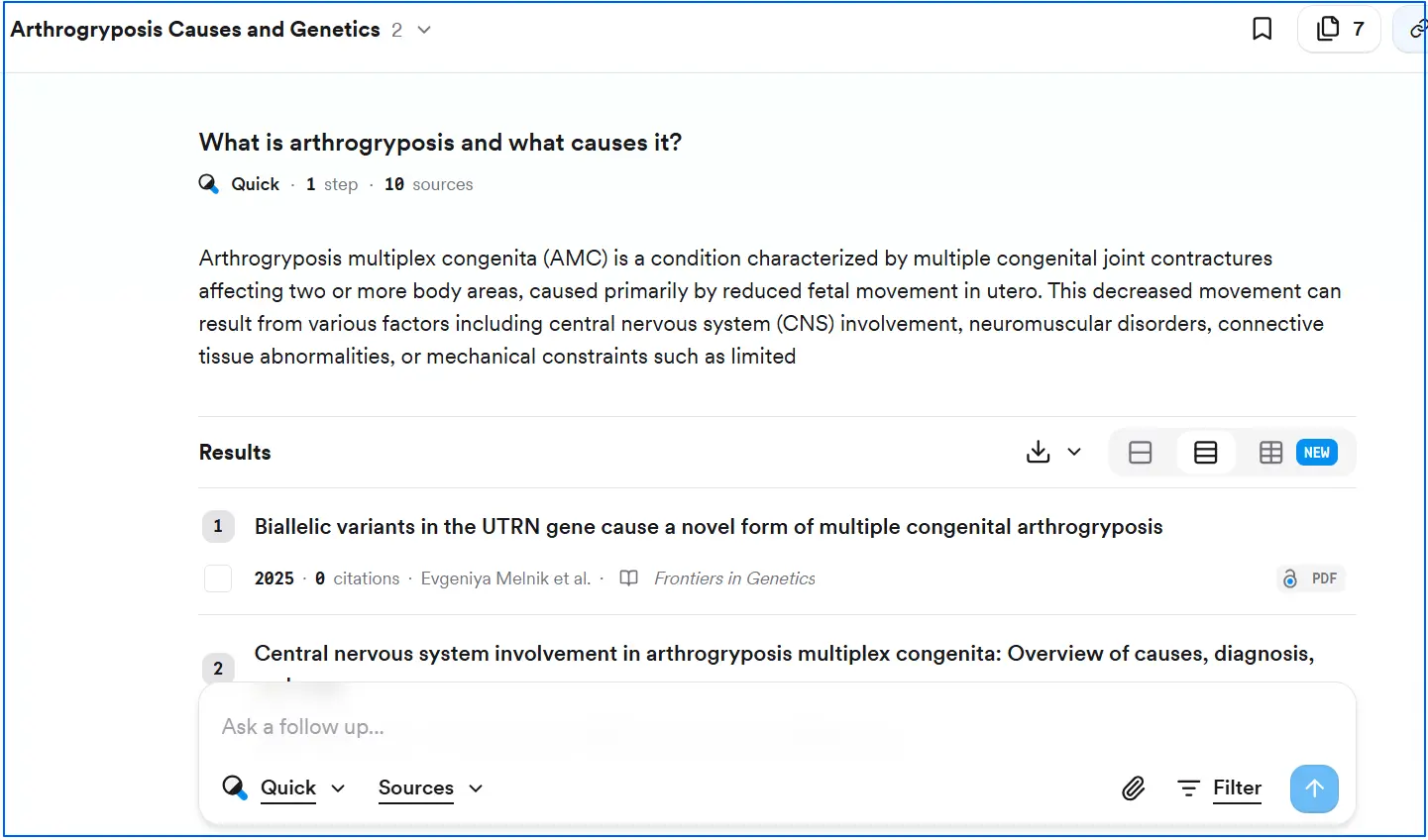
Unlike general AI search tools that summarise blogs, news, and forums, Consensus is designed to answer questions by grounding responses in published studies and linking back to the underlying papers.
It’s best viewed as a “research-first” engine. You ask a question in plain language, it finds relevant studies, then produces a readable synthesis so you can understand what the literature says without manually scanning dozens of abstracts.
Ideal users:
- Students and researchers doing literature reviews and citation-based writing
- Healthcare, policy, and business professionals who need evidence-backed answers
- Writers who want to support claims with peer-reviewed studies, not web articles
Pros
- Evidence-based answers grounded in peer-reviewed research
- Clickable citations make verification and quoting easier
- Saves time by synthesising study findings into plain language
Cons
- Not suitable for breaking news or general web discovery
- Coverage depends on what exists in academic literature for your topic
- Advanced features and higher usage limits require a paid plan
8. Felo AI
- Live Web Search: Yes, it searches the internet in real time
- Clickable Sources: Yes, designed to provide verifiable answers with sources
- Privacy-Focused: Not positioned as privacy-first, review its privacy policy
- Retrieval-Augmented Generation (RAG): Yes, retrieves web information before generating summaries
- Context Retention Depth: Medium, supports follow-ups within the same session
- Knowledge Construction Method: Gathers web sources, then synthesizes them into a concise summary
- Pricing: Free plan available, Pro plan is listed at ¥2099/month (about $14.99/month)
Felo AI is an AI-driven search engine designed for fast discovery and understanding, especially across languages.

Instead of returning a standard list of links only, it aims to generate a readable answer while still keeping the underlying sources available for verification.
It’s positioned as a research and productivity-style search experience. For readers, that means you can use it to get an overview, validate the sources, and then go deeper if needed, without manually opening dozens of tabs.
Ideal users:
- Users who want real-time answers with sources they can reference
- People researching topics across languages and regions
- Students, marketers, and professionals who want quick synthesis before deeper reading
Pros
- Real-time web search designed for fast summarised answers
- Built around verifiable responses, not just AI-generated text
- Useful for multilingual discovery and cross-region research
Cons
- Pricing and plan limits can change, so confirm before committing
- Source quality varies by query, so verification still matters
- Not positioned as a privacy-first search engine
9. Andi Search
- Live Web Search: Yes, designed for real-time web answers
- Clickable Sources: Yes, includes links and references for verification
- Privacy-Focused: Strong focus on privacy, no ads, no tracking
- Retrieval-Augmented Generation (RAG): Yes, retrieves web content before generating answers
- Context Retention Depth: Low to medium, supports basic follow-up questions
- Knowledge Construction Method: Summarizes and explains information pulled from multiple web sources
- Pricing: Free
Andi Search is an AI-powered search engine built around a privacy-first, ad-free experience.
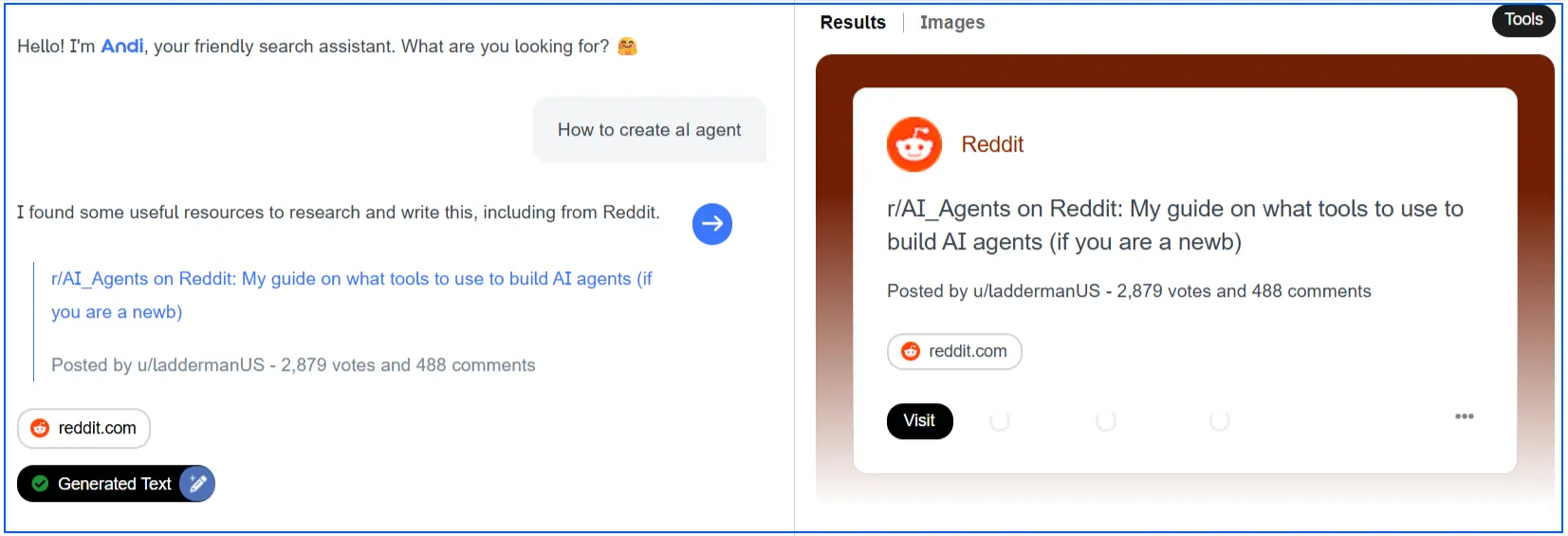
Instead of overwhelming users with links, it focuses on delivering direct, readable answers while still showing the sources behind them.
The interface is clean and minimal, making it well suited for users who want quick explanations without distractions. Andi positions itself as an alternative to traditional search engines that rely heavily on ads and tracking.
Ideal users:
- Privacy-conscious users who want ad-free AI search
- Students and researchers looking for clear answers with sources
- Users who prefer simplicity over feature-heavy search tools
Pros
- Completely ad-free with a strong privacy-first approach
- Clean interface focused on answers rather than links
- Provides sources so users can verify information
Cons
- Not as feature-rich as larger AI search platforms
- Limited advanced research or customization options
- Less suitable for complex technical or enterprise use cases
10. You.com
- Live Web Search: Yes, combines web search with AI-generated answers
- Clickable Sources: Yes, provides links and sources alongside responses
- Privacy-Focused: Not positioned as privacy-first, review its privacy policy
- Retrieval-Augmented Generation (RAG): Yes, retrieves web results before generating summaries
- Context Retention Depth: Medium, supports follow-ups within a session
- Knowledge Construction Method: Synthesizes information from multiple web sources into one answer, with links for validation
- Pricing: Free tier available, paid plans offer more features and higher limits
You.com is an AI-powered search engine that blends traditional web results with an AI answer layer.
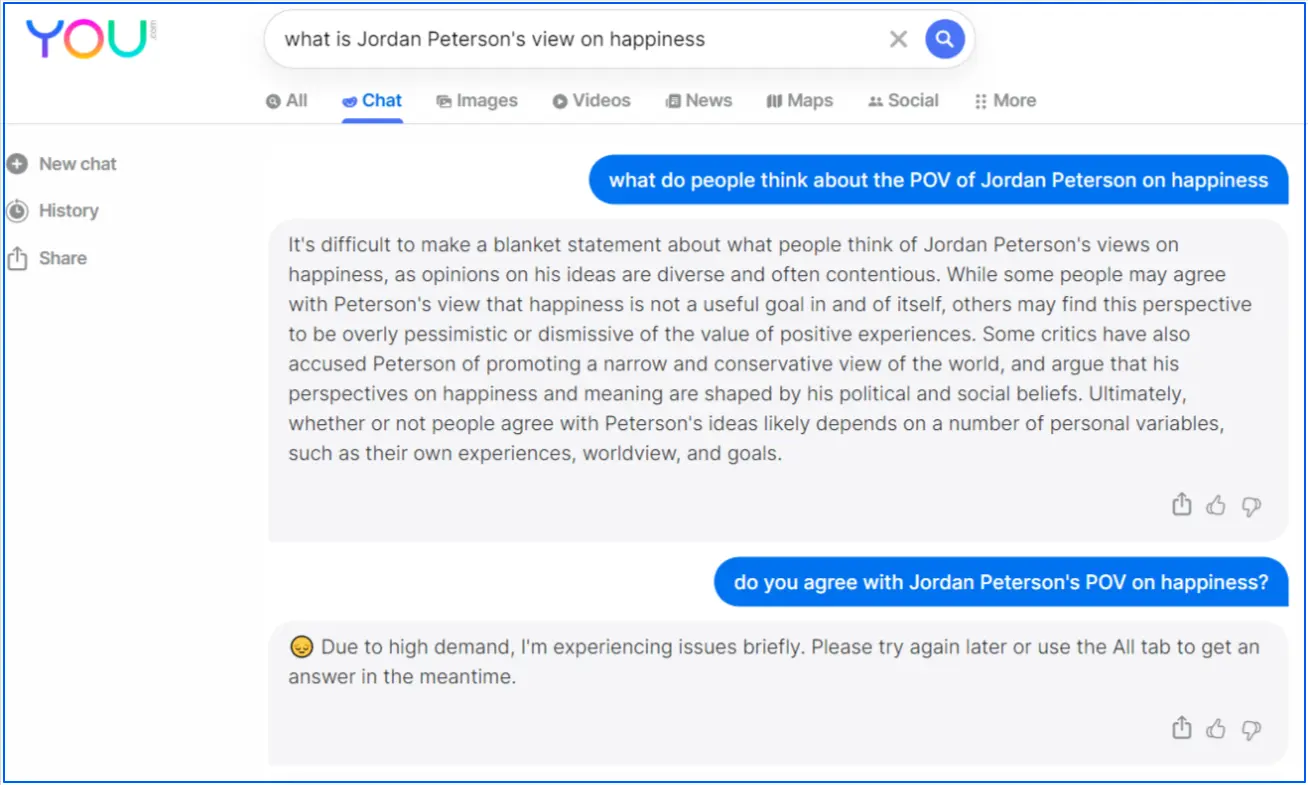
Instead of forcing users to choose between “search” and “chat,” it tries to combine both, so you can get a quick summary and still browse links in a familiar search layout.
One key difference is that You.com is also built around “apps” and workflows. That makes it useful for users who want search results plus extra tools in the same place, such as writing assistance or coding support, without switching platforms.
Ideal users:
- Users who want AI answers plus classic search results in one interface
- People who like follow-up questions to refine research in the same session
- Professionals who want search combined with productivity-style tools
Pros
- Combines AI answers with a familiar search engine browsing experience
- Supports multi-step research through follow-up conversation
- Includes extra tools and workflows beyond basic search
Cons
- Not positioned as a privacy-first search engine
- Answer quality depends on retrieved sources, so verification still matters
- Some advanced features and higher limits are tied to paid plans
Which is the Top AI Search Engine in 2026? [Quick Comparison]
The table shows the top AI-powered search engines in 2026 comparison based on how they retrieve information, show sources, handle privacy, and support follow-up research.
Use this AI search engine ranking table to quickly see which one fits your search style and research needs best.
| AI Search Engine | Live Web Search | Sources Shown | Primary Use | Best Suited For | Pricing |
|---|---|---|---|---|---|
| Google AI Overviews | Yes | Sometimes | Quick topic summaries | Everyday search users | Free |
| Bing AI | Yes | Yes | AI-assisted web search | Researchers and comparison shoppers | Free |
| Brave | Yes | Yes | Privacy-first search | Privacy-conscious users | Free |
| Perplexity AI | Yes | Yes | Citation-based research | Writers and researchers | Freemium |
| ChatGPT Search | Yes | Yes | Conversational search | Exploratory research | Free / Paid |
| Komo | Yes | Yes | Guided web research | Content creators | Free |
| Consensus | No | Yes (papers) | Academic research | Students and professionals | Freemium |
| Felo AI | Yes | Yes | Multilingual research | Global researchers | Freemium |
| Andi Search | Yes | Yes | Ad-free AI answers | Privacy-focused users | Free |
| You.com | Yes | Yes | Search + productivity tools | Power users | Freemium |
How to Optimize Your Content for AI Search Engines?
If you have a website, here is how you can optimize your content for AI search engines:
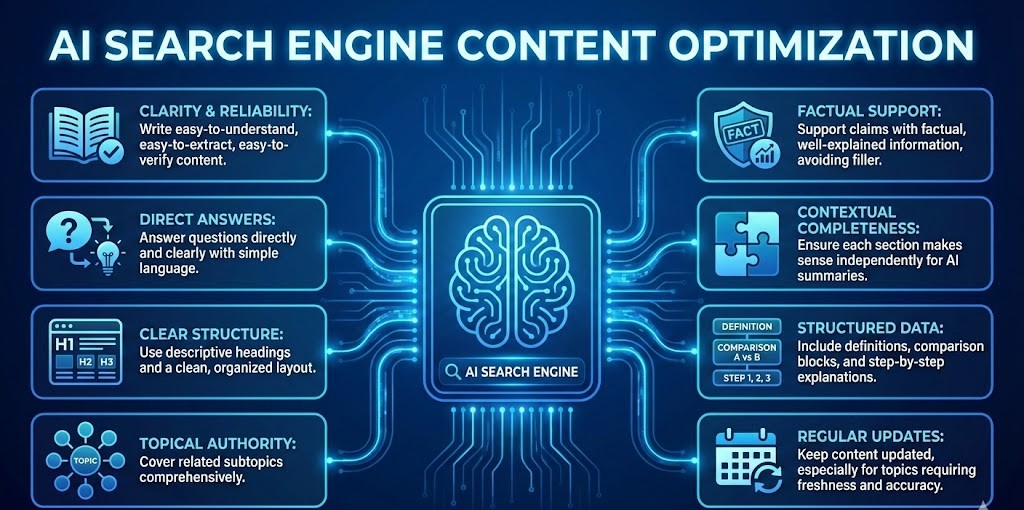
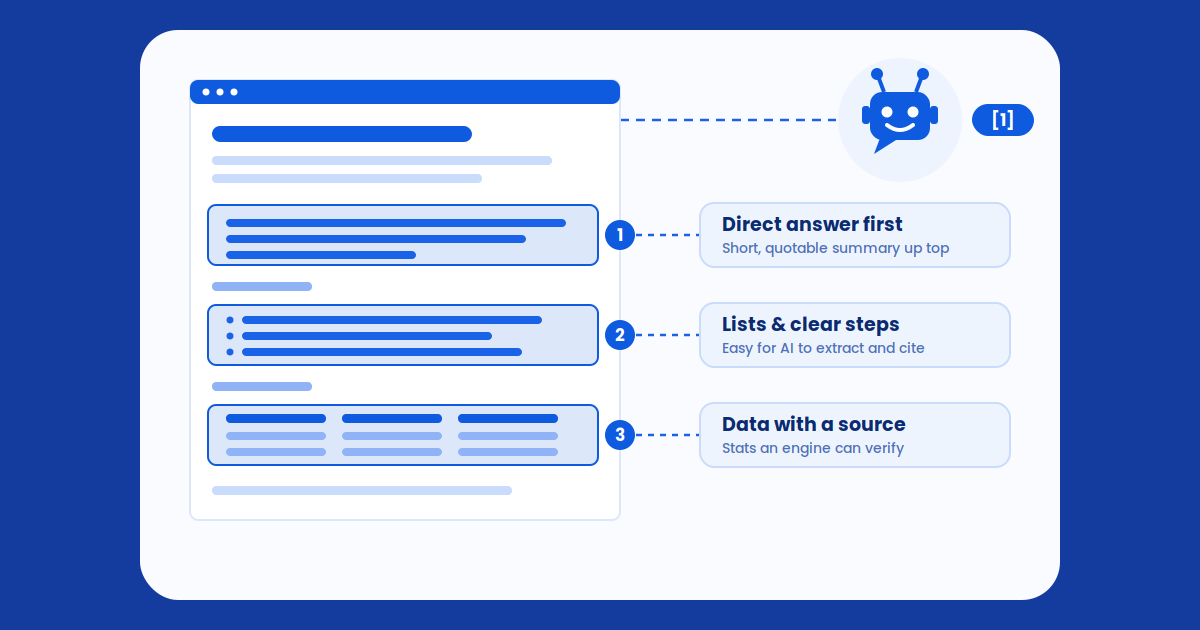
- Write content that is easy to understand, easy to extract, and easy to verify, as AI search engines prioritize clarity and reliability.
- Answer questions directly and clearly using simple language, just like AI content optimization tools do for AI search.
- Use descriptive headings and a clean structure so AI systems can easily identify key sections.
- Cover related subtopics to demonstrate topical authority rather than focusing on a single narrow point.
- Support claims with factual, well-explained information instead of filler or promotional language.
- Ensure contextual completeness, where each section makes sense on its own if pulled into an AI-generated summary.
- Include clear definitions, comparison blocks, and step-by-step explanations to improve citation chances.
- Keep content updated regularly, especially for topics where freshness and accuracy matter.
- Recognize that measuring performance in AI search is difficult without proper AI visibility tracking tools, which is where Wellows helps by showing how and where your content appears in AI search engines.
How Wellows Helps You Get Visibility in AI Search Engines?
Wellows lets you track and analyze how your content performs across AI search platforms, including Google AI Overviews.
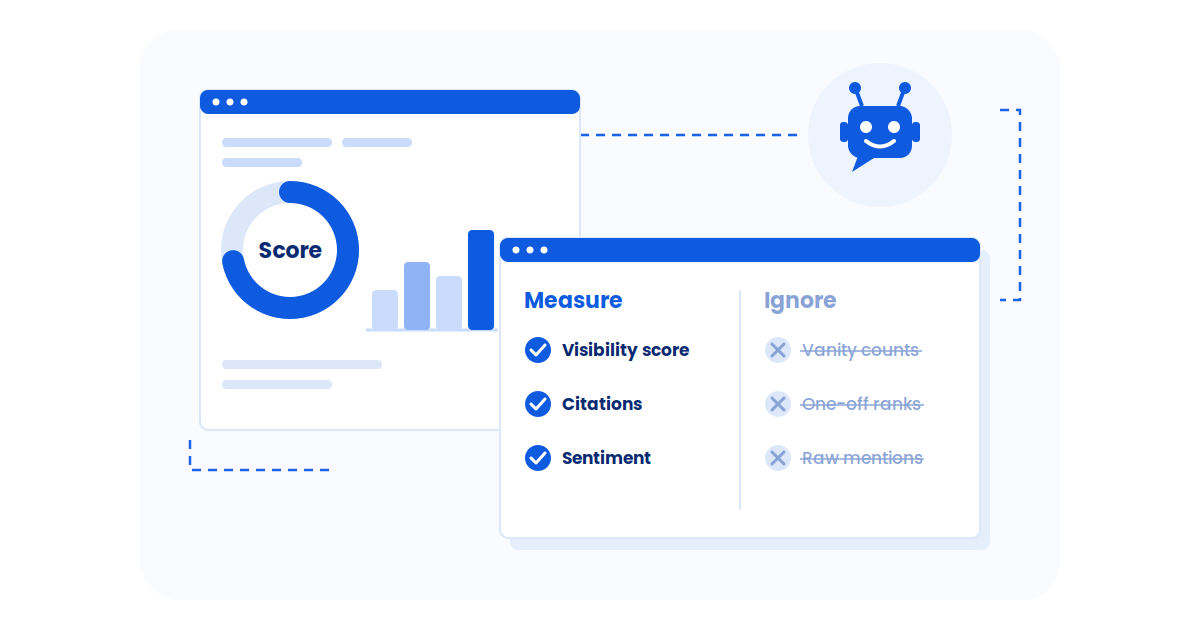
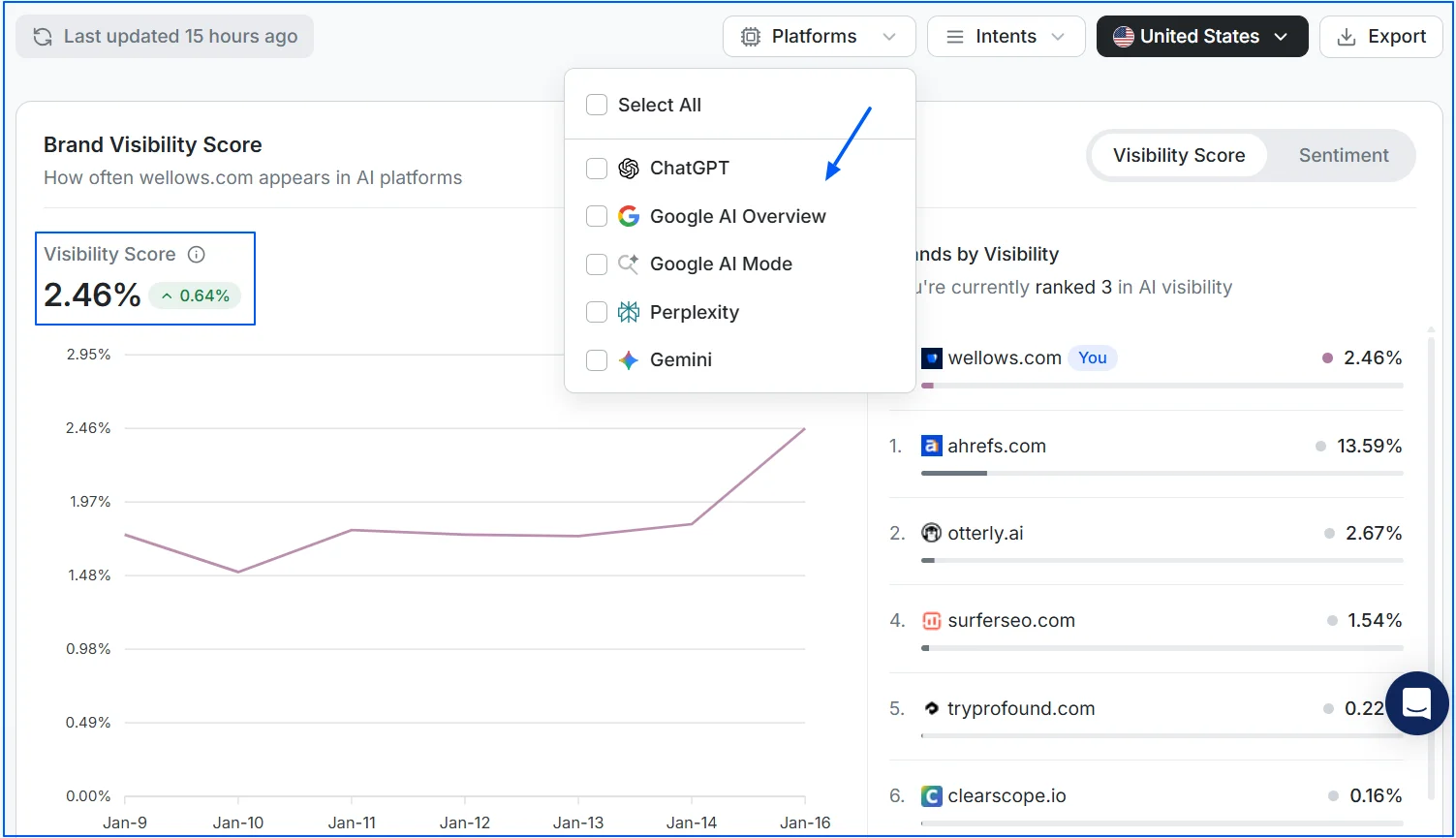
- Check your AI visibility score: In the Wellows dashboard, go to the Overviews section. From the platforms option, select Google AI Overviews, AI Mode, etc. to view your visibility score. This shows how often your content appears in AI-generated summaries.

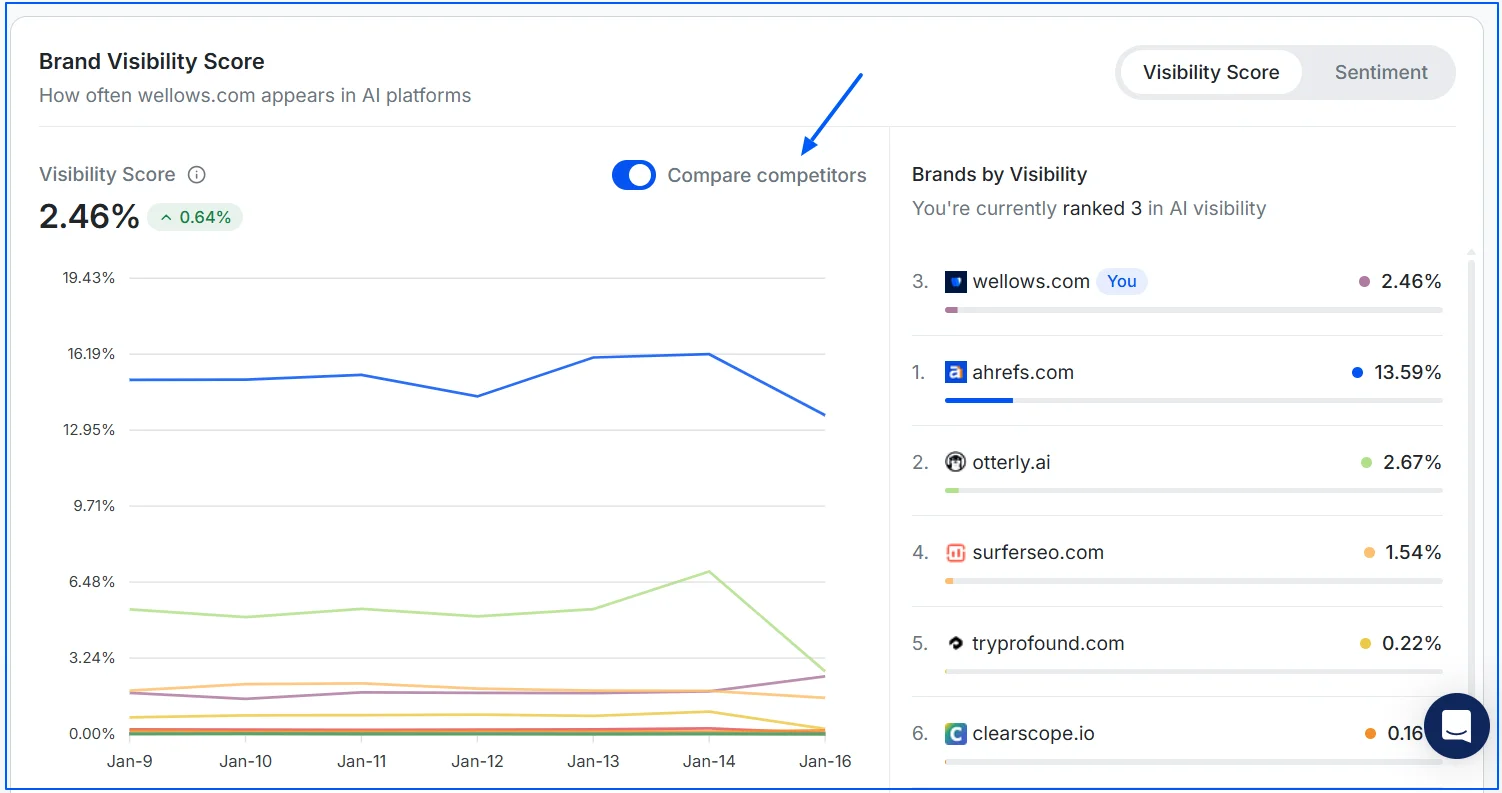
- Compare against competitors: Turn on the competitor toggle to instantly see how your visibility compares with others competitors for the same queries. This helps you identify gaps and opportunities.
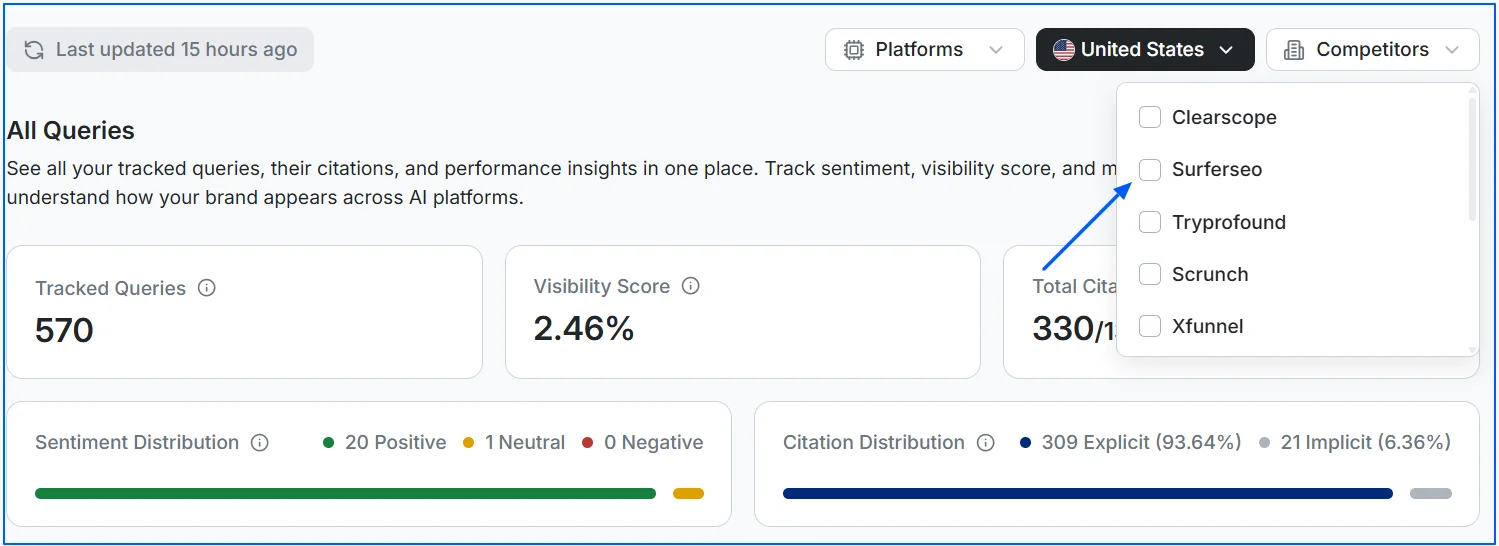
- Analyze specific competitors: Navigate to Tracked Queries and select a competitor from the list. Their citation score will tell how frequently they’re referenced in Google AI Overviews, AI Mode, etc.
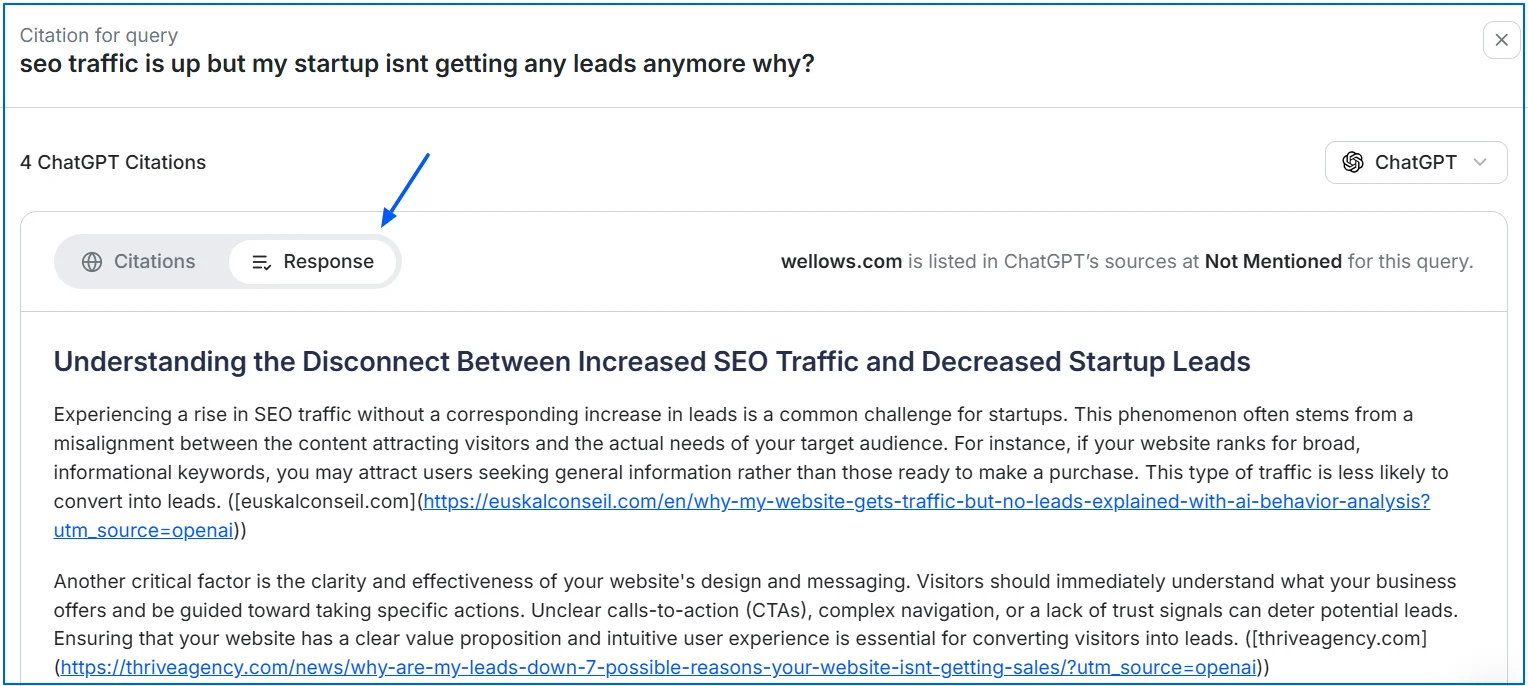
- See exactly what content AI is picking: Click the Citations option next to any tracked query to view the exact content Google AI Overviews is using. This insight helps you understand what structure, wording, or sections are being favored.
- Monitor performance over time: Using the Performance History feature, you can track whether your or your competitors’ visibility scores in Google AI Overviews are improving over time, making it easier to measure the impact of your optimizations.
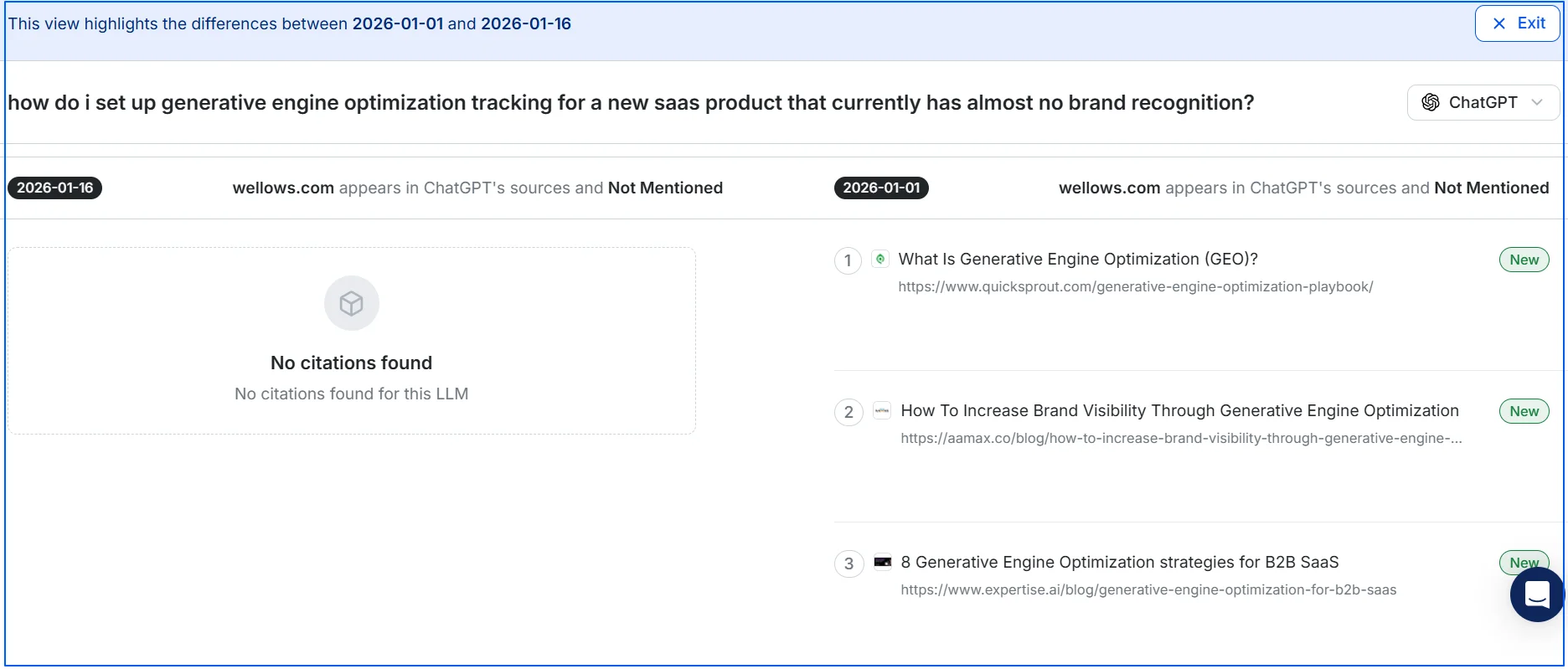
In short, while strong content fundamentals get you closer to AI visibility, Wellows helps you validate, refine, and scale those efforts by showing exactly how AI search engines are interpreting and surfacing your content.
What are the Top Free AI Search Engines without Ads?
If you’re looking for top free AI search engines without ads, these 5 options give you AI-powered answers while keeping the experience clean, private, and distraction-free.
Known for putting privacy first, DuckDuckGo keeps its search results free from ads and trackers. It has also added an optional AI assistant feature that lets users ask questions and get AI-generated responses without saving personal data or search history. Everything is designed to stay anonymous by default.
It’s privacy statement also states: “We don’t track you…”
Built by the team behind the Brave browser, Brave Search blocks ads and trackers automatically. If you don’t like Google search engine for ads, this alternative search engine in 2026 uses its own independent search index and includes AI-powered summaries for quick answers.
One standout feature is its ability to customize results using user-created filters, giving more control over what you see.
Andi takes a conversational approach to search. Instead of showing a long list of links, it delivers direct, AI-generated answers in a chat-style interface. There are no ads, no tracking, and no user profiling, which makes it appealing for people who want fast answers without noise.
Komo focuses on speed and clarity, offering AI-assisted search results without advertisements. It supports multiple AI models, allowing users to switch between different engines depending on their needs. The experience feels closer to an AI assistant than a traditional search page.
SearXNG is an open-source metasearch engine that pulls results from dozens of search providers while stripping out ads and trackers. Because it does not store personal data and can even be self-hosted, it is a popular choice for users who want maximum transparency and privacy.
Its official docs say SearXNG can aggregate results from “up to 245 search services” and users are “neither tracked nor profiled.
What is the Top AI Search Engine for Voice Mode and Conversations?
For users who care about voice mode and conversations rather than typing short queries, several AI-powered search engines now offer spoken, back-and-forth interactions that feel natural and responsive.
This shift is backed by real usage data. Industry research shows that 32% of internet users now use voice assistants weekly, mainly to search for information, ask follow-up questions, and get real-time answers without typing.
Below I have shared 5 most popular search engines in 2026 you can use for voice search or conversational queries:
ChatGPT Voice Mode: ChatGPT Voice Mode brings natural, spoken dialogue to the GPT-powered assistant experience. Users can speak to ChatGPT as they would to a human, get immediate AI responses, and continue the conversation without switching back to text.
The voice mode supports nuanced follow-ups and context-aware replies, making it ideal for exploratory queries and learning by asking successive questions.
OpenAI states voice can run in the background, and a background voice conversation can continue until you end it, hit plan limits, or if it exceeds 1 hour.
Microsoft Bing AI (Copilot Search): Copilot Search from Microsoft emphasizes voice-enabled conversations paired with rich visual context. Users can ask questions verbally, refine them through follow-ups, and receive detailed answers that build on earlier inputs rather than starting from scratch.
Microsoft positions Copilot Voice as a system designed to “understand spoken language and engage in conversation,” rather than just return search results.
Perplexity AI: Perplexity AI works well for conversational searches where clarity and context matter. It allows users to interact naturally, asking successive questions in a single thread, which makes it suitable for voice-driven research and explanation-style queries.
Duck.ai: Duck.ai brings conversational AI to search with a strong focus on privacy. It supports dialogue-based interactions while avoiding long-term storage of conversations, making it a good choice for users who want voice-based AI search without extensive data tracking.
Google Search Live: Google Search Live enables real-time voice conversations directly within search. Users can speak naturally, get immediate spoken responses, and continue the interaction as new questions arise, creating a more fluid search experience.
Google has described this experience as enabling “free-flowing, back-and-forth voice conversations,” reflecting its focus on hands-free, continuous interaction rather than single queries.
What are the Best AI Search Engines for Students doing Homework?
The table below highlights what are the leading AI search engines for common homework needs. It helps students quickly choose the right tool based on the subject and type of assignment they’re working on.
| Homework Need | Best AI Search Engine | Why It Works Well for Students |
|---|---|---|
| General research (history, science, social studies) | Perplexity AI | Provides clear explanations with clickable sources for easy referencing |
| Concept learning and explanations | ChatGPT Search | Supports step-by-step explanations and follow-up questions |
| Academic papers and evidence-based homework | Consensus | Summarizes peer-reviewed studies and links directly to research papers |
| Coding and computer science homework | Phind | Designed for technical questions, debugging, and programming concepts |
Which AI Search Engine is Fastest for Breaking News Updates?
For breaking news updates, the fastest AI search experiences tend to be those that leverage real-time web search with live indexing and minimal delay in retrieving fresh content. Based on current capabilities and how they integrate live sources:
Bing AI (Copilot Search) is generally the fastest for breaking news updates because it uses Microsoft’s live Bing index and pushes fresh search results directly into the AI summary layer. Its connection to a real-time search index makes it reliable when news is unfolding.
Google AI Overviews also surfaces quickly for trending queries thanks to Google’s massive live index, but its generative summaries may lag behind fresh articles slightly compared with Bing’s more aggressive crawling and retrieval.
Other tools like Perplexity AI and ChatGPT Search with web access can return recent info, but they may not be as fast in surfacing the absolute latest breaking news compared with Bing and Google’s live search integrations.
Did you know?
Are there Any AI Search Engines Better than Google for Images and Videos?
While Google remains broadly strong, newer AI search tools are better when you need context, explanation, and semantic understanding of visuals. These tools let you ask about what’s in the picture or video, not just search by keyword.
| Tool | Best For Images | Best For Videos | Why It Can Beat Google | Where Google Still Wins |
|---|---|---|---|---|
| Google Lens | Object ID, products, places, text-in-image | Limited (more visual + context than video indexing) | “Search what you see” with camera, plus rich context features | Most complete image/video index overall |
| Bing Visual Search | Reverse image-style discovery, shopping lookups | Video discovery via Bing results | Strong visual search workflows inside Bing ecosystem | Google often has broader coverage |
| Brave Search | Privacy-first image discovery from search results | Standard web video results | Better for users who prioritize privacy in search | Less comprehensive for niche/local visual queries |
| Perplexity AI | Explaining/adding context to visual topics | Summarising a topic with video sources/links | Best when you want “context + sources,” not just thumbnails | Not a dedicated image/video index like Google |
| You.com | AI-assisted discovery + tools alongside search | Web video discovery with AI help | Combines search with productivity tools in one interface | Google is stronger for raw breadth |
| TinEye | Reverse image search (find where an image appears online) | No | Often better than Google for verifying reuse/copies of images | Not for general image browsing |
What’s the Best AI Search Engine for Ecommerce Product Comparisons?
When it comes to AI-powered search engines for ecommerce product comparisons, a few platforms stand out for how well they handle side-by-side analysis, pricing context, and buying guidance. The top 4 most popular AI search engines for e-commerce research are:
For ecommerce product comparisons, Google’s AI shopping experience is usually the best starting point because it can generate side-by-side comparisons directly in Search, and its AI Mode is being built around shopping features like guidance and product discovery.
If you want a more research-first, AI-native comparison flow, Perplexity AI (Shopping) is a strong alternative. It’s designed to answer “which should I buy?” questions in natural language and pull in product details from multiple sources, so you can compare options without jumping across dozens of tabs.
For shoppers who care most about finding better prices while they browse, Microsoft Copilot’s shopping features (especially in Edge) are often the most practical, since they focus on price comparison and deal discovery while you’re already on product pages.
How to Choose the Best AI Search Engine?
Key Decision Factors
- Do you want quick answers inside traditional search results? → Choose Google AI Overviews or Bing AI
- Do you need citations and source-backed research? → Choose Perplexity AI or Consensus (for academic papers)
- Do you prefer conversational, follow-up driven search? → Choose ChatGPT Search or You.com
- Is privacy and ad-free search your top priority? → Choose Brave Search or Andi Search
- Are you researching across languages or global sources? → Choose Felo AI
- Do you want guided web research without opening many tabs? → Choose Komo
Bottom line: The best AI search engine depends on how you search, not just what you search. Start with your primary goal, then match it to the tool built for that workflow.
Are AI Search Engines Better Than Traditional Search Engines?
AI search engines and traditional search engines solve different problems, and neither fully replaces the other yet. The comparison below highlights 10 factors where AI search excels and where traditional search still has the edge.
| Factor | AI Search Engines | Traditional Search Engines |
|---|---|---|
| Result Style | Direct answers, summaries, and explanations | Lists of links and snippets |
| Speed to Understand a Topic | Faster for learning and overviews | Often requires clicking multiple results |
| Source Transparency | Varies, some provide citations and clickable sources | Strong, links are the core output |
| Follow-up Questions | Built for multi-step, conversational search | Manual refinement (new queries each time) |
| Accuracy on Breaking News | Can be fast, but depends on citations and freshness | Usually reliable for finding the newest sources quickly |
| Deep Research | Great for synthesis and comparisons | Great for exhaustive source discovery |
| Bias & Hallucinations | Possible, especially without citations | Lower risk, but ranking bias still exists |
| Local Search | Improving, but inconsistent across tools | Usually stronger (maps, reviews, location intent) |
| Shopping & Price Comparison | Good for summarising and comparing features | Better for product listings, filters, and availability |
| Best Use Case | Understanding, comparing, and learning faster | Finding specific websites, sources, and local info |
Read More Articles
- How Entity-Based Content Stands Out in LLMs & Why Does It Matter for SEO
- Why Structured SEO Briefs Are the New Foundation of AI Search Success
- What is LLM Seeding and How Can it Help in Generative Engine Optimization?
- How to Design Content Briefs for GEO?
- Can GSC Data Guide Your GEO Strategy?
- How Will Google’s AI Mode Transform Traditional SEO Practices?
- Top Content Marketing Statistics in 2025
- How to Become a Trusted Source in AI Search
FAQs
Most AI search engines offer a free tier, including Google AI Overviews, Bing AI, and tools like Perplexity.
Free plans often come with limits, while premium tiers unlock faster models, higher usage, or advanced features.
They’re better at different things. Google AI is stronger for quick, search-native summaries tied to Google’s index.
ChatGPT is better for deep explanations, follow-up questions, and turning research into structured outputs.
For visual search, Google (especially Google Lens) is still the strongest overall for identifying objects and searching by image.
For conversational understanding and context around visuals, ChatGPT and Gemini are strong, depending on your workflow.
In 2026, the best generative AI search engines for knowledge discovery are Google Search AI Mode (Deep Search), Perplexity AI, and Microsoft Bing Copilot Search. Google excels at broad, multi-source exploration, Perplexity is strong for fast, cited research, and Bing Copilot blends generative answers with traditional search for guided discovery.
Not completely. ChatGPT Search is great for explanations and guided research, but traditional search still wins for local results,
shopping listings, niche queries, and situations where you need the widest index and exact source discovery.
The best AI search engines with real-time web access are Perplexity AI, Microsoft Bing AI (Copilot Search), and Google AI Search Mode. Perplexity focuses on fresh, cited answers, Bing AI combines live web data with conversational results, and Google AI Search delivers up-to-date summaries directly from current search results.
Brands in AI search consistently recognized for consumer trust include Google for its reliability and breadth of results, DuckDuckGo for strong privacy protections and no tracking, and Brave Search for ad-free, user-first indexing. They balance powerful AI features with transparent user privacy practices.
Final Thoughts
AI search is no longer a future trend. The best AI search engines are already reshaping how people research, compare products, follow news, and learn new topics.
Instead of scrolling through endless links, users now expect clear answers, source-backed summaries, and conversational follow-ups, which is why choosing the right AI search engine depends on your specific needs.