Content marketing teams facing constant demand often struggle to keep pace. If your team is stretched thin, now is the time to bring AI for content teams into your workflow.
Content demand has skyrocketed, with teams expected to publish across multiple platforms, personalize for different audiences, and react quickly to trends — all while maintaining quality. Traditional workflows alone can’t keep up.
So why should content teams even consider AI now? Because it’s already helping creative teams work smarter by handling repetitive tasks, optimizing content, and uncovering insights, freeing writers to focus on strategy and storytelling.
AI complements your team’s talent without replacing it, solving the volume and speed challenges while keeping humans in control of creative direction.
Teams that hesitate risk falling behind as competitors embrace smarter workflows and scale their output more effectively.
Did you know?
Did you know? According to Lifewire (2025), 92% of marketing leaders now consider AI proficiency a must-have skill, emphasizing the strategic importance of AI in modern marketing.
5 Signs You Need AI For Content Teams Now
How do you know when your content process has outgrown its current way of working? Here are five clear, observable signs that it’s time to bring AI for content teams into your workflow for smarter execution and scalability.
5 Signs You Need AI For Content Teams Now
1) Your backlog keeps growing
- Blog posts and newsletters constantly pushed back
- Missed launch dates for campaigns
- Plans scaled back due to limited bandwidth
Tools can draft outlines quickly and suggest repurposing existing content, freeing your team for higher-priority work.
2) Quality is slipping under deadline pressure
- Typos and inconsistencies
- Thin, surface-level content
- Drops in rankings or engagement
3) You’re not learning enough from what you publish
- No clear metrics tied to campaigns
- Irregular reporting or follow-up
- Repeat mistakes from a missing feedback loop
The right tools surface productivity metrics and cross-platform performance analytics so you see what converts—and what underperforms.
4) Writers and editors are burning out
- More sick days, turnover, or disengagement
- Shortcuts in research or ideation
- Reluctance to take on new initiatives
A sustainable pace plus smarter workflows helps. For a lift, try these 77 AI prompts for content marketing.
5) Competitors are outpacing you
- Higher competitor rankings
- Faster, more consistent output
- New formats or channels you haven’t explored
Modern tools help you match—or exceed—that responsiveness without exhausting your team.
How to Start Integrating AI into Your Content Workflow
Once you’ve seen the signs that your current process isn’t sustainable, the next question is: where do you begin?
The key is not to overhaul everything overnight but to make small, deliberate changes that ease the burden for AI for content teams without disrupting your creative rhythm.
Choosing the right AI tools for content teams turns a manual process into a reliable AI content workflow without disrupting creativity.
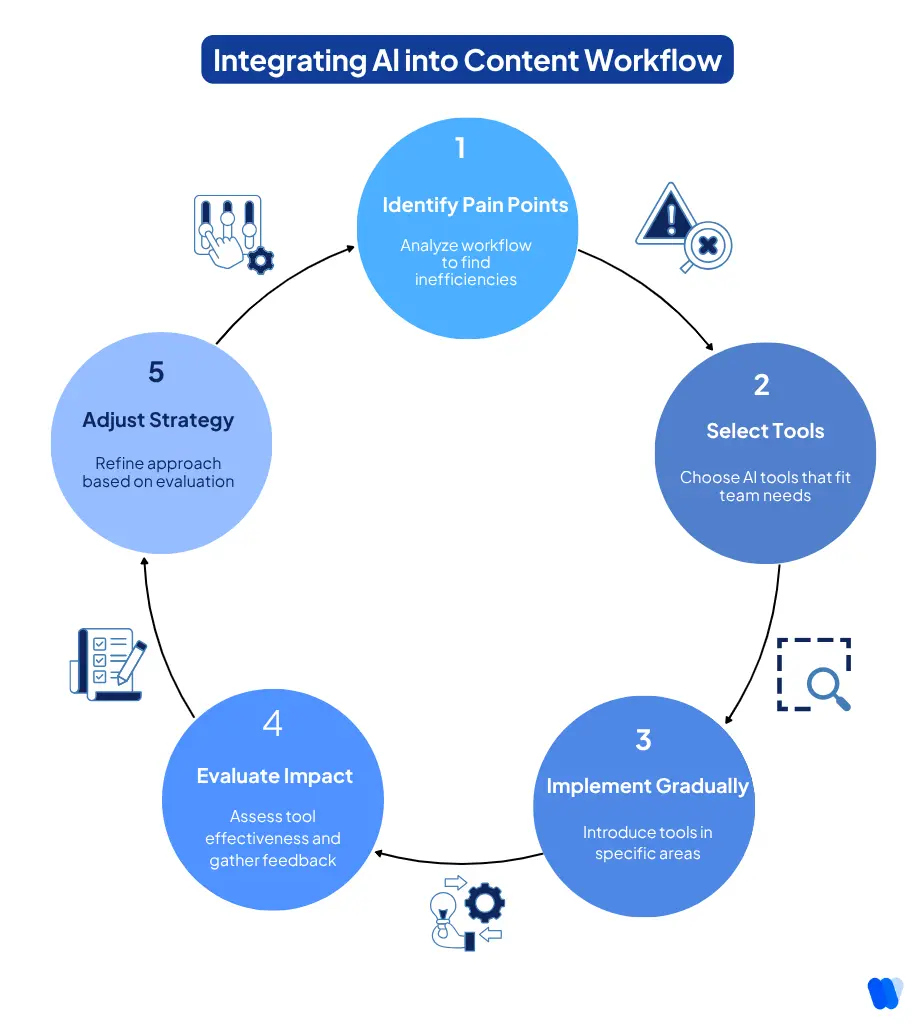
Here’s how to get started:
Step 1: Pinpoint where the process breaks down
Every content marketing team has unique pain points, but the workflow usually follows: Idea → Brief → Draft → Edit → Publish → Analyze. Pinpoint where this process breaks down—whether briefs take too long, drafts need heavy rewrites, or reporting is missing.
Look closely at:
- How long it takes to turn an idea into a draft
- How many rounds of editing each piece requires
- How much time goes into reporting and performance tracking
- Whether content is being repurposed effectively
Even just one or two slow spots can add weeks to your publishing cycle.
Step 2: Choose AI Tools for Content Teams
There’s no shortage of technology claiming to help content teams, but not every option is a good fit for every team. A tool should complement your workflow, not complicate it.
When evaluating tools, check the learning curve (average 2–3 hrs vs. 5+ hrs). When choosing an AI content workflow, look for platforms that integrate with WordPress and GSC, whether the platform generates detailed content briefs with H2/H3 depth.
KIVA, for example, creates briefs and full content in WordPress with brand voice control built in. Add workflow automation for routine steps—formatting, internal links, and basic SEO checks—so editors stay focused on high-value work.
Keep these questions in mind:
- Is it easy for the team to learn and use?
- Does it integrate with the systems you already rely on?
- Can it help maintain your team’s tone, voice, and standards?
- Will it actually save time on specific tasks or just create more work?
Below is a quick reference table of trusted tools for specific content team tasks so you can focus your search:
| Task | Recommended Tools | Why it fits |
|---|---|---|
| Keyword research & SEO insights | KIVA, SEMrush, Ahrefs | Surfaces high-value keywords, tracks rankings, and reveals gaps your competitors are filling |
| Content briefs & outlines | KIVA, Clearscope | Automatically generates detailed, structured briefs aligned with user intent |
| Drafting & writing support | KIVA, Grammarly, Jasper | Helps draft initial copy, ensures clarity, grammar, and tone consistency |
| Editing & optimization | Surfer SEO, Hemingway Editor | Flags readability issues, optimizes for search and maintains a style |
| Performance analytics & reporting | Google Analytics, HubSpot | Tracks audience engagement, identifies underperforming pieces, and informs strategy |
| Repurposing & content recycling | ChatGPT, Canva, Descript | Helps turn blog posts into social media snippets, videos, and other formats |
Step 3: Start small, then scale
Don’t try to transform your entire workflow overnight. The most effective way to bring technology into your content process is by starting with one or two areas where AI for content teams can have an immediate impact.
For example, generating blog outlines, streamlining editing checklists, or repurposing older posts into fresh formats.
Pick one area, introduce a supporting tool, and let your team get comfortable with it. Track results over the next month or two: is it saving time? Improving quality? Reducing stress? Gather feedback from your writers and editors, and adjust as you go.
If you’re looking for a platform that makes SEO automation and content generation easy, KIVA is worth considering.
Begin with a Pilot, Then Grow
- Keyword Discovery (with Google Search Console):
By integrating with Google Search Console, KIVA surfaces high-value, low-competition keywords you might miss—so you prioritize topics with real upside.

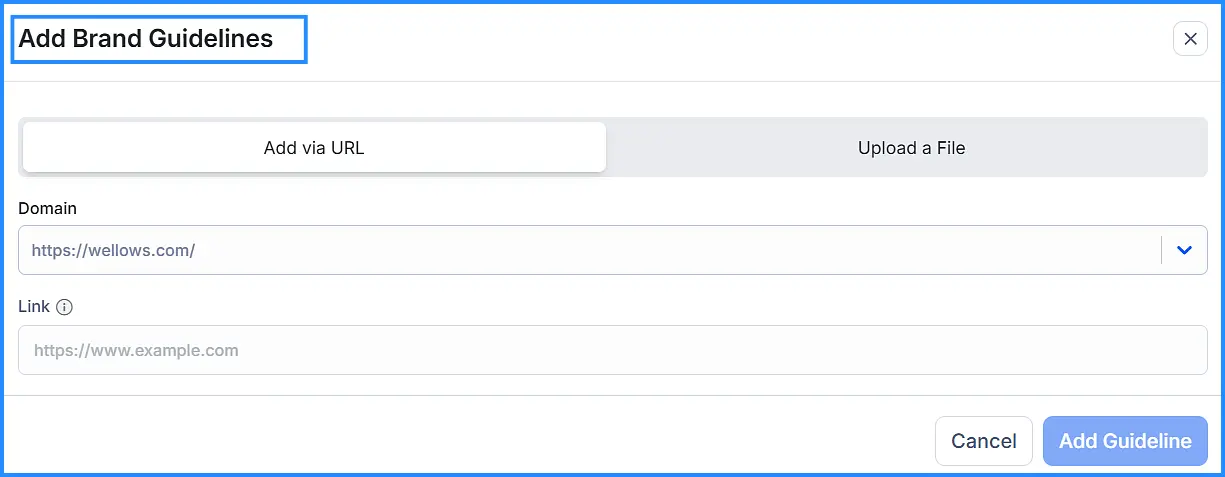
- Brand Consistency (upload your guidelines):
Upload your brand guidelines so tone, style, and formatting stay consistent across every draft—no heavy-handed rewrites later.
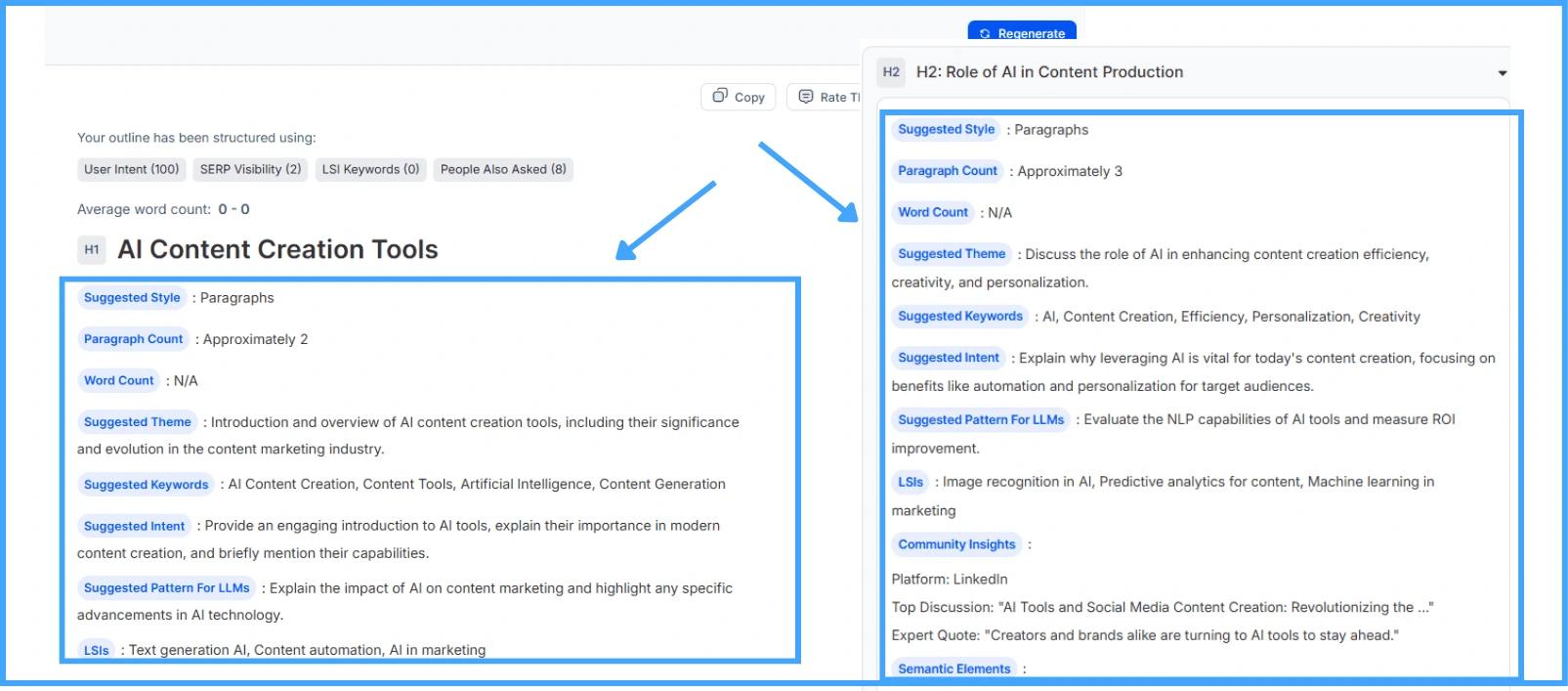
- Content Brief Generation (intent + keywords):
Automatically generate structured content briefs aligned to user intent and mapped keywords to keep writers focused and on-strategy.
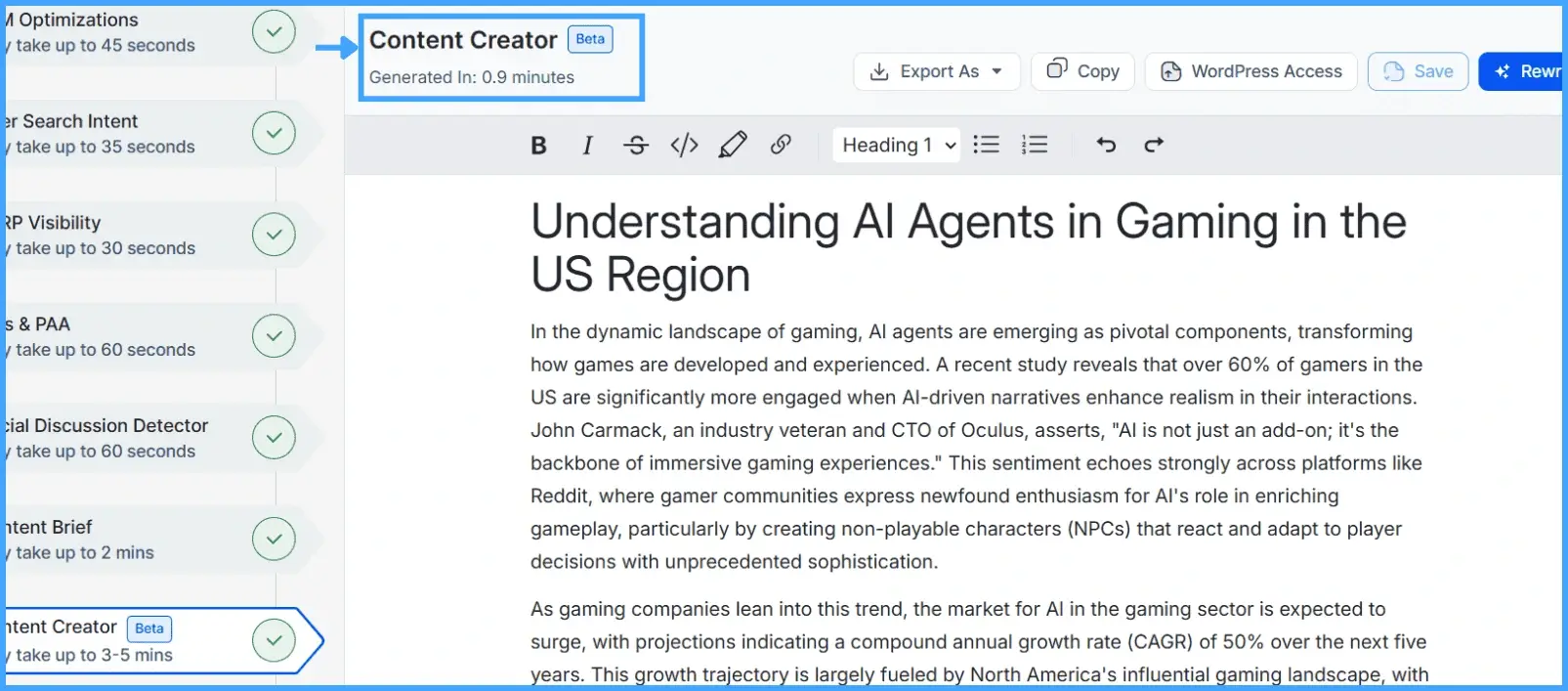
- Content Creation & Publishing (WordPress native):
Draft directly in WordPress, rephrase or expand with built-in tools, and export or fine-tune before publishing—full creative control, fewer copy-paste steps.

For more practical ways to increase output without burning out your team, check out these tips to triple content output using AI writing assistants.
- Flexibility and integration
- Brand voice control
- Collaboration-friendly features
- Task coverage
- Transparency and explainability
Not all AI tools are created equal. Here’s what to consider before choosing one for your AI content creation.
Does the platform adapt to your workflows and integrate with existing tools like CMS, analytics, and project management?
Can it learn and maintain your brand’s unique tone, style, and guidelines?
Does it enable collaboration between human team members and AI rather than operating in a silo?
Choose a platform that helps at the stages you need most — research, drafting, editing, or reporting.
Does it show you why it makes certain suggestions or optimizations so you can adjust accordingly?
Which AI Tools Fit Content Teams? (Quick Compare)
AI for content teams is no longer about one-size-fits-all platforms. Different tools serve different stages of the workflow—from research to drafting, editing, and repurposing. Here’s a quick comparison to help you choose the right fit.
| Tool | Learning Curve (hrs) | CMS Integration | Brand Voice Control | Analytics Depth | Pricing / Trial |
|---|---|---|---|---|---|
| KIVA | 2–3 hrs | Native WordPress + GSC | Upload brand guidelines | Keyword + performance insights | Free forever and Tiered plans |
| Descript | 4–5 hrs | Exports to multiple platforms | Limited | Basic editing analytics | Free trial and Paid tiers |
| Hemingway Editor | 1 hr | No direct CMS integration | N/A | Readability scores only | One-time license |
| Jasper | 3–4 hrs | Integrates via API | Templates + tone settings | Basic campaign analytics | Free trial and Subscription |
Category winners:
- Best for briefs + full content creation: KIVA – generates semantic briefs and writes optimized content directly in WordPress.
- Best for repurposing multimedia: Descript – excellent for turning blogs into videos, clips, or podcasts.
- Best for editing readability: Hemingway Editor – keeps copy concise and grade-level appropriate.
- Best for quick templates: Jasper – provides structured prompts and brand tone options.
What Are the Benefits of Using AI in Content Creation?
The rise of AI tools for content teams isn’t about replacing writers — it’s about amplifying what content marketing teams can achieve. When used strategically, AI gives content teams a competitive edge in both efficiency and quality. Here are the key benefits:
1. Increased Productivity and Speed
AI can generate outlines, draft copy, or repurpose existing content in minutes. This means your team spends less time on repetitive tasks and more time on creative, high-value work. For teams facing constant backlogs, this speed is transformative.
2. Smarter Use of Data and Insights
AI tools analyze audience behavior, keyword trends, and performance metrics at a scale humans can’t match. This helps content teams make informed decisions about what topics to prioritize, how to shape messaging, and where to distribute content.
3. Enhanced Creativity Support
Rather than replacing creativity, AI acts as a brainstorming partner. It suggests new formats, angles, and content variations that writers may not have considered. This sparks fresh ideas and keeps content from feeling repetitive. Collaboration in marketing improves too—shared briefs, comments, and versioning keep writers, editors, and stakeholders aligned.
4. Consistency and Quality Control
Maintaining brand voice and tone across multiple channels is challenging. AI platforms with brand voice control, like KIVA, let you upload guidelines so drafts stay consistent. Paired with readability targets (grade 8–10), your content remains accessible while protecting brand integrity.
5. Cost Efficiency
By automating parts of the workflow like keyword clustering, SEO optimization, or content briefs, AI reduces the need for excessive outsourcing or extra staffing. Teams can scale output without dramatically increasing costs.
What Are the Challenges of Using AI for Content Teams?
While AI offers speed and efficiency, it also brings new hurdles for content teams. Understanding these challenges is key to using AI for content teams effectively, striking the right balance between automation, creativity, and strategy.
| Challenge | Why It Matters | How to Overcome It |
|---|---|---|
| Maintaining Quality & Authenticity | AI-generated drafts can feel generic or lack depth, reducing audience trust. | Use human editing to refine tone, add insights, and ensure authenticity. |
| Brand Voice Consistency | AI may drift from your brand’s style, creating mixed messaging. | Train AI with brand guidelines and choose tools that allow voice control (e.g., KIVA). |
| Over-Reliance on Automation | Teams risk depending on AI too much and neglecting strategy or creativity. | Keep AI as an assistant, not a replacement — humans should lead ideation. |
| Ethical & Legal Concerns | AI can generate biased or plagiarized content, raising compliance risks. | Run plagiarism checks, fact-check sources, and set clear AI-use policies. |
| Integration with Existing Workflows | New tools can disrupt processes if they don’t fit with current systems. | Select AI platforms that integrate seamlessly with CMS, analytics, and workflows. |
FAQs
Some of the best AI tools for content strategy include KIVA, Jasper, Clearscope, and Surfer SEO. These platforms help with keyword research, content briefs, optimization, and analytics, ensuring your strategy is both data-driven and efficient.
AI streamlines time-consuming tasks like research, first drafts, and SEO optimization. This gives teams more bandwidth to focus on creativity, brand storytelling, and higher-level strategy, which directly boosts productivity.
Content teams usually begin by adopting AI for specific tasks such as generating briefs, repurposing content, or automating SEO audits. Once comfortable, they expand to integrate AI across workflows — from ideation to publishing.
Teams rely on **natural language processing (NLP) for writing support, machine learning models for personalization, automation tools for publishing, and predictive analytics for measuring performance.
AI is reshaping content creation by making it faster, more personalized, and insight-driven. It enables large-scale production, smarter SEO alignment, and better user experience — without sacrificing creativity.
Companies integrate AI by aligning it with existing systems like CMS, analytics, and project management tools. Successful integration often starts small and gradually scales to cover research, drafting, editing, and reporting.
AI plays a central role in modern marketing by enabling personalization, predictive analytics, real-time optimization, and campaign automation. It helps brands better understand and respond to audience needs at scale.
AI tools for content teams streamline the entire AI content workflow from briefs to drafts to reporting, reducing manual overhead and improving consistency.
Conclusion: Is your content team ready for AI?
If your team is overworked, your content quality is slipping, or you’re falling behind competitors, the signs are unmistakable. It’s time to explore AI for content teams as a partner, not a threat.
By taking small, strategic steps and choosing the right platform, such as KIVA, your team can create better content more quickly while maintaining the creativity that makes your brand unique.
So, is your team ready?
-
Take an honest look at your workflow.
-
Identify the signs we’ve outlined here.
-
Start small, and start now — because the longer you wait, the harder it will be to catch up.
Your team doesn’t need to work harder to succeed. They just need the right support from AI for content teams to scale output without sacrificing originality or quality.
Read More Articles
- Content Marketing Agencies: A Complete Guide 2026
- Top Content Marketing Statistics to Know in 2025
- LLM Content Creation Strategy
- How to use People Also Ask data
- Content readability in SEO
- How to Align AI Content to Match Your Brand Voice
- AI and E-E-A-T: What Content Marketers Should Know
- 7 Ways AI Improves B2B Content Marketing